
How to get more engagement with Facebook ads?

If you want Facebook ads to get more interactions and achieve remarketing, you need to spend more effort on users and also use some strategies. So what is the right way to do it? How can you get more engagement and conversions?get more engagement and conversions
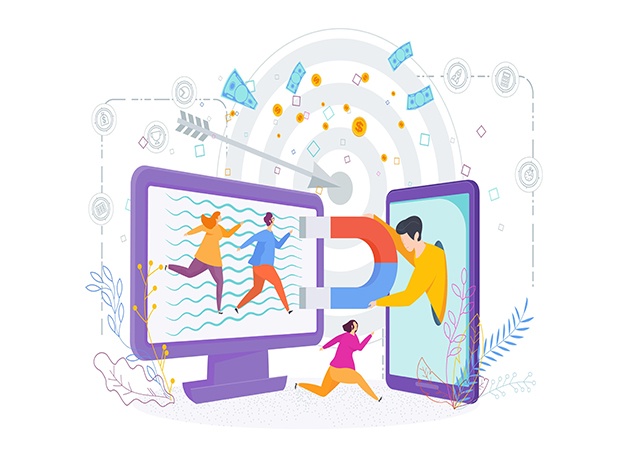
Analyze and cater to your users

Change the ad format

Don’t set the tone of your ads as a call to purchase. This is because as ads continue to evolve, users are tired of seeing this form of ads.

So you can set some different content. For example, you can share the brand story, the production process of the product, some events to be held in the near future, and so on, to attract users’ curiosity and attention through novel stories.

Show more content that users want to see so that they can trust you more.

Analyze the characteristics of users who have visited the website

Many people who place Facebook ads want to expand their user base so that their ads reach as many users as possible. This is the right idea.

However, it’s a hypothetical idea that is fraught with constraints and uncertainties when it comes to implementation.expand their user base

It is more efficient to track and analyze the users who have already interacted with your website. Whether these people have just browsed your products or have already purchased them, they already have a certain impression of your brand. So how does it need to be done?

  1. Go to Facebook’s Ads Management Center.
  2. Select Pixel in Settings.
  3. Find Create Custom Audience.
  4. Select all website visitors.

If you have your own analysis ideas, it is also possible to make changes according to your needs.

Strategies to optimize Facebook engagement and conversion results

Run regular campaigns

It is necessary to create regular campaigns on Facebook for the store or for a certain product. Or you can also create a contest.

When creating a contest, you can prepare quality prizes for the winner in order to motivate users to participate. By offering prizes, it brings maximum exposure to the users who participate. This is a great one for marketing, regardless of the platform.motivate users to participate

Keeping ads relevant to the audience

Only by keeping ads relevant to your audience can you ensure that your previous investment will pay off.

And by doing so you will receive relatively fewer ad complaints and have a higher probability of passing the review.

Design ad videos that can be played on mute

Many users browse Facebook in silent mode, so you can design an ad video that can be well understood even in silent mode. This is where subtitles or graphics are more important.browse Facebook in silent mode

Monitoring Facebook ad data

Checking the data of Facebook ads is a task that must be done every day. So how to monitor the data?

  1. Go to Facebook Ads Management Center.
  2. In Campaign Manager, find Create Custom Conversions.
  3. In the categories, there will be many different types, find the people you want to track, here include users who added a purchase, users who joined a wish list, users who made an order operation, etc.

If you use this feature effectively, it will play a very important role in the conversion of your website.

Organize users’ comments

If you have been operating for a while, then you will get a certain number of reviews, at this time you can collate some quality positive reviews and display them on a priority basis.

Keep landing pages consistent with ads

This point is overlooked by many people. Because most sellers think that when placing Facebook ads, they just need to make sure the material is good.

But the truth is, Facebook will review your ad landing page as well as the ad. So the landing page and the ad must be consistent. Because if you can’t pass the review, not to mention conversion and interaction.
ad

Promote your Store and Business with Facebook ads!

Nowadays, more and more people choose to join the ranks of cross-border e-commerce, among them, there are many cross-border e-commerce companies that use Facebook for store promotion.

Because no matter how good your store design is and how affordable your products are, no one will know about your store as long as you don’t promote it. So how to promote your store and business with Facebook ads?ad

What are the issues to pay attention to before placing Facebook ads?

Comply with Facebook’s advertising rules

Facebook has introduced a page rating function for homepages. If your page has a low rating, it will be difficult for your ads to pass the review. Therefore, when placing Facebook ads, you must first understand Facebook’s advertising rules.

Facebook ad review time is generally 24 hours, so if you send ads with content that is unacceptable to the platform, then don’t waste your time and money.

The advertising messages that Facebook resists are:

  1. Pictures or contents that make before and after comparisons of products for sale.
  2. Content that contains financial information.

  3. Intentionally set up suspense in order to make the post get attention.

  4. Information that contains sensitive or misleading information such as drugs, tobacco, adult products, weapons, etc.
  5. A large number of typos and grammatical errors in the content
  6. If the content of the ad you placed is complained about, it will be re-examined no matter how long your ad has been applied. In serious cases, your ad will be removed.

So before placing Facebook ads, be sure to check the platform’s advertising policy carefully to avoid unacceptable results.rules

Learn to tell a story based on the product

No matter what type of ad you are placing, you can advertise through storytelling.

Because stories make it easy for users of any age group to remember something. So you can tell a story around the product that is more appealing, which will also deepen the user’s impression of the product.

It’s easy to explain why many businesses are now using stories with a sense of immersion to attract the attention of users.

If you use scenes that users can usually encounter, you will get better results. You can look for ideas from highly rated movies or TV shows.

What do I need to pay attention to when placing Facebook ads?

What format should I use for advertising?

When placing Facebook ads, it is recommended that you choose to place your ads in video format. Because for video, the Facebook algorithm is more friendly. And not only Facebook likes videos, but also the users who use Facebook prefer them.

By placing your ads in video format, you can also provide users with a more comprehensive and visual understanding of your product.place your ads in video format

What kind of video to use?

Many users who use placement Facebook ads place videos of their products or take pictures in the same context.

Such a form of advertising can result in spending a lot of money, but the effect of the ad does not attract the attention of users. Therefore, it is important to make sure that the content is attractive when selecting the video.

Strategies for Facebook ad placement

Use interstitial ads

What is interstitial advertising? Gap ads are like the ads that we usually intersperse while watching TV.

Facebook ads also come in this form, which is mainly about showing ads to users while they are browsing posts. This is a way to get the user’s attention by interrupting them.

Use interstitial ads to ensure that they are approachable and persuasive because you have interrupted the user’s reading experience. Never show it in the form of a guide, otherwise, it will easily cause users to resent it.cause users to resent it

Use call-to-action buttons

If you don’t have a call-to-action button in your ad, it doesn’t matter how well your ad content is done. What is a call-to-action button? Like “Learn more” or “Show more”.

Create a Facebook page to post ads

When creating a Facebook fan community, you need to spend most of your time creating a Facebook page.

Post some content on the Facebook page that is of interest to the users. This content does not need to be long, but whether you write it yourself or share quality content from others, you need to make sure that the content is something that your audience will enjoy.

You can also share some videos or images, etc.

Turn short ads into long ads for re-marketing

Facebook generally does not have long ads. So if there is too much text on the image, it won’t pass the review.

Since there is no way to pass the review of long ads, how to change from short ads to long ads?

Although you can’t place a long ad directly on Facebook, you can post a short ad on Facebook followed by a “learn more” link.

If you need a lot of content to introduce your product, but the information can’t be put into a Facebook ad, you can use this method to place the ad. The landing page for this link does not have to be textual, but can also use video. However, it is best to use a soft ad format for the landing page.learn more

Offer discounts regularly

Using discounts will definitely attract more users. Why? Because discounts mean that you can save some money on your favorite products, and most users can’t resist the temptation of discounts.

If you sell a popular product with a discount, even those who haven’t bought anything from your store will stop to see your ad and even enter your store.

Establish authoritybuild authority and credibility

In what ways can authority be gained? You can build authority and credibility through the comments section or by interacting with your friends.

When you see a user ask a question, be sure to answer it professionally enough. After all, this is the product you are selling. And you are also building a brand image by interacting with users.

It is important to note at this point that there will be comments on the content posted, and it is normal for these comments to be both good and bad. After all, it’s hard to do that everyone likes your product. These comments will include some suggestions left by users for the product, and you need to sort through those comments at this point. Leave those comments that are true and good for product optimization, and delete the spam comments that are meaningless.

Facebook friend

How to add Facebook friends to a group at once?

When running Facebook, many people want to add all of their Facebook friends to a group because it saves time. So how do you get them all into groups at once?Facebook friend

If your Facebook friends are already full, that means you have 5,000 friends. You can do this the usual way: First, suggest a group. Then, when you click on the embedded invite, Facebook will send you a bunch of code that you have to paste into the email.

But that can be tricky to do so. Are there any tools that can help you do that?

Tools that can add Facebook friends to a group at once!

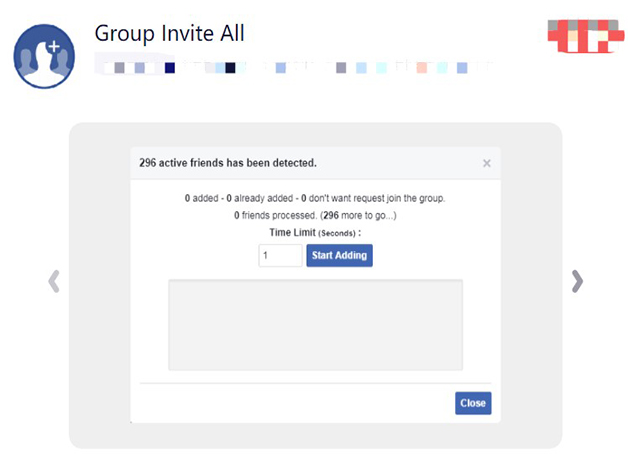
Group Invite All

  1. Search for and add information in your browser.
  2. After adding, you can open the group you want to add.
  3. Open groups and click the tool you just installed in your browser. Turn on the icon to set how many friends you want to invite and how often you want to invite the next friend to the group.Group Invite All

Friends that have been added to the group are marked green, and those that have not been added to your group are marked red.

For Facebook-Group-Invite

  1. Search and add in the browser you’re using.
  2. After adding, you can open the group you want to add. If you have opened the group before, you need to refresh it. After opening it, you can directly click the newly installed plug-in.
  3. After opening the plugin, you can set the number of people you want to invite. Set the number of people you can click auto select, and then click Start.
spam comments

How to remove Facebook spam comments?

A problem many Facebook users have noticed is that there are a lot of comments in the comments section, not only from competitors but also from spam. So how do you prevent and avoid spam comments?spam comments

The easiest way to deal with spam comments on Facebook is to use tools. You can try Smart Moderation.

How to use it?

  1. Search for SmartModeration on the browser of Facebook, enter the page, and click to start using it.
  2. Log in directly to the tool using your Facebook account.
  3. This tool works with spam comments on Facebook, Instagram, and YouTube, so feel free to use it. If you just want to get rid of spam comments on Facebook, go to Facebook and it will automatically list all of your pages. Selecting to add a page tells the tool that you want to remove spam comments from that page. Among other things, the tool can respond to users’ messages online, delete or hide comments, and most importantly, block people you don’t like.Smart Moderation
  1. If you still want to get rid of spam comments on Instagram, just click on my page and select Instagram to log in.
  2. Sign in to your account through the API that authorized Smart Moderation, and you can switch to the Instagram interface.
  3. Repeat what you did with Facebook.
download

The Best Ways to Download Facebook Videos!

Many Facebook users want to download Facebook videos that are of good quality or helpful to them so that they can’t find them when they want to watch them again. However, there is no direct download button for Facebook videos, so how to download Facebook videos quickly?download

How to download Facebook videos without using tools?

  1. Find the video content you need to download, right-click to view the URL of the video, copy the video link content.
  2. Open a new web page from the browser, paste the link in the address bar, change the protocol part of the address and the www to mbasic, and then open this page to see the video content you want to download.
  3. Click play will jump to a new page, right-click Save Video As, you can download the Facebook video down.copy the video link

How to download Facebook videos offline?

  • Savefrom.net

Copy the video link you need to download into the site’s search box, it will automatically load the video content, click download and select the location you need to save it. When you download a video from this site, you can choose the quality of the video you need.

  • FBdown.net

Copy the link of the video you need to download into the search box of the website, set the video quality you need and the storage location of the video, click on the download can be.

  • Saveas

Copy the link of the video you need to download into the search box of the website, click the download icon directly, rename the file and choose the location to save it, then click download.

  • Getfbstuff

Copy the link of the video you need to download into the search box of the website, click Download to select the video quality you need to download, change the file name and choose the save location, then download it directly.

How to download Facebook videos in different systems?different systems

How to download Facebook videos on the Windows system?

First, download and install Itube Studio, run the program and click paste URL in the upper left corner, paste the link of the Facebook video you need to download.

Then select the location where the video needs to be stored and download it.

How to download Facebook videos on Apple mobile?

First, go to the Apple store to download the Mymedia APP.

Second, run the APP and paste the URL of Facebook into the built-in browser.

Finally, click download and set the name of the file on it.

How to download Facebook videos for Android?

First, download the Facebook video downloader.

Secondly, after running the APP, open Facebook in the APP and log in to your account.

Finally, after you find the video you need, click on the video, and the option to download will pop up, download it directly.

How to find Facebook page ID quickly?

For Facebook operators, user IDs are very important for them to analyze Facebook’s operational strategies. How to find these Facebook page IDs quickly?Facebook

How to find Facebook page IDs quickly?

Use source code

  1. Use your browser to open the relevant page of Facebook.
  2. Click the right mouse button, find the option to view the source code of the page, and open it.
  3. Open it and press Ctrl+F, then enter page_id=, you can query the information of the dedicated page.
  4. To check the home page, press Ctrl+F and enter profile_id= to view the information on the home page.code

How to check your Facebook page ID?

  1. Click the About tab in the left column.
  2. Your page ID  is at the bottom.

Use the tool

You can use findmyfbid to check the information about your page ID. This tool can help you find the home page ID information, but also can help you find the ID information of the dedicated page.

Facebook Video | Uploading VS Reprinting?

Many users who run Facebook have asked: Which is better? Facebook posts or Facebook videos? When uploading a video, is it better to upload a downloaded video or to republish a video from another platform?Facebook and YouTube

The answer is that Facebook videos work better than Facebook posts, and posting videos directly on Facebook works better.

Facebook post vs. Facebook video

Facebook videos are more effective.

Because of the busy visual society nowadays, more and more people are more inclined to watch efficient and interesting videos. And the general trend nowadays is also that video or live streaming will be given more and more weight.

Uploading Facebook video vs. Republishing video

Uploading videos directly on Facebook is much more effective. Why? The reasons are as follows:

  1. When the user is browsing the page, as long as the mouse slides over this video will be automatically played by default. This immediately sells your video to users and captures their attention immediately. And once your video gets more attention, you can get more interaction and reach.get more attention
  2. The uploaded video will have a stronger impact than the republished video. As more and more people comment, the number of people watching will also increase.
  3. The uploaded video will also be better than the republished video in terms of the size of the playback.

Long video vs. short video

According to statistics, the average reach and view rate of long videos are better than short videos. This is probably because Facebook believes that there are few users who will watch long videos, so it gives more leverage to users who post long videos.

From the perspective of user engagement, long videos are also more effective than short videos.

So. If you want to get more reach and engagement, you can choose to make a long video of about three minutes.

more efficient

The Benefits of using Facebook CBO for advertising

Users who use Facebook to advertise want to reach a larger audience, so how can you use Facebook CBO to optimize your ad placement? What are the benefits of using Facebook CBO for advertising?advertise

How to use Facebook CBO to optimize ad placement?

  1. The budget allocation of the ad campaign and the setting of CBO is very simple, you only need to click on budget optimization when you create a new ad campaign.
  2. As soon as you select Budget Optimisation, you can set the budget for the ad campaign. You can use the daily budget or you can choose the total budget.

Once you have set the budget for the campaign, Facebook will allocate the budget accordingly to each ad group to achieve the highest possible results, so that you can get more conversions through budget optimization.

It is important to note here that CBO is effective for multiple ad groups, rather than a single ad group.optimize the budgets

What are the benefits of using Facebook CBO?

  1. CBO helps advertisers to manage their budgets automatically, which reduces the time spent on ad campaigns.
  2. CBO simplifies the way ad campaigns are managed in the process of ad optimization.
  3. CBO gives better results for campaigns by increasing budgets for the most effective ad groups. The total value of the campaign is maximized by reducing the spending of each ad group.
  4. CBO budget optimization can reduce the learning process for Facebook.
  5. Reduces the number of situations where the budget is not spent.
  6. CBO is more efficient for audience group ad spend, which can facilitate all ad groups to use the lowest cost spend to get more accurate targeting.more efficient

Issues to keep in mind when using the Facebook CBO strategy

  1. Give ad groups enough time to learn.
  2. Set a maximum and minimum amount for the ad group budget.
  3. Split ad campaigns according to channel phase.
cost the least and get the best results

Facebook ads | The Facebook CBO strategies for ads!

When using Facebook advertising, you need to constantly optimize in order to get higher audience conversions, so what are the CBO strategies?optimize budget

What are some CBO strategies?

Create a wide range of interest

This strategy does not require a lot of data information, nor does it require setting up a number of similar audiences in advance.

First, setting up a single ad campaign will allow you to test a single audience group. After a few days, a few of the better-performing ad groups from this campaign can be replicated in the CBO campaign.

Review the results of the placements in the CBO campaign on a daily basis and stop placing the underperforming ad groups. If after a few days the groups in the CBO campaign are not delivering results, stop the group and replicate it with a new interest group.

The point of repeating the process in this way is to be able to test the interest audience groups with a single campaign.

However, it is important to note that CBO campaigns should not replicate ad groups too often and only need to increase their budget to get good placement results.test the interest audience groups with a single campaign

Create similar audiences

Facebook has the best results optimization algorithm for audience groups. If you only target a very small audience range, targeting a similar audience will be effective, but the CPM will be relatively higher. Although the targeting results will be more accurate, don’t expect too much in terms of conversion results.

If you want to create similar audiences, you need to combine similar audiences with different types of audiences, so that when similar audiences are stacked together, they can become a super similar audience.

How can you find similar audiences?

  1. Use CBO to create an ad campaign that will create different 1% similar audiences for all ad groups.
  2. Run the CBO campaign for a day or two and then analyze the results and spend accordingly to see which similar audiences cost the least and get the best results.cost the least and get the best results
  3. Check the initial bill after a week; check the number of buyers and Facebook engagement after a month.
  4. Find the three best performing similar audiences and then split the audience.
  5. To create a CBO campaign you need to stack 5 different audience groups so that you can create a CBO campaign with a super audience.

CBO campaigns need to be run on Facebook as well as optimized for budget, without having to replicate the ad groups yourself to get the results you need.

Suggestions for CBO advertising

  1. Instead of using a single ad group, each ad group can run a variety of ad content.
  2. Use a daily conversion window at the ad group level for better optimization.
  3. Keep testing new ads so that you can pause ads that are not working well and then have each ad group cycle through the new ad material. This way the results of the CBO ads will be more consistent.

Facebook ads | How to optimize ads with Facebook CBO?

Facebook ads need to be constantly optimized to get better placement results, so how can you optimize your Facebook ad budget?advertise

What is Facebook CBO?

CBO stands for Campaign budget optimization and can be used to optimize the allocation of budgets between each ad group.

When placing Facebook ads, advertisers set an overall budget for the campaign and later adjust it according to the performance of each ad group in order to achieve the best results.

In the absence of CBO, if you have two ad groups running at the same time, one with a similar audience and the other with an interest audience, how can you tell which one is going to work best? After all, the number of similar audiences reached is higher than the number of interest audiences. If the budgets are allocated equally when testing ad groups, it would not be fair to the ad group with the higher reach. So it would be necessary to adjust the advertising budget.

CBO solves this problem and is a default algorithm introduced by Facebook for Facebook ads.optimize the allocation of budgets

How to set up an ad campaign?

What are the components of an ad campaign?

  1. campaign: the entire campaign to achieve an advertising objective. the CBO is used to optimize the budget allocation within the campaign.
  2. Ad groups: there can be many ad groups under one campaign and each ad group has a specific budget, bid, ad version, audience group, and time of placement.
  3. Advertisements: in the form of copy, URLs, videos, and images, which are displayed directly to the audience.

How to set up an ad campaign?

Budget allocation model for ad series

  • Daily budget: Facebook will spend on advertising according to the daily budget for the Facebook ad series.
  • Total budget: Facebook’s total budget for the entire campaign, is calculated on a daily basis so that the total budget is not exceeded.calculated on a daily basis

Placement optimization according to advertising objectives

  • If you want to attract traffic to your website, choose link clicks.
  • If you want to improve the conversion of your website, choose the conversion target.

Ad bidding

Facebook advertising bidding is divided into automatic bidding and manual bidding, and Facebook will also give a bidding suggestion.

Advertising schedule

Ad placement can be set up with a customized placement schedule so that Facebook will automatically arrive at the appropriate time.

Type of ad placement

  • Standard ad placement: the cost is relatively low and the speed of ad placement is optimal.
  • Accelerated ad placement: the ad placement is faster, but the cost will be higher.