color of the theme

How to change the Facebook homepage color?

As users of Facebook know, the Facebook homepage only has a blue and white color scheme. But not everyone likes this color, so is it possible to change the color of the Facebook homepage? How to change the color of the Facebook theme?color of the theme

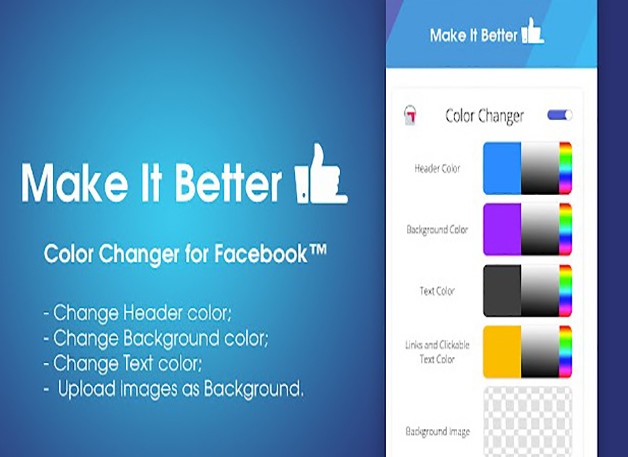
Using Color Changer for Facebook

  1. Search for Color Changer for Facebook on the browser store where you are logged into Facebook, and click Add Extension after you find it. Once installed, the extension’s icon will appear on your browser.
  2. Open your Facebook and open the extension at the same time. Then you can pick a color you like in the extension and your Facebook page will appear with the corresponding color change after you choose it.Color Changer for Facebook

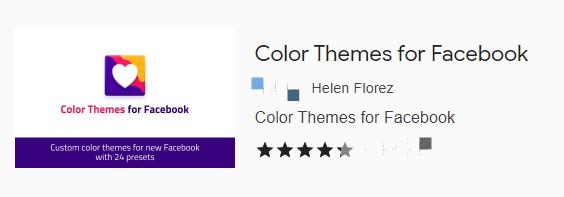
Use Color Themes for Facebook

  1. Search for Color Themes for Facebook on your Facebook login browser and click to install this plugin.
  2. Open the extension and you can choose your favorite colors. When your color is selected, your Facebook page will become the way you want it.Color Themes for Facebook

Now that you know how to change the color of your Facebook page, what if you still want to use the original blue and white interface of the platform in the future?

You just need to uninstall the plugin you installed from the browser.

friend requests

Cancel all the Facebook friend requests in One Click!

Many Facebook users have encountered a problem that many strangers will add you as friends every day, and it is troublesome to click to reject them one by one.friend requests

How to cancel all the Facebook friend requests in one click?

Nowadays, many people like to use the batch method to do the corresponding operation, such as batch pass Facebook friend request, or batch reject Facebook friend request, so is there such a tool to do the corresponding operation?

The answer is yes, and the method is very simple. You only need to install an extension on the browser you use to access Facebook.

  1. Add Toolkit for Facebook extension, the icon will appear on the browser, click open, and select the function you need.toolkit
  2. After clicking Accept or Reject all Facebook friend requests, you will be taken to the Facebook page, and the option to agree to all or reject all will appear on it. The purpose of using this extension is to solve all Facebook friend requests at once, so you can turn on the automatic scroll down so the program can automatically scroll down.
  3. After you click the button to accept or reject all Facebook friend requests, the program will automatically start running and will keep running the information of the deleted users. This is a much more convenient way to operate, so you can reduce the number of repeated operations.

Although it is very convenient to operate, at the same time, you need to pay attention to the difference between old and new accounts. Such an operation is not recommended for new accounts.

The reason is simple, if you have not spent the newbie period on the rash operation is very easy to attract the attention of the platform, serious will lead to account blocked.account safety

How to invite friends to like my Facebook page?

The most important thing that cross-border e-commerce companies who operate Facebook need are fans, so how to invite friends to like my Facebook page?

How to invite friends to like my Facebook page?

  1. You have to open the Facebook fan page first, there will be three dots in the upper part of the page, then you can find the option of inviting friends.
  2. You can also find the option of inviting friends to like the homepage on the right side of the page. After you tap Invite Friends, you can see that some of your friends have already liked your page, which proves that they have become your fans.invite friends to like the homepage Of course, there are some people who have not yet done the like operation, then an invite button will appear.

But inviting people one by one is a lot of work, so is there any way to make it easier and more efficient?

You can look for and install the plug-in on the browser that accesses Facebook. Generally speaking, plug-ins that support one-click invitations will jump to the Facebook Invite Friends screen, then click on the option to invite friends to like your home page, and then click on the ticked button to invite all your friends with one click. This way all your friends who have not liked your homepage can be invited.one-click invitation

After you do this, the invitee will receive a corresponding notification showing that he has been invited to the like page. After receiving the notification, it is up to them whether they will like it or not or whether they will take action.

Store

How to operate the Facebook Shop?

Why is Facebook shop important?

Facebook belongs to a huge traffic pool that can bring a lot of traffic to our e-commerce friends, which can help merchants gain a larger user base.help merchants gain a larger user base

Merchants can rely on this powerful traffic source and combine it with e-commerce channels to gain more fans. This way not only can make the ecological group more complete but also the future development space will be large.

We have to admit that the launch of the Facebook shop has really relieved the pressure on the survival of SMEs. Users can not only buy products directly through the Facebook shop but also channel them to e-commerce platforms. At the same time, it is also possible to send inquiries and track shipments directly to companies via messenger in the Facebook shop.

The Facebook shop can realize real-time shopping, which reflects Facebook’s great determination to enter the e-commerce industry, and it also allows users to realize a direct shopping experience by means of live streaming.Store

How can we accumulate more users?

Many e-commerce friends know that the best choice for attracting traffic is Facebook, and the launch of Facebook’s shop feature means that sellers have another channel to sell their products.

What do sellers need to prepare if they want to sell their products on Facebook?

After the product is on the shelves, the shop needs to be constantly optimized, but also through the placement of Facebook ads or quality content releases to attract more fans, so that you can use these fans later, to rush out higher sales. At the same time, the comments left by fans can give you a higher weight.live selling

Now Facebook also opened live selling, which is a way that many e-commerce friends have never been exposed to before, so it is important to seize the accumulation of the early stage in order to ensure a later run.

chatbots can increase the interaction rate of users and promote better results

How to create a Facebook chatbot?

Facebook chatbots can increase the interaction rate of users and promote better results, so how to create Facebook chatbots?chatbots can increase the interaction rate of users and promote better results

What needs to know before creating a Facebook chatbot?

  1. The language and instructions of the chatbot must be clear and simple so that you can avoid overly complex replies.
  2. When setting up a chatbot, it is best to set up a step-by-step guide or a direct list of options.
  3. When promoting or selling, you need to take a step-by-step approach and always pay attention to the customer’s reaction when testing the chatbot, so as not to cause any resentment, which can lead to blocking of the user in serious cases.
  4. You need to have a plan when using chatbots, after all, they can’t answer all the questions. So don’t forget the importance of real customer service while using chatbots.pay attention to the customer's reaction
  5. The process of using chatbots should be regularly upgraded and optimized according to the user’s response so that you can understand the most realistic response of the user.

How to create a Facebook chatbot?

  1. Use your Facebook account to log in. After installing a chatbot, there is an option to not spend an amount and also an option to add value. The value-added amount allows you to have priority and also capture a more accurate group of users through Facebook ads.
  2. Select automation.
  3. Set up the welcome message. When setting the welcome message, you can edit it by yourself, and you can also add a URL or a phone number.welcome message

What can I get from creating a chatbot?

After using the chatbot, it is easier to communicate with users, and you can set more options for information.

  1. A display of a specific page.
  2. The content of the display can be different according to the user’s different dwell times.
  3. A display on the slide page.
  4. A display of the pop-up page.
  5. After the page is minimized to show the information.
  6. An adaptive for mobile.
Chatbots

How to Increase Conversions with Facebook Chatbots?

Many people are starting to look at Facebook chatbots because they can act as a guide and they don’t interfere with the customer’s mood. So how can Facebook chatbots increase conversion rates?Chatbots

What are the benefits of Facebook chatbots?

Facebook chatbots can respond to simple questions as well as show customers information about the products they need. Users don’t even have to worry about the bot’s endless sales pitches.

Chatbots can improve the quality of customer service

Chatbots are able to provide 24-hour service to users and the time between conversations is reduced accordingly, also reducing the waiting time for users.improve the quality of customer service

Reduce customer abandonment rates

Chatbots can not only send reminders but also offer discount coupons, which can retain most customers.

How to set up a Facebook chatbot to collect customer information?

Create an interesting chatbot

You can only take the next step if you can interest the user. To increase customer interest, you can use more videos or pictures.increase customer interest

Create an encouraging bot

For marketing, nothing is more important than the user’s like, so how to use chatbots to guide users to share?

If users have questions about the product, they will choose to make a purchase only after they get a satisfactory answer, so pop up the share button when they feel most satisfied.

How to retain those customers who have browsed the website?

Those who have browsed the site must have a favorite product to keep checking, then you can use the chatbot to send some discount information every once in a while, etc.

Embody empathy

When selling products, you need to think from the customer’s point of view. When users have a feeling of being understood, they can build trust in the brand.

When using chatbots one needs to be aware of the following:

  • Using an approachable delivery style.
  • Providing users with free answers.
  • Bringing valuable information to users.

Using tests to retain customer information

Small tests can make customers more interested and share more often. This can lead fans to subscribe to the channel and also collect the user’s email information.

increase Facebook Page fans

How to increase fans for Facebook page?

The most important concern for users who operate Facebook is how to increase fans, so what issues do you need to consider if you want to increase Facebook Page fans?increase Facebook Page fans

What needs to consider if want to increase Facebook fans?

  1. What can the Facebook you operate bring to the fans?
  2. What is your strategy to operate Facebook? And what is the goal?
  3. What kind of posts do you publish? What strategy is used? What message do you need to convey to your fans?

The kinds of Facebook fans

  1.  Fans obtained by advertising.
  2. Bot fans without any meaning.
  3. Fans obtained by posting quality content.Fans obtained by posting quality content

How to attract fans through content at the beginning?

  1. You can find some pictures related to your post on other platforms and use the momentum to increase some fans.
  2. To get more engagement, you can translate the posts that show better results into different countries’ languages and then link to the Facebook page.
  3. After posting the post, you need to closely observe the content of the comments so that you can know how the post is received and whether it has achieved the expected effect.
  4. When publishing a post, you can choose some experience sharing topics or contents that directly solve users’ problems.
  5. The title of the post can be set as a question. Try to describe it more precisely when using Facebook tags so that more users can see it.
  6. Wait until the account is mature before launching a campaign on multiple platforms.
  7. When advertising products on Facebook, do not repeat on a page, after all, no user likes to see the same information every day.
  8. After the post has been published for a period of time, it is necessary to dig deeper. In this process to think about what this topic can bring to the page and what it can bring to the fans.think about topic

Be patient when accumulating Facebook fans. Only by consistently and persistently posting quality content will you get more fans and will get the results you want after a period of sustained development.

Facebook Ad Audience

How to set up your Facebook ads?

Facebook ads are divided into three main sections: Facebook ad series; ad groups and ads. Setting up Facebook ads cannot be done without these three sections. Most of the users who use Facebook to place ads have seen some setting options.Facebook ads

What needs to pay attention to when placing Facebook ads?

Creating ads through Facebook Ads Manager

Facebook Ads Manager is suitable for most companies. If you want to place ads on Facebook, or if you want to create ads in bulk, you can get started through the power editor. The power editor is also relatively easy to use and you can directly target posts for ad placement.

While Facebook offers Facebook pixel tracking, it doesn’t prevent you from using link tracking either. This can be a two-way comparison, and with more data information later you can make more targeted comparisons to and optimization.

Facebook Ad Audience

Advertising audience refers to the people you need to select and want to target.

When you set up the ad crowd if the ads are placed particularly well, then be sure to save the ad user group settings, so that you do not need to set them up again in the future.

Similarly, if there is a group of ads running particularly well, someone may choose to optimize on top of this ad group. But this does not work well, it is better to reset a new one.Facebook Ad Audience

Facebook ad settings

There are two types of ad price settings.

  • Daily budget: Daily spending over a period of time.
  • Lifetime budget: the total amount spent over a period of time.

You can start running right after setting it up, and you can also set the time to run ads in the schedule.

Facebook Ads Optimization

There are two main display formats for Facebook ad text. One is a single-image or video ad; the other is a multi-image rotating ad.

For single-image ads, the text should be 90 characters or less; the headline should not exceed 25 characters.

For multi-picture rotating ads: ensure that it is within 90 characters; the headline should not exceed 40 characters.

What are the metrics to look for after placing a Facebook ad?metrics

  • Performance: the reach and spend of the ad after it is placed.
  • Video: the number of views by users.
  • Website: the number of clicks, adds, payment information, etc. on the website.
  • Interaction: Likes and engagement of posts.
  • Activity: The response and number of participants of the activity.
  • Clicks: the number of clicks, click-through rate.
  • Application: the number of installations by users.
  • Settings: time of running ads, start and end time, bidding, selection of ad targets.

How to pass Facebook identity verification?

The most fearful thing when running Facebook is the verification because you face account problems and blocking crisis. So how can you pass Facebook authentication effectively?identity verification

What problems will you encounter when operating Facebook?

  • The case of account blocked.

Then Facebook will need you to submit the appropriate identity information for verification.

  • Facebook can be used, but Facebook has closed the advertising rights, so you can’t place ads.

Some people think that it doesn’t matter if Facebook has closed the advertising permission, he can apply for a new account again. But you still haven’t found the reason why the advertising permission was disabled, then the same result will still occur again in the future.

Why do some people place Facebook ads with poor results?

It is possible that it is because you do not pay attention to the analysis of data. This results in poor results even though you didn’t spend less money, which will eventually lead to Facebook ad permissions being turned off. If your first thought at this point is to apply for a new account, you will be in a vicious dead-end cycle.pay attention to the analysis of data

How to retrieve the blocked account?

  • Open Facebook and click on the account you have been deactivated.
  • Click on a complaint.
  • Fill in your login email or phone number, your full name, and other relevant information in order.
  • In the additional information, you can fill in your birthday, address, phone number, etc.
  • Once you have filled in all the information, click Submit.

Please be patient and wait for Facebook to reply. If you don’t receive a reply from Facebook for a long time, you can also send an email to Facebook directly.

How to write an email to Facebook?write an email to Facebook

  1. Your email should be as concise as possible. Don’t write all the content together, making people look comfortable is the most crucial.
  2. You must appear sincere, to express the importance of this Facebook account to you.
  3. Finally, do not forget to thank the Facebook platform, and to express that you will strictly comply with the relevant policies of the Facebook platform in the future, as well as ideas for improving the violation issues.

In any case, when operating Facebook must first understand the rules of the Facebook platform, and only by strictly abiding by the rules of the platform can you avoid problems of verification.

select products

How to use Facebook for product selection?

Many users not only use Facebook to attract traffic but also through Facebook to select products, so how to use Facebook to select products?select products

Find hot products through the promotion

Facebook has now basically become the marketing platform of choice, no matter where the product sales are made, they will choose Facebook to attract traffic.

When you use Facebook for product marketing, you need to pay special attention to the posts you make. If there are corresponding comments about a week after the post is published, it means that the market for this product is not too saturated and it can be sold in your own store.

In this way, you can dig out more information about new products, which is one of the most effective ways for merchants.comments

Can I put the watermarked video directly into the store?

No. You can look for videos without watermarks, but this approach is also risky. Because you are infringing by using someone else’s video.

As soon as you use Facebook ads to drive traffic to the homepage you are involved in copyright infringement. So while this idea will allow you to get traffic quickly and increase your profits, and save you the cost of time, it is not recommended. Remember not to miss out on the big picture.

Watch your competitors’ ads

It is very important to keep an eye on your competitors’ ads after placing Facebook ads. Because you need to know their ad materials and audience groups to make yourself more competitive.keep an eye on your competitors' ads

How can we detect the competitor’s advertising information?

  1. Open their Facebook page and click Information and Ads on the left side to see the information they put up.
  2. You can also install Facebook pixel assistant and then visit the website so that you can also learn about your rivals’ advertising information. If the pixel assistant icon is grayed out, it proves that no pixel information is found on this website. You can add a few products to your shopping cart or visit your opponent’s website regularly, and after a while, you will find that you can see your opponent’s advertising information in the news summary of Facebook.
  3. What information should I focus on when looking at competitors’ ads?
  • Text and material used by competitors in advertising.
  • The age orientation of the competitor’s audience.
  • How target audience visit the page?
  • What kind of advertising space do competitors choose in Facebook’s news summaries.