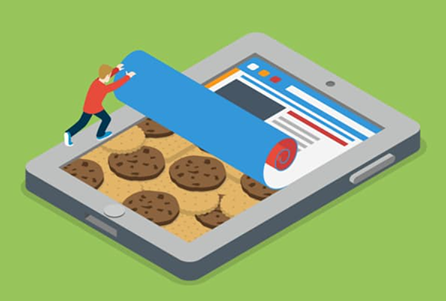

Method of shielding ip

Method of shielding ip

What is IP?

IP: Internet Protocol, IP address is a string of numbers and decimal points, used to identify each device connected to the Internet. There are two types: IPv4– composed of four two or three digits (for example: 123.45.67.89), separated by a period. IPv6–address is much longer, including letters and numbers separated by colons. Compared with IPv4, IPv6 has higher routing and data flow efficiency and higher security.

Everyone’s IP address is unique. Every time you visit a website, you will provide your real IP address to the website. In addition, the IP address can easily infer the user’s specific location with high accuracy. Even if you are simply browsing, and nothing is done, revealing your location will be troublesome. In order to profit from your online behavior, websites and third-party advertisers can use this data to push specific content to you, guess what you like, and then push you more and guide you to make purchases.

For example, airlines and travel companies will change product prices based on the location of your IP address. So you may see a big change in airfare prices. Another example is the big data familiarization operations commonly used in various platforms. If you like privacy and don’t like censorship, you have to learn to hide your IP address. Another reason for hiding IP addresses is to bypass restrictions on websites, service providers, government agencies, workplaces, and even schools.

Do you know any good ways to hide your IP address?

Use VPN:fast,convenient and safe

VPN (Virtual Private Network) stands for virtual private network and is a software service. Simply put, encrypt all data through the VPN server and connect to the Internet in the country you want to assign a virtual IP address related to that country. Hide your real location.
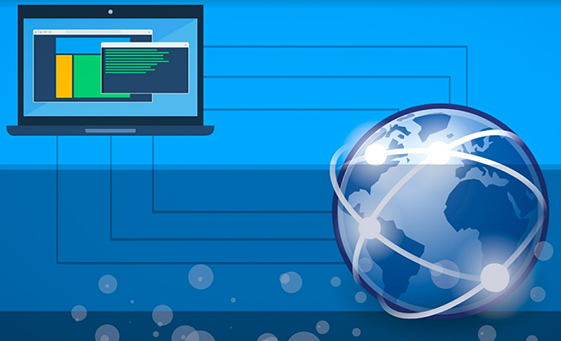
Of course, when connecting to the VPN, you need to replace the IP address with the IP address of the connected network. At the same time, the VPN needs to provide information about you in order to track your device traffic (you can also find the IP address through DNS leaks), and it is available on the market The best VPNs need to pay a fee, but they are definitely value for money and very safe. You need to choose a reputable product that has advanced encryption and security profiles to prevent your real IP address from being leaked. Although there are free VPNs, their functions are limited, the speed will not be very fast, and there may be a risk of security threats caused by malicious attacks by other software.

Web proxy-slower and insecure

The working principle of a web proxy is almost the same as that of a VPN. The proxy is usually used to access geo-blocked content: after connecting to the proxy, all traffic starts to pass through the server, and your IP address will be hidden behind the IP address of the proxy server.
The difference between web proxy and VPN:

1.The proxy server is not encrypted

Even if your IP address is hidden by the proxy server when you use it, it can still be analyzed by providers and law enforcement agencies. In addition, some sites may use Flash or JavaScript to track your real IP address.

2.The speed will be slower

Some browsers only allow the proxy to use directed network traffic. You need to go to the browser settings and specify the IP address of the server. Applications and devices outside the browser (such as Skype) will display you Real IP address. In addition, if the proxy connection drops for some reason, your real IP may be exposed.

3.Tor-hide your IP address for free

Tor (The Onion Router) is a free software.It is a decentralized global anonymous network maintained by volunteers from all over the world. When you use it, your Internet communications will be encrypted and routed through a random sequence of these volunteer “nodes”, which are a bit like proxy servers. Traffic will pass through multiple servers, and after multiple encryptions, it is almost impossible for anyone to trace back to your IP address.

The disadvantage is that the speed is slow and not suitable for torrent or streaming media playback-insist on using web browsing, and it is usually related to criminal activities, it can visit dark web and illegal websites. Some websites block connections from known Tor nodes, and your ISP may not approve of its use. To achieve maximum privacy and security, it is recommended to use Tor and VPN in combination.

Public WiFi-high risk

IP addresses are freely allocated by Internet service providers. IP addresses are constantly being recycled to keep a limited number of available IP addresses. Your IP address may change from time to time. This is a dynamic IP. The IP address of a public place is a shared connection, so others cannot trace it back to you.

In the same way, public WiFi will make you more vulnerable to security threats such as hackers and malware.


 

hide your identity

Ways to hide your identity online

The amount of digital information in the world doubles every two years, and the number of searches for “how to hide your identity” is also increasing. In most cases, we use smartphones, computers, tablets and other devices to collect and use information. We buy goods online and communicate with friends. The Internet space is changing at an alarming rate, and data privacy issues are becoming more and more serious.

How to hide identity?

Personal information is a valuable asset of people. Common advertisers can find available information from the browser search history. They will find the user’s needs from the search records and provide reasonable pushes. This is completely legal.

For ordinary computer users, browsing the web does not usually bring many hidden dangers, but there will always be malicious hackers who find loopholes to attack others and gain benefits. Therefore, it is essential to ensure the security of personal data. We have collected common solutions that can help people protect their identities and privacy while online.

1.Stealth access mode

A common way to protect personal data online is to use incognito mode. Almost all browsers have an incognito mode, which protects the private information of online users to a large extent. Apple first introduced this feature in the Safari browser in 2005. Since then, between 2008 and 2010, other browsers have followed suit, including Google Chrome.

Although incognito mode can help users hide information, ISP, Wi-Fi owners, website and local network administrators can still see the user’s view. And, even if the user uses the incognito mode, the provider will see all the user’s visits. They provide users with an IP address and associate it with the owner of the computer.

At work, the incognito mode is meaningless. The local system administrator can track any user’s actions on the Internet. Usually, companies will specifically track visits to specific sites (such as social networks, instant messaging programs, etc.) to prevent employees from wasting time to do other things. Moreover, the use of special software can quickly track a certain user.

2.Use anonymous email for communication

Suppose a user wants to send an email to someone, but doesn’t want the other person to know the email address. Generally speaking, there are two ways to solve it. The first is to use aliases, which are forwarding addresses. The recipient will only see the forwarding address, not the user’s real address. Alternatively, users can choose to use a one-time e-mail account and one-time e-mail service. The way these services work is to create a temporary forwarding address that will be deleted after a period of time, which is ideal for registering content on untrusted websites and preventing the inbox from being flooded by spam.

3.Tor browser

Tor is a professional technology that can hide identities on the Internet. Tor was originally a US military project and later opened to sponsors. The main purpose of this network is to provide anonymity and security in a network where most participants do not trust each other. The essence of the network is that the data passes through multiple computers, the IP address is changed, and the user obtains a secure data transmission channel. The principle of Tor: Connect to the site or service that the user needs through multiple servers in turn. Before the request or data enters the network, a special program on the user’s computer encrypts it so that each server can only decrypt part of it.

4.Virtual Private Network

VPN allows users to protect private data when using the Internet, and they must have a valid Internet to connect to the VPN. The main difference between VPN and standard connection is encryption. All data transmitted through a VPN is encrypted, which is another easy way to anonymize and hide your identity, but not 100%.

If a user is working on a computer and wants to use a browser to access blocked sites, he can choose to install a special program on the PC (VPN client), or add a browser extension. However, there are the following key problems when using this technology:

The Internet is slower and additional encryption takes time. In addition, traffic usually travels a long distance, which is related to the remoteness of the VPN server location.

The traffic is suddenly released to the public network on a regular basis, users may often not notice the disconnected connection and personal data leakage, and the VPN connection may not be automatically restored, which is very inconvenient for users.

In fact, DNS queries are usually handled by DNS servers on public networks, rather than virtual secure servers. If the statement they provide is incorrect, the user can obtain the fake address of the requested domain. In addition, using a DNS server, you can determine the user’s approximate geographic location and Internet provider.

5.Don’t blindly agree that the website is a “Terms of Service”

In many cases, users who browse the web unknowingly choose to agree to the terms of service for selling personal data to third parties. Each user will not read the above content carefully when checking and agreeing. If the user is willing to spend a small amount of time reading the terms of service before clicking “I agree”, they will usually not click agree. For example, Facebook’s application will provide smartphone users with a “synchronization” function, and users can synchronize their contact lists from their phones to Facebook. If the user chooses to “synchronize contacts”, it also means that all of the user’s own friends and Facebook’s personal data information are disclosed.

6.Create multiple identities

If users cannot control whether their information is leaked, identity confusion can be carried out. In other words, if users cannot delete all online information, they can choose to create multiple identities and confuse their true identity as much as possible. For example: use your own name and multiple pseudo-alias identifiers, and then choose five different addresses to create multiple Facebook accounts. At the same time, users can also revisit different sites.

browser

What is the browser fingerprint? What does it have to do with cookies

What is a browser fingerprint?

Browser fingerprint: Collect information about remote computer equipment for identification purposes. Even if cookies are turned off, fingerprints can be used to fully or partially identify a single user or device. Unlike web cookies that are stored on the client-side (ie, on the user’s device), the device fingerprint needs to be stored on the server-side (ie, stored in a database).

When you use an electronic device to connect to the Internet, your device will send the relevant content data of the website you visit to the receiving server. The website can also be collected based on your browser type and your operating habits, plug-ins, time zone, language, screen resolution, IP address and other activities.

You may think that there is nothing wrong with these data, and it does not mean that the target person under the information is a specific person, but if these data match other people, the probability of having a 100% match is very small.

Why are browser fingerprints used?

Advertising companies use it to locate specific customer groups, which indirectly means that the company’s income is higher; browser fingerprints can also be used to identify the characteristics of botnets, which may identify fraudsters and other suspicious activities that need to be investigated, and banks use this Ways to identify potential fraud cases.

Cookies have always been the main body of digital advertising. Cookies cannot provide a reliable way to track the usage of mobile devices and can be easily deleted by consumers. Cookies make advertisements and advertising activities easier to be identified by ad blockers, thus effectively eliminating advertisers. Any opportunity to establish contact with potential customers. The browser fingerprint solves this problem and provides a tracking method for tracking work that the cookie cannot complete.

What method is used to track browser fingerprints?

1.Cookie tracking

A common method for websites to obtain data is a cookie, which is a small packet of text files stored on a computer. Part of the data contained in it can provide information for the website to improve the user experience. Every time you visit a website, some websites will request to visit your cookie, and some websites directly visit your cookie, which is convenient for you to browse and use the website. Cookies also store data about browsing activities, habits, interests, etc.

2.Canvas fingerprints

There is a small piece of code inside the website written in HTML5 code that can bring your browser’s fingerprints. HTML5 is the coding language used to build the website and is the core foundation of each website. There is an element in the HTML5 coding language called the “canvas”.

3.Browser fingerprint and IP address

The IP address is a unique string of numbers. When a user interacts with a website or service, the request is sent to the receiving web server, and the receiving server needs an IP address to send a response. The IP address also points directly to your device, and some highly skilled websites can track your information.

How to prevent browser fingerprints from being attacked?

We have no way to completely prevent from being attacked, and we can use tools to enhance online privacy to minimize the possibility of identification.

1.Use the private browsing method

Use some browsers that allow users to browse in incognito mode. The incognito mode sets the “profile” to certain standard data points to make your browsing private and greatly reduce the chance of you having a unique fingerprint.

2.Use plug-ins

There are some plugins that prohibit websites from using trackers to run on the browser, but it also means that the user experience will be unsatisfactory. You can whitelist them to prohibit plugins from running on websites you trust.

3.Disable JavaScript and Flash

After disabling, the website will not be able to detect the active plug-ins and font lists you use, and it will not be able to install cookies on your browser. The disadvantage is that the website’s failure to operate normally will affect your browsing experience. Disabling flash will not affect the user experience.

We can also install anti-malware tools, use VPN, and use Tor Browser.

The digital environment is becoming more and more complex. Browser fingerprint recognition is a serious threat to online privacy. It is not only as simple as checking IP, but also beyond the scope of others. As cookies become increasingly difficult to identify online users, new technologies such as browser recognition (relying on static, unchanging information) will play an important role in powering digital advertising.