
Two ways to Close a Browser in Selenium!

Do you want to know something about Selenium? Well, congratulations on finding it!

In this article you will learn:

  • What is selenium?
  • The functions and advantages of Selenium
  • How does Selenium relate to Python and WebDriver?
  • The difference between the close() and quit() methods


What is Selenium?

Selenium is a tool for Web application testing. Selenium tests run directly in the browser, just as real users do. Supported browsers include Internet Explorer (7, 8, 9, 10, 11), Mozilla Firefox, Safari, Google Chrome, Opera, Edge, and more.selenium
  • AboutWeb automation

Web automated testing is web automated testing. You can use software to input data into web objects, click, and compare the pre-results with actual results, including test reports.

Web test automation includes interface test automation and UI test automation.

Automatic interface test: Verifies the interface level by sending HTTP or HSF requests to obtain the returned result and verify the service logic function on the link. Support online regression validation.

UI automation testing: The UI automation tools of the industry, such as WebDriver, Selenium, etc., are usually used to verify the functions and performance of website business logic by opening a browser and simulating user operations.

The Selenium components

1) Selenium IDE

A Firefox plugin that can record the user’s basic operations and generate test cases. These test cases can then be run and played back in the browser, and the test cases can be converted to automated scripts in other languages.

  • Selenium Remote Control (RC) :

Supports multiple platforms (Windows, Linux, Solaris) and multiple browsers (IE, Firefox, Opera, Safari), and can write test cases in multiple languages (Java, Ruby, Python, Perl, PHP, C#).

  • Selenium Grid:

Selenium-RC allows you to extend for large test cases or test cases that need to be run in different environments.

The version of Selenium

The core part of the Selenium1.0 (Selenium RC or Remote Control) tool is implemented based on the JavaScript codebase.

Selenium 1.0 automated test execution steps are as follows:

  1. Testers write test scripts based on Selenium supported programming languages
  2. Testers execute test procedures
  3. The test script sends an HTTP request to the Remote Control Server (RC) to access the website
  4. Upon receiving the request, RC visits the site under test, retrieves the data content of the page, inserts Selenium Core’s JavaScript codebase into the page, and returns it to the browser where the tester is performing the test
  5. The test script calls Selenium Core inside the browser to execute the test code logic, and finally records the test results to complete the test.

Selenium2.0 appears (Selenium2.0 = Selenium + WebDriver).

In October 2016, Selenium3.0 was introduced to separate the core API from the client driver and remove the less-used Selenium RC functionality.


The function of Selenium

The main functions of Selenium include testing browser compatibility and system functionality.

Test compatibility: Test the application to see if it works well across browsers and operating systems.

Test system functionality: Create regression tests to verify software functionality and user requirements.

The bottom layer of the framework uses JavaScript to simulate the operation of the browser by real users. When the test script is executed, the browser automatically clicks, enters, opens, and validates the script code, just as a real user would, testing the application from the end user’s perspective.

Makes it possible to automate browser compatibility testing, although there are still subtle differences between browsers.

Simple to use, you can use Java, Python, and other languages to write use case scripts.

The advantage of Selenium

Selenium tests run directly in the browser, just as real users do. Selenium tests run in Internet Explorer, Chrome, and Firefox on Windows, Linux, and Macintosh. No other testing tool can cover so many platforms. There are many other benefits to using Selenium and running tests in a browser.

Selenium is completely open-source and has no restrictions for business users. It supports distribution and has a mature community and learning documentation. Here are the main benefits:

By writing Selenium test scripts that mimic the user’s actions, you can test the application from the end user’s perspective. By running tests in different browsers, it is easier to find browser incompatibilities. The core of Selenium, also known as the Browser Bot, is written in JavaScript. This allows the test script to run in a supported browser. The Browser Bot is responsible for executing the commands received from the test scripts, which are either written in HTML table layouts or in one of the supported programming languages.

Selenium works in the following browsers:

  • Google Chrome
  • Internet Explorer 7, 8, 9, 10, 11
  • Firefox
  • Safari
  • Opera
  • Microsoft Edge
  • HtmlUnit
  • PhantomJS
  • Android
  • iOS


How does Selenium relate to Python and WebDriver?relationship
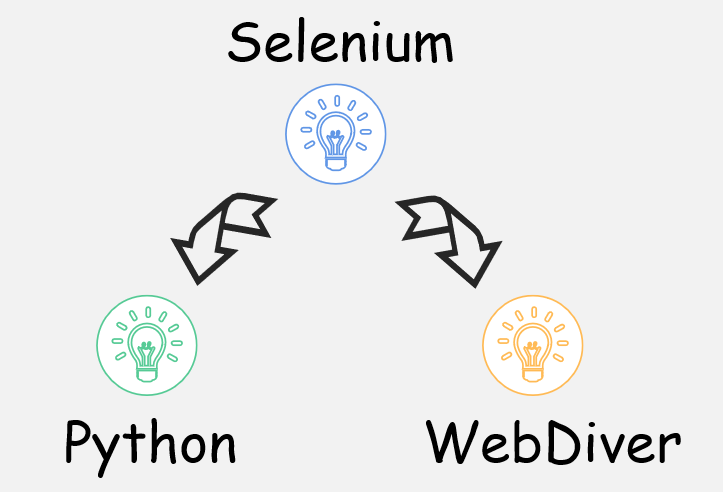
Relationship between Selenium and Python

Selenium is also a tool for Web application testing. ThoughtWorks is an acceptance testing tool written specifically for Web applications.

Python is an object-oriented, literal computer programming language. Is also a powerful and perfect universal language, has more than ten years of development history, mature and stable. Python has the richest and most powerful class library of any scripting language, enough to support most everyday applications. Python syntax is simple and clear, and it has a rich and powerful class library. Often nicknamed the Glue language, it makes it easy to link together modules made in other languages (especially C/C++).

Selenium can use the Python language to call Selenium RC for testing.

Relationship between Selenium and WebDriver

With the continuous development of Internet technology and the security limitations of browsers on the JavaScript language, the development of Selenium has encountered many difficult difficulties. Due to its own implementation mechanisms, Selenium is unable to break through the browser sandbox, making testing requirements for many test scenarios difficult to implement.

In 2006, Google engineer Simon Stewart started WebDriver, a project that lets test tools call built-in methods provided by browsers and the operating system itself to bypass the sandbox limitations of the JavaScript environment.

In 2008, Selenium and WebDriver merged, and Selenium2.0 emerged (Selenium2.0 = Selenium + WebDriver).


The difference between the close() and quit() methods

In some cases, we need to open more content than a browser with multiple tabs. To close these meetings quit() and close() methods, Selenium is used. But there is a difference.

Close: Used to close the current window. When many open Windows are open, use close to close some Windows.

Quit: Exit the driver and close all associated Windows. End the process and close all Windows. The close() method is used to close one of the Windows opened during the execution of the use case.close vs quit

Code test:

# -*- coding: utf-8 -*-

from selenium import webdriver

from time import sleep

driver = webdriver.Firefox()

driver.get(‘http://sahitest.com/demo/index.htm’)

Print driver.current_window_handle # Check the current window handle

driver.find_element_by_link_text(‘Window Open Test’).click()   # Open new Window1

driver.find_element_by_link_text(‘Window Open Test With Title’).click()  # Open new Window2

print driver. Window_handles  # View all window handles

driver.close()

print driver.window_handles  # If you have any window handles, you can see that the first two Windows are still in place

driver.quit()  # see that all Windows are closed


Results:

{b030dd54-3cbd-4d7b-800a-2ff296f03f5b}

[u'{b030dd54-3cbd-4d7b-800a-2ff296f03f5b}’, u'{7fdacf2e-0c34-4f0d-9a7a-ae34f3af932c}’, u'{f2d79121-8cc2-47ea-bd7d-2035e305ba2f}’]

[u'{7fdacf2e-0c34-4f0d-9a7a-ae34f3af932c}’, u'{f2d79121-8cc2-47ea-bd7d-2035e305ba2f}’]

selenium close browser

The close () method

# Importing webdriver from selenium

from selenium import webdriver

# Here Chrome will be used

driver = webdriver.Chrome()

# URL of website

url = “https://www.geeksforgeeks.org/”

# Opening the website

driver.get(url)

# Closes the current window

driver.close()


The quit () method

# Importing webdriver from selenium

from selenium import webdriver

# Here Chrome will be used

driver = webdriver.Chrome()

# URL of website

url = “https://www.geeksforgeeks.org/”

# Opening the website

driver.get(url)

# All windows related to driver instance will quit

driver.quit()

WebGL vs Canvas | How do they relate to Fingerprints?

Do you know what is WebGL? What is canvas? What do they have to do with browser fingerprints? If you don’t know about them, read on!


What is a canvas?

Canvas is a label of HTML5. Canvas can use JavaScript to draw images on web pages and manipulate image content.

It’s basically a bitmap that can be manipulated in JavaScript.

Canvas object represents an HTML Canvas element -< Canvas >. It does not have its own behavior but defines an API to support scripted client-side drawing operations.

  • What is HTML?

HTML, called hypertext Markup Language (HTML), is an identifier language. It includes a series of tags. These tags unify the format of documents on the network and connect scattered Internet resources into a logical whole. HTML text is a descriptive text composed of HTML commands that describe text, graphics, animations, sounds, tables, links, etc. The web pages we browse are written in HTML.what are they

The history of the Canvas

This HTML element is designed for client-side vector graphics. It has no behavior of its own, but it presents a drawing API to the client JavaScript so that the script can draw whatever it wants to draw onto a canvas.

The reason for this radical extension to HTML is that HTML’s drawing capabilities in Safari are also used by the Dashboard component on the Mac OS X desktop, and Apple wanted a way to support scripted graphics in Dashboard.

Firefox 1.5 and Opera 9 have followed Safari’s lead. Both browsers support the

We can even use the < Canvas > tag in IE and build compatible canvases with open-source JavaScript code (initiated by Google) based on IE’s VML support.
Efforts to standardize < Canvas > are being advanced by an informal association of Web browser vendors, and < Canvas > has become an official tag in the HTML 5 draft.

Canvas and browser fingerprints

What does Canvas have to do with browser fingerprints?

Using the same HTML Canvas element for drawing operations, Canvas will produce different picture contents on different operating systems and browsers, which can be used to identify and distinguish users. This may be because:

1) In the image format, different Web browsers use different graphics processing engines, different image export options, different default compression levels, etc.

2) At the pixel level, each operating system uses different Settings and algorithms for anti-aliasing and sub-pixel rendering operations.

3) Even if the same drawing operation, the CRC test of the resulting picture data is not the same.


What is a WebGL?

Webgl is used to draw and render complex three-dimensional graphics (3D graphics) on web pages and allow users to interact with them.

WebGL (Full Write Web Graphics Library) is a 3D Graphics protocol that allows JavaScript to be combined with OpenGL ES 2.0. By adding a JavaScript binding to OpenGL ES 2.0, WebGL can provide hardware 3D accelerated rendering for HTML5 Canvas so that Web developers can use the system graphics card to display 3D scenes and models more smoothly in the browser. You can also create complex navigation and data visualizations. Obviously, the WebGL technology standard eliminates the need to develop web-specific rendering plugins that can be used to create web pages with complex 3D structures, even to design 3D web games, and so on.

Traditionally, to display three-dimensional graphics, developers have developed a stand-alone application using C or C ++ with a dedicated computer graphics library, such as OpenGL or Direct3D. Now with WebGL, we just need to add some extra 3D graphics code to our already familiar HTML and javascript to display 3D graphics on a web page.

Webgl is embedded in the browser, you don’t have to install plug-ins and libraries to use it, and it’s browser-based, so you can run WebGL applications on multiple platforms.

  • What is the OpenGL?

OpenGL (Open Graphics Library) is a cross-language, cross-platform application programming interface (API) for rendering 2D and 3D vector graphics. This interface consists of nearly 350 different function calls to draw everything from simple graphics bits to complex 3d scenes.

The other programming interface system is Direct3D for Microsoft Windows only. OpenGL is commonly used in CAD, virtual reality, scientific visualization programs, and video game development.

The origin of the Webgl

The two most widely used 3d graphics rendering technologies on personal computers are Direct3D and OpenGL. Direct3D is part of Microsoft’s DirectX technology, which is a set of programming interfaces controlled by Microsoft and mainly used on the Windows platform. OpenGL is widely used on many platforms because of its openness and free.

Webgl is rooted in OpenGL, but it is actually derived from a special version of OpenGL, OpenGL ES.

OpenGL is the underlying driver-level graphics interface (which is directly related to the graphics card) similar to DirectX. But this kind of low-level OpenGL is beyond the reach of JavaScript that parasitized the browser. But in order to make the Web more graphics powerful, WebGL was introduced in 2010.

WebGL and browser fingerprints

Webgl has a similar relationship to the browser fingerprint as Canvas. Webgl is also a way to track browser fingerprints. Webgl surveys your device through images displayed by the browser.

fingerprint

WebGL vs Canvas

There is a conceptual difference

Canvas element is an HTML element, introduced in ITS HTML5. This allows its users to use JavaScript to draw on the screen and, therefore, dynamically generate graphics and animations on the client-side. You can think of it as a carrier, simply a blank sheet of paper.

In canvas, once the graph has been drawn, it doesn’t continue to get attention from the browser. If its position changes, the entire scene also needs to be redrawn, including any objects that may have been covered by the graph.

Canvas uses JavaScript to draw 2D graphics. Canvas is rendered pixel by pixel.

Canvas is a feature provided by HTML5, and Canvas 2D is equivalent to acquiring the built-in 2D graphic interface, namely 2D brush. Canvas 3D is a graphical interface based on WebGL, which is equivalent to a 3D brush. You can choose different brushes to paint on it.

WebGL is a non-standardized API and a 3D drawing protocol. Simply put, WebGL is a canvas-based rendering framework that can draw 2D and 3D images on Canvas. Allows you to use JavaScript for OpenGL functionality. 3D can be rendered using a browser.

Browser applicability differences

Canvas supports fewer browsers than WebGL.

Canvas is supported by Microsoft Edge, Chrome, IE, Safari, Konqueror, Opera, and Mozilla. WebGL, however, supports more types of browsers. In addition to the above browsers that support Canvas running, many mobile browsers also support WebGL running. For example, BlackBerry 10, Playbox, IE, Firefox Mobile, Firefox OS, Chrome, Maemo, Meego, MS Edge, Opera Mobile, Ubuntu, WebOS, iOS.

The same point

Both Canvas and WebGL can be used to identify browser fingerprints. By hashing the image data, a computer program can recognize subtle differences in the results rendered by different hardware devices.

However, if the user’s device, operating system, and browser are all the same, the calculated fingerprint will be the same. Therefore, it needs to be combined with other browser fingerprints to further compute a more differentiated fingerprint identifier.

How can browser fingerprints hurt you? It tells the Internet who you are. You think that no one knows what you do on the Internet, that everything is gone. Browser fingerprints have already given you away.

To prevent Canvas and WebGL fingerprints, I think you need ClonBrowser!

ClonBrowser is an excellent virtual privacy browser. It gives you control over your own parameters. These include UserAgent, HTTP Headers, Plugins, MymeTypes, WebGL, and Geopositio. Make your fingerprints completely independent with these Settings. Also, if a website tries to capture your fingerprint, ClonBrowser will use the mask fingerprint to prevent that from happening. You can trust it when it comes to preventing fingerprints from being taken!ClonBrowser

In addition, ClonBrowser allows you to create and share countless configuration files, making multi-account management less of a hassle for you! Want that efficiency and safety? Start your free trial now!

Firewall

The most comprehensive solution for protecting IP addresses!

Do you really know IP addresses? Do you protect your IP address in the right way? If you care about IP addresses and want to put IP address protection into practice, this article is for you! Because it is a very comprehensive article!

In this article, you can see:

  • What is an IP address?
  • Why are IP addresses created?
  • How do I find my IP address?
  • Why do I need to change my IP address?
  • What are the ways to change an IP address?
  • What browsers can change IP addresses?


Everything you need to know about IP addressesip address

What is the IP address?

The entire Internet is a single, abstract network. An IP address assigns a unique identifier worldwide to each interface of every host (or router) on the Internet.

IP addresses are used to number computers on the Internet. What you see on a daily basis is that every NETWORKED PC needs an IP address in order to communicate properly. We can compare “personal computer” to “a telephone”, so “IP address” is equivalent to “telephone number”, and the Internet router, is equivalent to the telecommunications office “programmed switch”.

The first IP address to appear was IPV4, which had only four digits, each of which could not exceed 255. Today’s IP address is a 32-bit binary number, usually divided into four “8-bit binary numbers” (that is, four bytes).

Why are IP addresses created?

IP protocol is a protocol that was born for computer networks to communicate with each other.

In order for all computers connected to the network to be able to connect to the Internet and communicate, a rule needs to be created. The IP protocol prescribes the rules that computers should follow when communicating on the Internet.

Before IP addresses, there were all kinds of networks around the world. They use different hardware addresses. To make these heterogeneous networks communicate with each other, it is necessary to carry out very complicated hardware address transformation, which brings great pressure to users and user hosts. The advent of IP addresses provides logic for disordered networks.

How do I find my IP address?

Now that you know that the IP address represents your host, are you wondering what your own IP address is? You can inquire by yourself completely!

The first method is to query through a browser. All you have to do is open any browser on your computer, type “What is my IP address” into the input box, and click Search. The corresponding number will appear in the search results, which is your IP address.

The second method is to view the IP address directly on your own device. Generally speaking, when your device is connected to the network, the IP address of the network is recorded in your device. All you need to do is click on the network you are currently selecting from the network connection and the IP address details will appear.

The third method is to query through a CMD window. This method can query not only your OWN IP address but also the IP address of a website. To query your IP address, open a command prompt window on your computer, type ipconfig/all, and press Enter. To query the IP address of a website, enter ping+ URL and press Enter.


Why do I need to change the IP address

Breaking the Internet blockade

“This content is not allowed in your country”.

Here’s what you might encounter when browsing in the game store. You may not be able to watch the news and variety shows you want when you travel abroad because of a similar situation.

Why is that?

This is because there is an Internet blackout in your area, or there are restrictions on access to the network you want to access. Some countries and regions restrict the Internet. When you use an IP address that doesn’t belong to the region, it’s natural to be denied access.Breaking the Internet blockade

Perform multiple account activities

Are you a multi-account owner?

You have multiple accounts on Facebook. Are they different? Do you do marketing on Instagram? Or, do you run multiple stores on Amazon?

If so, it’s important for you to change your IP address! Because many platforms don’t allow you to manage many accounts at once!

Take Amazon. Amazon is an online shopping platform used by people all over the world. Because of its huge number of users and commodities, the management of commodities is very strict. One such ban is for one person to operate multiple Amazon accounts.

This is to prevent the occurrence of malicious brushing and the display of a large number of duplicate goods.

To combat multiple accounts, Amazon is constantly checking if you’re managing multiple accounts at the same time. If you have multiple stores with the same IP address, it’s easy for the platform to know that they all belong to you. As a result, several of your stores are closed and your savings in the stores cannot be withdrawn.

It’s important to change your IP address in order to avoid being targeted by the platform.

For the sake of safety

Whether you want to protect your personal security or your corporate activities, you need to change your IP address.

For individuals, the exposure of an IP address means that you are revealing your geographical location. Each IP address you use comes from a pool of local IP addresses, which are geotagged and can be tracked. In the long run, the result is that your behavior path is clearly discerned.

Some people say that I can use a privacy browser to prevent the Internet from tracking me! But does it really work?

For companies, IP addresses are a potential source of trade secrets. Many hackers attack from IP addresses.

So, you’re not going to change your IP address yet?


How can I change and protect my IP address?

Before preventing the outside world from prying your IP address, you should protect your existing IP address first, because the phenomenon of IP theft also does not allow to be ignored, once happened can cause a lot of trouble, you cannot continue to get online, and may even be involved in legal disputes! Want to know why? Click here for details!

Now that you know how to protect your local IP, let’s take a look at how to protect your IP address from exposure!

1) Use a firewallFirewall

Install firewall and antivirus software and keep it up to date.

Security software can not only protect IP addresses from theft but also warn of any phishing and espionage activities on the device. In this way, users can keep track of any suspicious activity.

2) Manually change your IP address

If you already have an available IP address, you can change it yourself in your network connection settings. Still can’t figure out how to set them? Click here to check it out!

3) Use a public network

Using a public network is definitely an easy way! Don’t use the Internet in your own private places, and use it in public places to completely obscure who you are!

4) Restart the router

If you just want to get a different IP address than before, rebooting the router is also a good idea.

Because the average user uses a dynamic IP address, when you go offline, that IP address is used by someone else. When you connect to the network again, the provider will give you a new IP address.

Either way, rebooting your router won’t help you get out of the trap.

5) Use a VPN

VPN uses encryption technology to encapsulate a data communication tunnel on the public network.

To ensure data security, the communication data between the VPN server and the client is encrypted. With data encryption, it can be considered that data is securely transmitted on a dedicated data link, just as a dedicated network is set up. But VPNs actually use public links over the Internet.

Want to know how VPN changes and protects your IP address? Click here!

6) Use proxy

Proxy is a lot like a real-life proxy service provider.

The Proxy is between the client and the server. For the server, the Proxy is the client. The Proxy makes requests and the server responds. To the client, a Proxy is a server that accepts requests from the client and forwards data from the server to the client.

Since the proxy is a middleman, the network can’t directly get your IP address, it gets the information that the proxy provides to it.

Want to learn more about the relationship between proxy and IP? Click here!

7) Use a browser with Change your IP address

Some browsers take user IP address protection seriously, such as using a distributed Network to hide your IP address, or integrating with proxies so you can protect your own IP address.

As a virtual privacy browser, ClonBrowser has always put user security in the first place. ClonBrowser integrates with existing popular agents, whether it is 911 or Luminati, or any other agent (Oxylabs, Socks, etc.), you can use it in ClonBrowser!ClonBrowser

In addition, ClonBrowser also protects your real fingerprint from being captured, while allowing you to configure and share countless configuration files! This is the best way to manage multiple accounts while protecting your privacy!

You don’t have to worry about technical problems with ClonBrowser, which has friendly customer service.

Start your free trial now!

ip address

What can you do to Protect IP Address?

Are you curious about the IP address? Can you accept the fact that your IP address is being used by others? Or, do you mind having your IP information accessed by the whole world?

After the Internet became an essential part of every household, the IP address became your virtual address. Your request starts at this address, and the Internet sends you messages back to this address.

So, are you worried about your address being exposed?

If you’re looking for ways to protect your IP address, you probably want to know what’s going on with your IP address so you can figure out the best way to protect it.

In this article, you will learn:

  • What is an IP address?
  • Why should I protect IP addresses (what happened to your IP address)?
  • How can I protect my IP address?
  • Is there any browser that can protect my IP address?

ip address

What is an IP address?

An IP address represents an Internet protocol address, a unique combination of numbers used to identify routers, computers, or other devices and to allow them to communicate over the Internet. Just as your E-mail address allows others to send an e-mail to you, remote computers need your IP address to communicate with your computer.

The IP address is usually shown as follows: An IP address is a sequence of four numeric blocks. Each of these blocks has a distance between 0 and 255, which means that each block has 256 possible values. This digital IP system allows about 40 unique IP addresses. Looking up someone’s IP address is relatively easy. Site analytics can track site visitors, and sometimes Wiki comment boards use their IP addresses to identify contributors. Your Internet Service provider (ISP) also knows your IP address.


Why need to protect your IP address?

IP theft infringes upon personal rights and interests

IP address theft is a common occurrence in Internet life. If your IP address is stolen by someone else, it can affect your use at best and lead to legal disputes at worst. So it’s important to protect your IP address. Because it protects your use rights and your legal rights.

  • Protecting your IP address is protecting your rights of use.

In the era of IPV4, IP addresses are a scarce resource, which gives rise to the practice of IP address theft.

In the IPV6 era, the number of IPV6 addresses has increased a lot, which will not be exhausted according to the current capacity of the earth. However, for some networks that charge traffic by IP address, IP addresses are still scarce, and IP address theft still needs to be prevented. Because if your IP address gets stolen, you can’t get online.

  • Protecting your IP address is protecting your legal rights.

Some cybercriminals use your IP address to download pirated goods, such as music and videos, or even child pornography, to protect their real identities from law enforcement.

Yet downloading pirated content is a criminal offense in many countries.

IP leaks threaten personal privacy

IP addresses symbolize positioning. When your phone, tablet, or other device is connected to the Internet, it is associated with an IP address, and these IP addresses often represent a geographical location or range.

Let’s say you use different IP addresses at home, at work, and at the mall, and these locations are your daily routes. Regular use of these three IP addresses over a long period of time will allow the Internet to create a “memory” of you, and this information can be combined to produce a rough guess about your financial ability and movement path.location

IP addresses expose trade secrets

How many clients made a deal with you yesterday? What’s your most recent revenue estimate?

Do you think this information is just for you? No! Stealing or attacking IP addresses is a very handy weapon if someone wants to gain it maliciously! It is well known that attacking IP addresses is one of the methods of illegal attacks between countries, but it is also used by companies. There are already many companies that have suffered huge economic losses due to IP attacks.


How to protect your IP address?

Methods to prevent IP theft

1) Disable the network connection service

If users are restricted to modify TCP/IP parameters, they cannot use the new IP address even if they change the IP address, thus losing the meaning of IP theft.

The most direct way to successfully prevent users from changing TCP/IP parameters is to prevent users from opening the TCP/IP parameter setting window. You can do this by disabling the “Network Connections” service on your system and hiding the TCP/IP Settings window so that users cannot access the Settings window and use the new IP address.

Of course, the use of Internet connection service deactivation to protect IP addresses makes normal Internet access difficult. After all, the Internet connection service has been disabled, so any access to the network will be terminated. If you want to protect your IP address without affecting your Internet access, try following the same steps to disable your “Plugandplay” service. This hides the TCP/IP Settings window without affecting your Internet access.

2) Restrict access/modification to the network

If the management rights of common users are directly restricted, they are not allowed to open the TCP/IP parameter setting window, then common users are not allowed to change their IP addresses.

3) Hide the local area connection icon

In general, when changing the COMPUTER IP address, you need to find the local connection icon of the system, right-click the icon, and then run the Properties command in the displayed menu to go to the TCP/IP parameter setting window. There is also no way for ordinary users to open the TCP/IP Settings window and change the IP address if you hide the local connection icon beforehand.

4) Bind the IP address and MAC address

The network card in use there are two types of address, one is familiar with the IP address, the other is the MAC address, that is, the physical address of the network card, also known as the hardware address or link address, which is the only identification of the network card itself, as if it is our identity card, generally can not be changed at will. It has nothing to do with the network, and the MAC address remains the same no matter where the card is connected to the network.

Methods to prevent IP address leak

1) Use a public network

A simple way to protect your IP address is to use the Internet far from where you live. A public network would be a very good choice. That way, even if someone is stalking you, all he gets is a public place and no further attacks.

2) Turn off the router

Turn off your router, restart it, and maybe you’ll get a different IP address!

Note, however, that the different IP address is only selected from the IP address pool in a certain area. Although it is not the same as before, there are still many connections between them.

3)  VPN

VPNs are a good way to hide IP addresses.

When you connect a computer (or other devices, such as a smartphone or tablet) to a VPN, all network traffic is sent over a secure connection to the VPN, and the process is all encrypted.

However, VPNs are expensive and can be a burden for individual users with less money. VPNs are better suited to businesses or corporate teams that are financially sound.

4) Proxy

A proxy server is an intermediate server through which traffic can be routed. The Internet server you access sees only the PROXY server’s IP address, not yours. When these servers send information back to you, it goes to the proxy server, which then routes it to you.

5) Use a firewall

Firewalls protect IP addresses from attacks by protecting against Trojan horses and viruses to some extent. A firewall

It can be used to separate the internal network from the external network, and if you are worried about your information security, it is also a good idea to add a trusted firewall.

6) Use a special browser

Some browsers on the market today have powerful protection features, even integrating with proxies to protect your IP address. Such browsers are generally based on the use of virtual technology to protect user privacy.


ClonBrowserClonBrowser

ClonBrowser is a very powerful virtual browser. Whether it is powerful agent integration services or superb anti-fingerprint technology, can protect your privacy!

ClonBrowser supports HTTP, HTTPS, Socks5, ShadowSocks, and other proxy protocols. It also works with leading proxy software (Luminati, 911, etc.) to change your IP address.

ClonBrowser has excellent fingerprint protection, and any website that wants to take your browser’s fingerprint can only get a “mask fingerprint.” Also, ClonBrowser allows you to create and share multiple profiles, manage multiple accounts and work in teams!

Try it for free and protect your IP address!

ip location

How Can I Change the IP Location in Browser?

Nowadays information and network technology develop very rapidly, almost everyone has a computer with Internet access in their home. The Internet is changing our life. In the online world, computers represent us as individuals. When your computer is exposed to the Internet, all your information is at risk of being exposed.

In the process of using Internet products, your photos, account numbers, mobile phone information, and other personal information may be obtained or even used by others without your own awareness.

Among these, the IP address is also very important private information. An IP address is like your address in the network environment. If your IP address is exposed in the network, then everyone knows where you live and where you access the Internet from.

So if you’ve been worried about your privacy? Have you searched a lot of information but still don’t know how to change your IP location? If so, then this article is perfect for you!

In the following sections, you will learn:

  • What does an IP address have to do with location?
  • How often does IP address change?
  • What caused my IP location to leak?
  • How can I change the IP location in my browser?
  • What is the best product to change IP location?


Why need to change IP location

Does IP address change with location?

The change of IP address is closely related to the change of geographical location.

This is because different areas mean different base stations and LANs. The base station is the public mobile communication base station, which is the interface device for mobile devices to access the Internet. When your geographic location changes dramatically, chances are you’re already in range of other LANs, or even other base stations. Then your IP address will change to a completely different number. This is called the IP address changes with geographical location.ip location

In fact, when you are in a small area, even though you are not far away, you will notice that your IP address number changes. This is not because of a base station change or a network error, but because the IP you are using is a dynamic IP.

Dynamic IP is when the carrier randomly assigns an IP address to you every time you go online. A static IP address is a fixed one. A static IP address is a permanent address assigned to a device, while a dynamic address is a temporary address that changes frequently.

We usually use dynamic IP addresses when surfing the Internet. Dynamic IP addresses are constantly changing. Each time the device connects to the network, the DHCP server provides a dynamic address, and the assigned IP address is very unlikely to be the same.

Specifically, when you dial-up to get online, you’re assigned an IP address. When you go offline, the IP address is returned to anyone who comes after you. That gives him the I.P. address you just used. When you go online again, the server will give you an IP that someone else just returned.

Several users in an area take turns using IP addresses in those LANs.

Dynamic IP is generated because IP resources are scarce. Dynamic IP alleviates the problem of too many users by taking advantage of time differences.

Of course, dynamic IP can also meet our Internet needs, but also to some extent to protect privacy. For example, if you post a message on some platform, the next time the IP is restarted, it will change and no one will know that you posted the message.

How often does IP address change?

If you are using DHCP, your IP address may be updated every 14 days. Because every two weeks DHCP will update.

In addition, the retention period of IP addresses is also related to regions. In some regions, IP addresses can be retained for nearly a month, while in others, IP addresses can be retained for less.

What is your IP location used for?

If you read the previous section, you should know that IP addresses are private. But what kind of harm will IP address leakage bring to us? What will your IP location be used for?

  • Harm to personal safety

The network “tags” your computer with IP addresses. When you use this IP address to access the Internet, the network will use this IP address to locate the computer’s activities. If you browse through some high-value items, criminals may be able to retrieve your IP address based on your whereabouts. In any case, when the virtual world intersects with the real world, one’s own safety cannot be guaranteed.

  • Form a self-portrait

This is based on the fact that IP can reveal your geographical location. If an IP address tells the network where you are, your movements throughout the day can be tracked precisely.

For example, you went to park A for A jog in the morning (using IP-A), then went to work in A building on Street B (using IP-B), liked to go to restaurant C for lunch (IP-C), and went to Mall D (IP-D) in the afternoon, etc. Ip-ABCD corresponds to some ranges and locations respectively, and these data can be recorded.

When your trajectory is regular, the network will feature extraction and modeling analysis of your basic attributes, spending power, interests, hobbies, and career information, so as to build user portraits.

  • Harm to business orderHarm to business order

Is IP address exposure a risk for the business?

There are! And the impact is huge!

Common attacks on the Internet are based on IP addresses. Especially in finance, gaming and highly competitive business types, the impact of IP address exposure on business can be immeasurable. There have been a lot of hotel operation data leaks, there are also a lot of digital currency platform attacks and so on, these are the consequences of IP address exposure.


Change IP location in different browser

If you already have a new IP address that covers you, then you can change it to your browser and change your IP location!

1) Chrome

Open Chrome and click on the three vertical dots in the upper right corner to open the menu.

Click “Settings” to enter the Settings TAB. Find the “System” option from advanced Options Settings, click and open.

The system TAB has the option “Open agent Settings for your computer”. Click on the Launch PC Agent Settings screen and set your IP from there.

2) Firefox

Open the Firefox browser and find “Options” from the menu bar.

Open the Advanced TAB and click Network Options. You can manually enter the IP address in the Connection window.

3) Microsoft edge

Open Microsoft Edge and go to Settings options.

Look for “Network and Internet” in Settings and you will see “IP Assignment”. Click Edit. Under the IP address editing option, select Manual to configure the IP address manually. After that, all you have to do is enter the IP address, subnet mask, and gateway information.


The best product to change IP location

1) Virtual browser

Didn’t you find an IP address you could use to change your IP address? Still can’t configure the IP address in the browser? If so, using a virtual privacy browser might be a good choice!

Privacy Browser, as its name suggests, is dedicated to protecting users’ privacy. But what’s so amazing about it? Let’s take ClonBrowser as an example.

2) ClonBrowser

ClonBrowser is both a private browser and a virtual browser. It protects all your private information and helps you manage countless accounts!

ClonBrowser takes user privacy very seriously! To keep your privacy safe, it does the following:

  • Allows you to change your IP address at will

ClonBrowser integrates with major proxies to provide you with very secure IP addresses! Through the proxy, you can switch to any IP address anywhere in any country! All these agents like 911 are available!

  • Protect your browser fingerprint

ClonBrowser provides a “mask fingerprint” when the web tracks your browsing fingerprint. Your real fingerprints are hidden behind the mask, never recorded by anyone.

  • Isolation protects the data for each profile

In ClonBrowser, your cookies and various caches are also kept separate from each other, and no one can mess with them.ClonBrowser

In addition to security, ClonBrowser has powerful account management capabilities and team collaboration. You can create countless profiles on ClonBrowser to manage all your accounts, and if you want to share them with your team, you can do so with a convenient sharing feature.

Don’t you want to experience the wonders of ClonBrowser for free? A secure browsing environment and friendly service team are waiting for you!

privacy

IP | The Best Browser that Hide IP Address!

Did you know that your IP address is no longer a secret? An IP address is a logical address assigned to you by the Internet when you go online, which makes up for the difference between physical addresses. If you are struggling with THE problem of IP leakage, if you are also looking for a browser that can hide IP addresses, then this article is for you, it will give you a variety of options!

In this article you will know:

  • Why do you need a browser that can hide IP
  • How can I hide my IP manually
  • What is the best browser that can hide IP?


Why do you need a browser that can hide IP addresses?

Why do I need to hide the IP address?

1) For personal safety

Hiding IP addresses protects the privacy and prevents malicious monitoring and abuse of your personal information.

Every time you visit a site, the target site records your IP address and combines it with all the other types of data it monitors to form a permanent portrait of you. That data includes, but is not limited to: your browsing habits, what you click on, how much time you spend on a particular page.

That data is then sold to advertising agencies, which use it to tailor ads to you. That’s why when you see an AD you feel good but you feel like you’re being monitored.privacy

If you care so much about your location that you turn it off, you’re not safe. Because your IP address also gives away your location. Even though an IP address doesn’t contain a home address or name, it’s easy for anyone with access to your ISP customer data to find you. Anyone can do it.

Trust me, social media networks actually study your data! Then combine the data with the ads, all in an effort to make the ads seem more seductive. They know your data even better than you do! They track your online activity on the platform, analyze your browsing behavior and spending preferences, and then serve you targeted ads.

Internet service providers (Comcast, Verizon, etc.) collect information about you. Although all providers promise users that they will not sell their data, the high return for advertisers is a lot of money.

For many users, it’s either being watched or not being online at all.

2) To break through regional limitations

In some areas, the government prohibits certain content or activities because of different policies.

But if you want to conduct network activities (legitimate business activities, etc.) in that area, you actually need to make some changes to the IP address.

If you can hide your real IP address and make it look like you’re browsing from another area, you can get around these restrictions and view blocked sites. Private companies also often geolock their content, making it unavailable in certain areas.

This happens a lot with YouTube, where some countries, such as Germany, completely block copyrighted content instead of using YouTube’s profit model.

Do you want to travel abroad? But some of your favorite websites and apps may not work. If you need to watch domestic videos while abroad but cannot watch domestic dramas due to regional restrictions, you have to switch to a domestic address to watch the videos. Therefore, if you want to access these videos and other platforms from abroad, you need to hide your IP address. By hiding the IP, local ISPs can’t see the final destination of the data and can’t restrict the video sites you visit.

Does a private browser hide IP addresses?

If I use a private browser, which promises to protect my private information, am I really safe?

Maybe.

First of all, you need to know what private information is. Private information refers to all private information about one’s safety and independence. When surfing the Web, this information can be browsing history, account passwords, browser fingerprints, IP addresses, etc.

Take, for example, cookies, which are part of a browser fingerprint. I believe the following things must have happened to you. You log into your community account on a browser, close the browser after the community event, and the next time you return to your community, your account is still logged in. This is where cookies come into play. A Cookie is a cached file stored locally on your computer that contains browser data that can track your messages. If you want to avoid the security risks brought by cookies, you can find it in the computer to delete, you can also use the privacy browser mentioned above to shield cookies.

Privacy browsers do protect some browsing activity. They prevent you from creating traces as you browse, which can prevent targeted advertising. Your browsing history, passwords are not remembered, and websites cannot identify you without identifying your past browsing habits.

But this is an ideal situation. Even if you block this, the web can still figure out who you are based on your IP address, because private browsers can’t hide your IP address. Your private information is not fully protected!


How can I hide my IP address manually?

1) Reconnect

IP addresses can be rotated. IP address rotation is a process in which IP addresses are randomly assigned to devices or at a predetermined interval. When you connect to the Internet, the IP address is automatically extracted from the IP address pool. In the event of disconnection or reconnection, the ISP will assign the next available IP address, which is highly unlikely to be the one you just used.

IP addresses are rotated because there are more users than actual IP addresses. Therefore, when a user disconnects, this IP address goes back to the IP address pool, ensuring optimization of existing resources.

So, when you want to hide an IP address, it’s a good option to disconnect and reconnect to the network manually. The downside of this approach is that your IP range doesn’t vary much and you still can’t access networks in restricted countries.

2) Use public WIFIwifi

This is an option that would have been taken in the absence of a better solution.

One way to avoid being found in a chase game is to hide in the crowd. Hiding IP addresses also applies this principle.

When you use public wifi instead of the IP address assigned to you at home, you’re hiding in the crowd. Public wifi is used by millions of people every day with different browsing habits, making it impossible for networks to tell which browsing habits are yours.

It’s easy. All you have to do is find a public wireless network that you can connect to and join it. However, the defects are also very obvious, for example, the public network generally only appears in public places, the use of location is relatively limited. For example, it doesn’t help you break the rules.


The Best Browser that Hides IP Address

Since the privacy browser can only help us block certain private information, what other products can help us hide IP addresses?

Don’t give up hope, there is!

ClonBrowser can help you hide IP addresses and protect your private information!

ClonBrowser is a new but very popular virtual browser. It supports multi-account management, resists network detection, and prevents browser fingerprint leakage!ClonBrowser

First, ClonBrowser is a browser that protects your privacy. Cookies, caches, and other data in your configuration files are well protected. When other servers want to capture your browser fingerprint for analysis, ClonBrowser provides them with a “mask fingerprint” so that your real information is not visible to the outside world.

ClonBrowser also provides an answer to the much-discussed problem of hiding IP addresses. ClonBrowser is integrated with all major proxies (911, etc.) so you can hide your IP address from the proxy service.

Second, ClonBrowser is also a browser that supports multiple accounts synchronization and teamwork. In ClonBrowser, you can have an infinite number of profiles to manage your multiple accounts across platforms and share them with your team.

Third, ClonBrowser also has an excellent free trial program and a backend service team to make it worth your while!

VPN | How to Hide IP Addresses?

How does a VPN hide your IP address?

Is hiding IP address illegal?

Not at all. Hiding IP address information is not illegal. On the contrary, it deserves to be advocated. Because this can be a very important part of protecting your privacy!IP address

With the development of the Internet in the world, the security of privacy has become a topic for enterprises and individuals to worry about. And IP addresses are likely to be a breakthrough in exposing privacy on the Internet.

From the point of view of enterprises, the development of economic globalization has made many enterprises’ businesses all over the world. Such a situation urges enterprises to no longer stick to one office, and to set up offices, branches, factories and other branches in other places has become the new normal of enterprise expansion.

At this time, the enterprise network technology developed based on LAN and WAN technology has become very important, it has become an important infrastructure to connect enterprises, institutions, and all departments and exchange information with the outside world.

But with the large-scale use of enterprise networks, enterprise network security is particularly important. Protecting and hiding enterprise network IP addresses is a good choice. Because IP address leakage may cause trouble and economic loss for the company not to graduate.

Not only enterprises but also individual users need to hide IP addresses when they use the network. It is believed that no one would like to know the location of their devices and networks by strangers, which can bring great insecurity to people.

Let’s summarize why IP addresses should be hidden, generally speaking, there are three aspects:

  • Protect devices and networks from attack.
  • Hide your location to keep you safe. (IP addresses provide details about you, such as your location)
  • Reduce shielding. (IP addresses contain a lot of data, and hiding them can reduce the chances of being blocked by websites.)

If you need to hide your IP, maybe using a VPN is a good option.

How does VPN hide IP addresses?

A VPN is a Virtual Private Network. As the name implies, a virtual private network can be understood as a virtual private line. The core of VPN is to use public networks to establish a virtual private network.

It can use special encrypted communication protocols to establish a private communication line between two or more networks in different places on the Internet, just like setting up a dedicated line, but it does not require the actual laying of physical lines such as optical cables.

This is like applying for a dedicated line, but without the cost of laying the line, and without the purchase of routers and other hardware equipment.

The use of a VPN requires the installation of software, and the user information will be encrypted by the software first so that the data between the user and the intermediary server is not accessible. The subsequent transmission data have the same logic as the proxy, but can be used in any application except web pages.

VPN encrypts user information just like a tunnel. Yes, the tunnel. That’s the metaphor that a lot of people use to describe it, it’s very graphic. A tunnel is a tube. People outside the tunnel can’t see what happens in the tunnel. The scene in the tunnel is blocked by the wall. Once the data is encrypted through a VPN, it’s like being transported through a tunnel, so the outside world can’t access any of your information. Include your IP address. This keeps your IP address hidden.


Characteristics of VPN which hides your IP addressVPN

1) Safety

VPNs can hide what you do on the Internet. A VPN establishes a tunnel from a user’s terminal, and no third party, including an ISP, can “see” what you’re transmitting. Concealment means security. Many criminals will intercept data packets sent by users to steal their privacy. However, if they use VPN, users do not need to worry.

2) Saving enterprise cost

Enterprises can save money by using VPNs to hide IP addresses. This is the most important advantage of VPN network technology, which is also the key to its victory over the traditional private line network.

According to studies, enterprises with VPNs can save 30 to 70 percent of their costs compared to enterprises that use traditional leased lines for remote access to servers or Modem pools and dialup lines. The cost savings are mainly reflected in the following points:

  • Save money on mobile communications

In this way, mobile users on business trips only need to access the local ISP to connect with the internal network of the company, which greatly reduces long-distance communication costs. Businesses can see an immediate benefit from their mobile users’ phone bills.

  • Save special line cost

The cost of using a VPN is 40 to 60 percent lower than renting a dedicated line, and there is no significant difference in performance, manageability, and controllability. By adding voice or multimedia traffic to virtual lines, enterprises can further save costs.

  • Save equipment investment

VPN allows a single WAN interface to be used for a variety of purposes, from branch office interconnection to partner access via Extranet. Therefore, the input of multiple devices can be centralized in a customized routing device through a VPN.

3) Personal burden is expensive

This is a very strange point. VPN both saves money and costs money.

The use of VPNs to hide IP addresses is a cost-effective and highly profitable investment for large and well-funded companies and enterprises, but it is still expensive for personal use.


How to hide IP addresses without VPN?

VPN can guarantee the security of your account, but the price is always a sore point for every user. However, after all, IP security concerns every user in the Internet, IP security can not be ignored.

There are other ways to hide your real IP address than using a VPN.

1)Use Proxy

If you just want to hide your IP address and have no other requirements, using a proxy is a good choice.

A proxy server, in fact, is an “intermediary” between the server and the user that the user wants to browse. The proxy server itself links to the requested site, downloads the content of the site, and finally delivers the downloaded content to the user’s page.

A proxy server generally exists in the form of a website. Users only need to use the web page of the proxy server to link to the desired web page, and then they can use it as usual.

Using a proxy, users do not need to directly access the target web page, the target web page can only obtain the IP address of the proxy server. So users can hide private IP addresses.

Most proxy service vendors typically require users to select a proxy server in one country and let the user access the web page through the proxy server in that country, so that the target web page will think that the user is visiting locally. For example, if the site you want to visit is blocked from your country, you can use a proxy server to replace it with another country’s IP address. As long as the proxy server is not blocked, you can use the proxy server to access the site.

But as I said at the beginning, because it doesn’t set up a tunnel like a VPN, even if you hide your IP address, the traffic can still be seen and deciphered.

2) Use ClonBrowserClonBrowser

Want to hide your IP address securely? Let ClonBrowser take care of that for you!

ClonBrowser has a very powerful proxy integration, supporting multiple proxy protocols (HTTP, HTTPS, Socks5, Shadowsocks, etc.), software inheritance support luminati, 911, and other proxies. With these proxies, you can safely hide your IP address. When using this feature, your proxy information is bound and you do not need to enter it again.

In addition to hiding IP addresses, ClonBrowser can also hide other information about yourself for you, such as your browser fingerprint.

As you browse, you leave a trail. If you have ClonBrowser, when the web wants to grab your browser fingerprint, ClonBrowser provides it with a “mask fingerprint” that protects your real fingerprint.

Think ClonBrowser is just a browser that keeps you safe? No, it’s not just your security guard! It can also simulate hundreds of computers for you so that you can realize the desire to have multiple accounts!

Curious about it? Try it now!

IP address

IP address | How do I Hide My IP Address?

Why do you need to hide the IP address?

 What is the IP address?

When we use the Internet, the Internet provider automatically assigned a string of numbers, it identifies the device on the network, through the number can know your Internet location, this is the IP address.

An IP address is a string of numbers and decimal points used to identify each device connected to the Internet. Everyone’s IP address is unique.

Each time you visit a website, you provide the website with your real IP address. In addition, THE IP address can easily and accurately infer the user’s location. Even if you just browse and do nothing, you will give away your location.

To profit from your online behavior, websites and third-party advertisers can use this big data to push specific content to you, guess what you like, and then push you more content and steer you toward purchases.IP address

What are IP addresses used for?

Now information resources develop very rapidly, all kinds of scientific and technological products, technology is also improving day by day. All kinds of environments around us are constantly changing, but behind these changes, there are also a lot of hidden dangers, many times because the information is too developed and flooded, it is easy to appear information leakage. In the process of using Internet products, personal information will be exposed along with the IP address. They may even be acquired or used by others without their own awareness.

Do you know what your IP address is used for? IP address leaks are harmless in theory, but they can be accessed in a variety of ways to gain more information about you and attack you.

  • Get your location

The IP address can tell you where you belong on the network, and the tracker can use that information to further narrow down your location.

  • Limit your activities

Knowing your IP address allows you to restrict access to and use of their platforms based on their IP address.

  • Phishing attacks

Can collect your forum messages according to THE IP, so as to obtain your contact information, can theoretically send you some phishing emails.

  • Track your activity

When you use some public networks, you can monitor your online activity, using an IP address to do so.

  • Distributed denial of service (DDoS) attacks

If an attacker knows your IP, they can launch a DDoS attack on your device. They do this by generating massive data requests that look like they’re coming from your IP address in order to flood your device and disable it. This is called IP spoofing.

There are risks associated with IP address disclosure. Proxy IP addresses can be used to hide local real IP addresses to protect personal privacy and improve network security. This is also the IP address-changing tool that many people choose. Proxy IP has many ways, many people are using IP proxy, the line is many, fast, can not only protect the privacy and can break through the IP limit of the platform.


How do I hide my IP address?

How do I hide my IP address? Do you know a good way to hide an IP address?

People pay special attention to their privacy, especially when we are on the Internet, do not want to be found out their address by others, at this time we just need to install a software to switch IP on the computer, you can change your address to another address, and the other party will not be found.

Use VPN

VPN stands for virtual private network and is a software service. In simple terms, all data is encrypted through a VPN server and then connected to the Internet in the country with the virtual IP address associated with the country you want to assign. Hide your real location.

Use Proxy

Proxy IP, the most recommended way to hide IP.proxy

1) What is a proxy IP address

Proxy IP is a popular way to establish more secure and private Internet connections and bypass any geographical restrictions. How does proxy IP work? Simply put, it stands between you and the target, allowing intermediate servers to route traffic to the destination, in the process camouflaged your real IP and becoming your new identity from the proxy IP provider’s server.

Obviously, proxy IP is preferred because of its privacy, security, and stability compared to the following tools due to data encryption and a mature server base. That is, of course, if you use a good proxy IP application.

Proxy IP is a trusted proxy IP available on major platforms including Windows, macOS, Android, iOS, and Linux. With more than 3000 servers in place, this proxy IP allows you to switch IP anywhere outside of your urban area at will. Coupled with a lot of protocol support, ECC encryption, and logging policies, proxy IP can be your ultimate solution for protecting your digital privacy.

Demand determines the market, the greater the demand of the market will also be big, the agent IP is no exception, overnight like a spring sprout countless agent providers, the quality of the agent IP is uneven. The IP in the bag is a high-quality dynamic IP, which is worth recommending. Before choosing the proxy IP, I suggest more tests for comparison, which is also called shopping around.

2) How does proxy IP protect your privacy

  • Use the proxy IP protocol

Proxy IP address and proxy IP protocol. Different protocols provide different levels of encryption and connection speeds. Most proxy IP addresses use multiple protocols. In general, protocol security is inversely proportional to connection speed. The higher the encryption level, the longer the delay.

  • Preventing DNS Leakage

What is DNS? DNS stands for Domain name System. In short, DNS is like a phone book. With DNS, people can track the IP address of your Internet Service provider (ISP). If DNS is breached, your online privacy risks being exposed to the public. Proxy IP with an encrypted DNS system can help you prevent DNS leaks.

  • Protecting IP Addresses

An IP address is the world of the Internet, your ID number. The importance of encrypting your IP address is obvious. Typically, proxy IP service providers deploy many servers around the world. When you connect to a network through a proxy IP, ISPs and other third-party programs cannot track your real power IP address, but the IP address of the server to which you connect.

That is, proxy helps you hide local private IP addresses. Then you can surf the Internet anonymously.

  • Encrypted log

The truth is, no one has a 100% zero-logging policy for proxy IP. Even the most reliable proxy IP records a small amount of logging, including user information and connection logs. Activity logs are not included. However, free proxy IP usually logs activity, so be careful when using free proxy IP. User information containing user names, email addresses, and payment information is logged for proxy IP account creation and billing. Connection logs record incoming and outgoing connections from proxy IP addresses, as well as when connections start and end. Typically, the proxy IP collects this data to maintain its technical support.


The best solution to hide IP addresses– ClonBrowserClonBrowser

Want to maximize your privacy and IP address security?

As mentioned earlier, trial proxies are a good solution for protecting IP addresses. If you want to use proxies to hide your real IP address, ClonBrowser is your best friend!

This is because ClonBrowser has an amazingly powerful agent integration. Luminati Proxy, Oxylabs Proxy, HTTP Proxy, and more provide you with the best Proxy experience.

Is that enough? ClonBrowser is better than you think!

First, it meets all your needs for multiple accounts, allowing you to create countless profiles and manage multiple accounts. Second, it allows you to collaborate effectively with your team, which ClonBrowser always values.

ClonBrowser also has powerful fingerprint protection features and a professional after-sales service team! You can trust it!