browser fingerprint

Browser fingerprint and Anti-fingerprint Browsers

What is a browser fingerprint?

Nowadays, we can’t live without the network, but users’ browsing behavior will leave your fingerprints on the network, which may pose a threat to your privacy, so we need to pay attention to the browser fingerprints.

What is a fingerprint?

When the word “fingerprint” is mentioned, what everyone thinks about is the specific “authentication code” that we have on our fingers. We all know that everyone’s fingerprints are not the same, even each of our fingers, so fingerprints can be used to identify individuals. It represents us and carries a lot of information.

The fingerprint we are talking about here is the Internet domain vocabulary. This vocabulary explains its function vividly.

browser fingerprint

The Internet is a big abstract world. When a website needs to know the characteristics of users such as types and preferences, it can obtain the characteristics of users through technology when it cannot meet them, and then deduce the orientation of users according to the characteristics. The results, calculated from the information obtained through technology, are the fingerprints each user leaves on the Internet.

What information does the browser fingerprint contain?

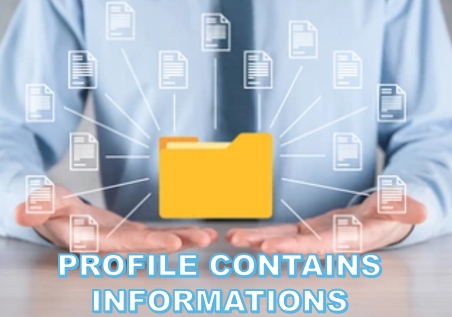
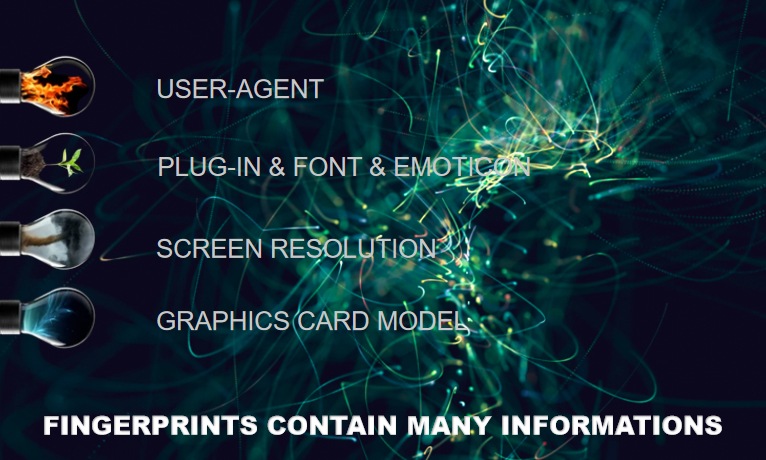
Fingerprints contain a lot of information to identify individual users, such as:

  • User-Agent: Referred to as UA. It enables a server to identify the customer’s operating system, CPU type, browser version, browser rendering engine, browser language, and so on, allowing websites to provide different page services to different systems and browsers according to the results of identification.
  • The plug-in, font, and emoticon: The Internet uses a fingerprint to tell it what kind of plugins a user has downloaded. It also gives a chance to see what language and font they’re using, if the browser has a Flash or Java plugin installed.
  • Screen resolution and graphics card model: Screen resolution is a setting that determines how much information is displayed on a computer screen, measured by horizontal and vertical pixels. The Internet needs to know the screen resolution of a user’s device in order to provide different levels of service to different devices.
  • Other information: The user’s time zone, geographic location, and HTTP ACCEPT information is also exposed to the Internet along with the fingerprint.

fingerprints contain many informations


what does anti-fingerprint mean?

Before we talk about reverse fingerprints, let’s correct a misconception first.

Because fingerprints hide a lot of users’ personal information, many people think that fingerprints only bring us a privacy crisis. However, this is a wrong idea under the influence of crisis awareness, because fingerprints sometimes bring benefits to users.

For example, sometimes it prevents financial fraud.

Internet banking is becoming more and more popular nowadays, almost everyone has an online bank account. If your login information (account and password information) is stolen by criminals, when they login to your account, the bank will be alerted and ask the person who logged in to the account to verify the information because the geographical location and device information does not correspond to the fingerprint information you left in the bank.

This way, your account can’t be accessed by others, and you can receive a warning message in the first place.

In addition, there are some convenient life services that can be provided to you through fingerprint screening, so as to enrich your life.

However, everything has two sides. The presence of browser fingerprints does bring some harm to users.

Browser fingerprints and cookies

The convenience of the Internet makes it more and more integrated into society, becoming an inseparable part of life. Cookies were originally created to improve the user experience.

A cookie is a simple text file stored in a client that records a user’s personal information. This file is associated with a specific Web document and is used to store information when the user’s device accesses the Web document.

When these people use the device to access the Web document again, the information stored is available for the user. It avoids the trouble of typing again, which improves browsing speed and user experience.

However, cookies hold users’ personal information, so the malicious application of cookies also comes into being, because that information may bring value to some people.

For example, some advertisers will use cookies to track and read your needs and user information. When you browse the service website, you may suddenly receive relevant advertising information from a third party.

Here’s another example, after using the browser to browse a product, the next time you will receive a lot of various advertisements of the same kind of goods when use this computer to surf the Internet again…

After being annoyed, some computer users try to find cookies and delete the data to protect their personal information, others simply disable cookies in their browsers, or even use other plug-ins to block tracking.

When advertisers realized that cookies were being understood and mastered by most people, they turned their attention to browser fingerprints.

Why need anti-fingerprints?

  • The fingerprint is more subtle and harder to detect than Cookies, and the information produced is more accurate. Cookies need to store information in the browser, so they can be found by the user, and also can be cleared by the user.

Browser Fingerprints don’t save anything on the client, so they can’t be detected and can’t be erased (you can’t even tell if a browser fingerprint is being collected when you visit a site).

Each person’s browser has a very unique fingerprint. When you first visit a website, the website records your browser fingerprint on the server-side, and it also records your behavior on the site. The next time you visit, the webserver reads the browser fingerprint again and compares it to the stored fingerprint to know if you have been there before and what you did during your last visit.

  • Fingerprints are hard to hide. Some sites use fingerprint tracking to detect multiple user accounts because fingerprints are unique. So it can be used to infer whether two accounts belong to the same user or not, even if the accounts are different.
  • The method of obtaining fingerprints can be even more dangerous. Fingerprint information can also be obtained through typical ways, such as Trojan horse implantation, virus software, etc.

anti-fingerprint


Anti-fingerprint browsers

Check the browser fingerprint

To protect people’s fingerprints, the Electronic Frontier Foundation, a nonprofit international legal organization founded in 1990 to defend people’s rights on the Internet, created Panopticlick, a site dedicated to testing browser fingerprints.

Panopticlick is designed to make users more alert to fingerprint threats.

It will check the user’s browser and related plug-ins, and audit the fingerprint of the browser. It will assess the existing safeguards and fill in the gaps to create a secure browsing environment for you.

At the end of 2005, the latest version of Panopticlick also added an AD whitelist to allow ads that meet the format standards to pass through, making the experience more advanced.

MultiLogin

Multilogin is an anti-fingerprint browser with many users in the current market.

It mainly has the function of controlling the browser fingerprint and can carry out team cooperation and assign permissions to employees. Business cooperation can also be built to achieve cooperation between different teams.

However, it may be impossible to log in during the use, because there are too many users. And the price is expensive.

Kameleo

Kameleo stores information on the user’s computer, which allows you to customize the profile and share it with the team. It’s cheaper than Multilogin, but the pages are relatively simple.

ClonBrowser

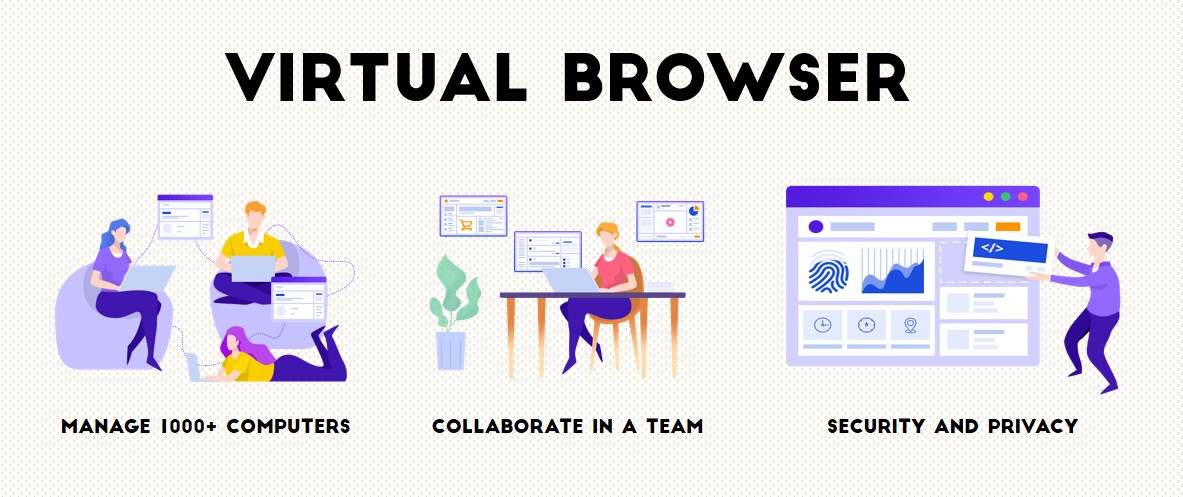
ClonBrowser is a fast-rising privacy browser that can manage thousands of computers simultaneously in the browser. It creates a completely separate virtual browsing environment for each profile. The fingerprint information of users is completely protected. The cookies, local files, and caches are completely isolated and will not be exposed.

The share and transfer capabilities of ClonBrowser make your team’s business process easier. At the same time, the browser also provides you with the most complete setup service. You can easily configure user agents, plug-ins, HTTP headers, geographic location, and other parameters to make each of your sessions fast and efficient.

VPN

IP VPN vs VPN | What are they? What’s the difference?

What is VPN

VPN is short for Virtual Private Network. VPN creates a private network over a public network for encrypted communications.

The VPN gateway implements remote access by encrypting the data packet and converting the target address of the data packet.

VPNs are widely used in enterprise networks because they can be installed on servers, hardware, and software.

VPN is a type of remote access technology that uses a public network to build a private network for users. So what is remote access? When you want to work from home, or when someone from another country wants to work on the company Intranet, such access requests are called remote access.

VPN

However, some people will question, why not choose the dial-up line to access the enterprise Intranet directly?

Of course, you can, but it can be a security risk for businesses and individuals.

Some traditional enterprises choose to use leased DDN lines (which provide users with dedicated medium and high speed digital data transmission channels, so that users can use it to organize their own computer communication networks) for remote access, but this kind of equipment is relatively old, and enterprises need to pay more expensive communication costs and equipment maintenance costs.

VPN essentially uses a series of encryption technologies to install a data exchange channel on the public network.

After a VPN server is installed on the Intranet, the Internet is connected to the VPN server when remote users want to access Intranet information. Then the VPN accesses the desired website.

The VPN in the middle transmits information to servers and user devices on both sides while encrypting the data. This encryption process makes much of the data “unreadable” to the outside world as if it were a separate channel, but in fact, a VPN still uses a public network.

The working process of the VPN

The workflow of VPN is very similar to the sealing, transportation, and unpacking of express packages. The workflow of VPN is as follows:

  1. Protect the host from sending information.
  2. Select the delivery mode: According to the rules set by the network administrator, decide whether to encrypt the data (packaging and sealing) or directly transmit the data.
  3. Packing: If encryption is required, the VPN device encrypts all the data (including the data to be transmitted, source IP address, and destination lP address), adds a data signature, and re-encapsulates new data headers (including the security information and initialization parameters required by the destination VPN device).
  4. Transport: The encapsulated packets are transmitted over the public network through the channel.
  5. Check and unpack: After the data packet arrives at the destination, the data packet is decrypted (unpack) after checking the digital signature.

VPN data is express packages

In the entire flow, the destination address of the original data packet (VPN destination address) and the remote VPN gateway address are very important, which affect the whole VPN communication.

According to the destination address, the VPN gateway can determine which packets need to be processed, and those packets that do not need to be processed can be directly forwarded. The remote VPN gateway address specifies the destination address (the address at the other end of the VPN channel) to which the processed packets are sent.

Because communication is bidirectional, gateways at both ends of the channel must know the destination address of the packet and the remote VPN gateway address to ensure the correctness and stability of information transmission.

The advantages of VPN

  • Convenient and Flexible–VPNs make it possible to work flexibly.

Home and business travel are no longer barriers to not being able to work, and business partners and others can take advantage of locally available high-speed broadband connections to connect to corporate networks.

  • Easy for use–VPNs give users a whole new experience.

It provides an Internet infrastructure that is easy to set up so that both new and old users can quickly pick up and easily add to the network.

  • Full of Security–VPNs have a higher level of security. 

It establishes tunnels. Encryption and identity protocols protect data from outside prying eyes, effectively preventing data theft and other unauthorized devices from reading the data.

  • Stable and Efficient–VPNs provide quality service.

Wan traffic is unstable and bandwidth utilization is low, the traffic distribution is polarized. During peak traffic periods, network bottlenecks are caused due to congestion, which greatly affects the transmission of real-time data. However, a large amount of bandwidth is idle during low traffic periods. VPNs use traffic control policies to arrange bandwidth based on priorities to prevent congestion.

  • Manageable

VPNs are fully managed by the user, making it easier for everyone else to use it.

  • Save money

The cost of traditional long-distance dedicated lines is huge. VPNs only need to connect new nodes and provide the communication rules between new points and other points at a relatively low cost.

The disadvantages of VPN

  • Relyon suppliers

Users need to sign a contract with a VPN supplier to keep the service running. Individuals can’t directly interfere with VPN performance. Creating a VPN is a complex process, so it’s important to find a good vendor and sign a reasonable contract.

  • Maybe the product is not compatible

VPN products and solutions from different suppliers are sometimes incompatible, driving up the cost of using the device.

  • Wireless devices may pose security risks

Any advanced encryption can be breached as users roam between access points.


What is IP VPN

We already know what VPN is. We know that it takes a lot of money and energy to buy the equipment, design and build the lines, and carry out daily maintenance. Even training can be costly. In this case, you need to purchase the VPN service provided by the suppliers. IP VPN is also a service they provide.

Based on the Backbone network owned by the supplier and using the advanced multi-protocol label switching (MPLS) technology, the IP VPN service provides end-to-end service quality assurance and security services for enterprise users to build an internal private network.

Generally, IP VPN service suppliers have professional technical teams and a relatively large operation scale to help users to establish a more mature and stable network, which saves a lot of time and unnecessary capital consumption for users, and at the same time enables users to have a better experience.

Common technologies of IP VPN

  • L2TP: Widely used for distributed mobile customers.
  • IPSec: It can be used alone or in conjunction with tunneling protocols such as L2TP and GRE, giving users greater flexibility and reliability.
  • GRE: An early, mature protocol, which is easy to implement.
  • MPLS: A new technology that uses tags to guide data along with an open communication network at a fast and efficient rate. It is used to regulate network resources and improve service quality.


The difference between VPN and IP VPN

VPN and IP VPN have different mechanisms

The tunnel can ensure security. Therefore, IP VPN also uses the channel mechanism to make the encapsulation mode and address information of VPN packets irrelevant to that of the bearer network.

However, while IP VPN is very similar to VPN, they are different.

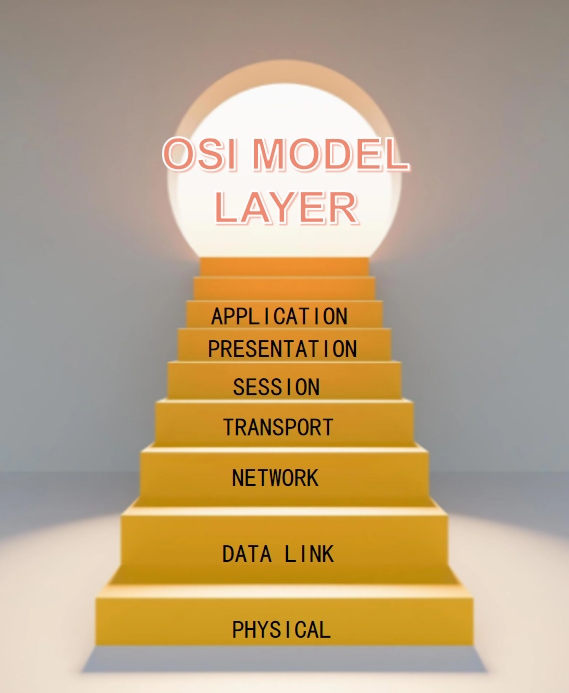
VPNs belong to layer 3 and layer 4 of the OSI model and, as mentioned earlier, build channels over the public network, which means that the VPN still relies on the public network. And no matter how you defend it, using a public network means you may face bandwidth deficits (denial of service) and slow speeds.

However, IP VPN belongs to layer 2, which means that it is off the public network and connects to the site through a private network, which ensures the efficiency and security of data transmission.

OSI Model layer


VPN and IP VPN apply different circumstances

VPN is recommended if you are working for an individual’s daily life or for a small startup where you don’t need to telecommute. Because A VPN can meet your data transmission and security needs without paying excessive costs for maintenance, resulting in a personal economic burden.

But if it is a large enterprise or a major organization, IPVPN is the best choice. Because IP VPN can meet the demand of access from different places, it is more efficient and more secure. And large enterprises can support the cost of operating an IP VPN.

For suppliers, IP VPN is a business scope with great potential, and improving better IP VPN services is the need of The Times.

characteristics of datacenter ip

What Is A Residential IP? How Is It Better Than Datacenter IP?

In our daily use of proxy IP to surf the Internet, we often encounter certain websites restricting our IP.

The website will have different restrictions for different forms of IP

Datacenter IP

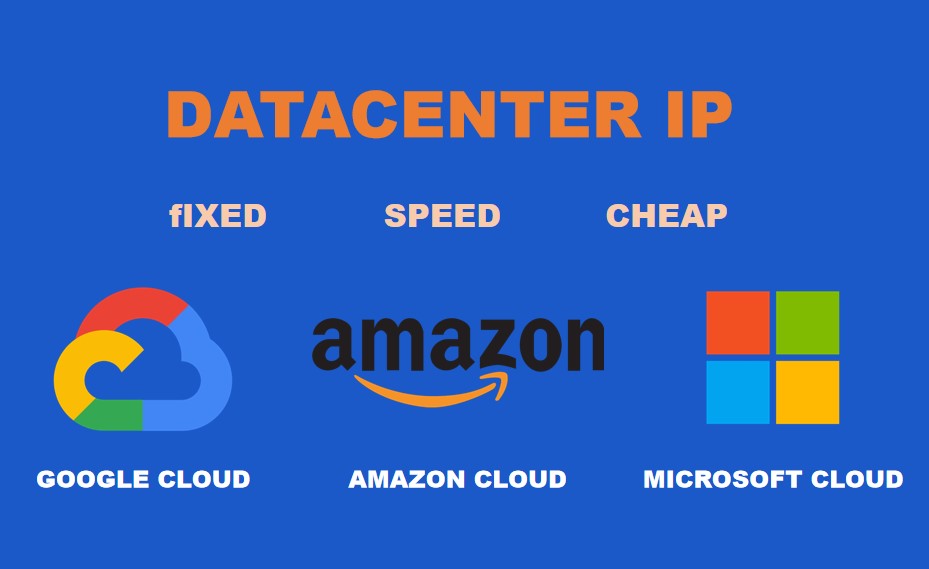
The proxy IP or VPN IP we generally use is the IP of the datacenter IP, which is the IP of the computer room.

For example, IP owned by Google Cloud, Amazon Cloud, Microsoft Cloud, etc.

It comes from the computer room of a network provider and is an IP on a server. Because it is a server, the IP is fixed. Because the IP does not change, it is easy to be identified.

If it is used for difficult tasks, such as crawling data, the target website can easily recognize that you are a fixed IP, and the IP will be blocked.

In order to save costs, many agency service providers will share and allocate the same IP, which is susceptible to the influence of other users.

For example, You are operating social media like Facebook, and IP issues will drive you crazy.

Characteristics of datacenter IP

  • IP is fixed
  • Stable IP and fast speed
  • IP price is relatively cheap

characteristics of datacenter ip

Residential IP

They can be used in a real family. The IP address is assigned to its subscribers by the service provider (ISP). Those IP addresses bound to the home address are called residential IP addresses.

For example, IP is owned by companies such as Verizon FiOS, AT&T U-verse, Cox, Comcast, Charter, or Time Warner.

If you are using a residential IP to access the Internet, you can upload your own geographic location information with confidence. Most websites trust residential IP addresses and will not be strictly checked like other forms of IP.

The residential proxy provider sells these IP addresses to people so that they can use the confirmed location to access the website.

Its working principle is very simple. If you are using a residential proxy to send an HTTP request to the website, the request will be sent to the proxy server. The proxy server then routes your request to the website via the home address of the other person.

What Is The Residential Proxy IP?

The residential proxy is an intermediate server that uses the residential IP provided by the ISP to someone’s device to browse the website. Because it uses the real IP address provided by the ISP, it is trusted.

The IP address used may come from a personal computer, router, or any form of Internet-enabled device.

For example, IoT devices, edge computing devices.

How Does The Rotating Residential Proxy IP Work?

The residential proxy provider has a pool of IP addresses. When you make a website request to a website through a residential proxy server, they will choose any available IP address (random) in the pool and then route the request to the website through them.

For rotating residential proxy IP, they will change the session of the IP address used for connection according to the website request or the specified time.

When the IP is rotated by session or request, each website request you send will be routed through a different IP address.

how does the rotating residential proxy ip work

This method is especially tried for website crawling. During the crawling process, you send a large number of requests every minute. With this kind of rotation, the website cannot track you.

Acting Provider of Residential IP

Residential IP proxy providers have a large number of residential IP addresses in their IP pools.

For example, Bright Data has 70 million, Oxylabs has 50 million, Smartproxy has 40 million, and GeoSurf has 8.5 million.

How do they obtain these IP addresses?

Different residential IP providers have their own IP management methods.

Let’s take Bright Data as an example.

They have a free VPN service of Hola VPN. Before you can use the free Hola VPN, you must grant them permission to use their IP and Internet connection. This means they use the Internet connection and IP address of the Hola VPN user.

They also have a software development kit (SDK), developers can implement the tool in their applications so that users can subscribe to the service and earn commissions.

When you subscribe to their service, you grant them the right to use the Internet connection and IP.

Why Does Residential IP Gain More Trust Than Data Center IP?

Compared with data center IP, website server security system or risk control system has higher trust in residential IP. Because they are the IP addresses of the family.

Compared with setting up residential IP, a person who is proficient in technology can set up data center IP in a very simple way.

Websites are aware of this and use it as a measure of trust. They provide both residential IP and data center IP.

Some websites classify residential IP as “good IP” and data center IP as “bad IP”.

how to choose residential ip and datacenter ip

Of course, the risk control or security policies of each target website are not consistent, except for IP restrictions. The tracking of the user’s environment through the browser also takes a lot of weight.

This part can use some privacy protection browsers to cooperate with the residential IP to achieve the purpose.

For example, ClonBrowser, Tor.

What is the mac address

What is the MAC address and how to protect it

What is the MAC address?

The full name of a MAC Address is Media Access Control Address. It is also sometimes referred to as LAN Address, Ethernet Address, or physical Address.

A MAC Address is a flash memory chip that is burned in a Network Interface Card when produced by the Network equipment manufacturer.

In the OSI model, the network layer at layer 3 is responsible for IP addresses, and the data link layer at layer 2 is responsible for MAC addresses.

The MAC address identifies a unique network adapter on a network. If a device has one or more network adapters, each network adapter must have a unique MAC address. Therefore, the MAC address is used to identify the location of the network device.What is the mac address


How does MAC address work?

Data packet transmission is a process in which packets on the network start from the initial point, constantly map the address of the target node to the MAC address of the intermediate node, and then start from the intermediate node until the final target node is found.

Let’s have a further look at this process.

According to the address of the target node, the initial node maps the IP address of the target node to the MAC address of the intermediate node to find the first intermediate node.

And then starts from the first intermediate nodes according to the IP address of the destination node map to the MAC address of the second intermediate node, so as to find the second intermediate node.

After the last intermediate node is found, the packets are mapped from the last intermediate node to the MAC address of the destination node according to the address of the destination node.

The packets will be sent to the target host through this process.

IP addresses and MAC addresses are associated by using the ARP(Address Resolution Protocol). ARP assigns network IP addresses to devices with corresponding MAC addresses. The switch can find the MAC address of the local device based on the IP address in the network.

When the data packet reaches the switch, the switch will see the destination IP address of the data packet and check whether there is a MAC address corresponding to the IP address in the machine.

If the MAC address record is found, the data packet will be forwarded to the device with the corresponding MAC address. If no MAC address corresponding to the IP address is found on the switch, the switch will forward the destination to the device with the corresponding MAC address based on ARP.

The MAC address cannot be stolen

Today, many users use LAN to group hosts together and then connect to the Internet through intermediate devices such as switches or routers.

Because of the large number of hosts in the LAN, the need to distinguish between devices arises when uploading and recycling data. At the same time, there is also a growing need to prevent IP address theft.

IP addresses are only logical identifiers that can be changed by anyone, so they cannot be used as a specific factor in identifying a device. But MAC addresses can do because it is solidified in the network card inside and is immutable.

The IP address is related to the MAC address. The MAC serves as the identity card to prove the identity.

So in theory, unless the network card is stolen, otherwise it cannot be counterfeited. Based on the characteristics of the MAC address, the LAN selects the MAC address to identify specific users.

The mac address cannot be stolen

In the process of communication, the MAC address and IP address are mapped one by one through the switch or router. When a packet is sent to a host on the LAN, the switch will receive the packet first and maps the IP address in the packet into a MAC address according to the switching table, and then the packet will be forwarded to the host with the corresponding MAC address.

In this way, even if a host steals the IP address, if the host does not have the corresponding MAC address, the packet will not be received. And the anti-theft mode of sending process and receiving process is the same.


Differences between a MAC address and an IP address

Both IP and MAC addresses are unique. However, IP addresses are equivalent to home addresses, while MAC addresses are equivalent to identity cards. So they’re different in some ways:

  • The IP address can change, but the MAC address generally remains the same.

For a device on the network, such as a computer or a router, its IP address is assigned. On the same device or computer, it is easy to change the IP address, and users can easily obtain an IP address.

The MAC address, on the other hand, is written into the hardware by the manufacturer and generally cannot be changed. We can assign any IP address to a host or change the IP address as needed, but network devices (such as network adapters and routers) will have a MAC address once produced, and its MAC address cannot be changed by the configuration in the local connection.

But if something unexpected happens, for example, the computer network card is damaged, then after replacing the network card, the MAC address of the computer will also change.

  • The length is different.

The IP address is 32 bits, and the MAC address is 48 bits (6 bytes). The value is usually 12 hexadecimal numbers. Every two hexadecimal numbers are separated by colons, for example, 08:00:20:0a: 8C: 6D.

  • The distribution is different.

MAC addresses are assigned by the manufacturer, and IP addresses are assigned based on the network topology.

  • The protocol layer is different.

IP addresses are applied to OSI Layer 3 (network layer), while MAC addresses are applied to OSI Layer 2 (data link layer).

The network layer protocol transfers data from one network to another, and the data link layer protocol transfers data from one node to another on the same link by MAC address.


MAC Address Conflict

What is a MAC conflict?

The uniqueness and immutability of MAC addresses have been described in the previous section. In this case, the MAC address cannot be repeated.

However, some netizens reported that they had encountered MAC address conflicts and were unable to access the Internet.

It means that two same MAC addresses were encountered when the packet was returned. In this case, MAC address theft occurs. This is caused by an ARP virus attack or a malicious attack. Your MAC address has been taken by a machine.Virus attacks


How to find my MAC address?

  • Windows

First, press and hold down the “Start +R” keys on the keyboard.

Then enter “CMD” in the dialog box that is displayed.

Enter “ipconfig /all” in the command prompt window and press “Enter”. (The “ipconfig” command is to view the IP configuration information, and the parameter “all” indicates to view the configuration information of all net cards.)

The “physical address” is the MAC address.

  • Os

Open the system preferences panel.

Select “Network”, and tap “Advanced”.

Switching to the hardware panel to view the line of MAC addresses.

How do I protect the MAC address?

  • Binding a MAC address to a switch port is an effective defense.

However, only smart switches have the function of binding MAC addresses to ports. The widespread use of these devices is also expensive, so only a few people will spend a lot of money replacing their network equipment to avoid MAC address theft.

And binding port will also bring great inconvenience to the network management. The change of computer location will bring about the change of a port binding record, which increases a lot of management workload.

  • When MAC address conflict occurs, you can use MAC address spoofing to enable your device to continue to access the Internet.

However, this way is not recommended. Because any changes you make can mess up the whole process of sending and receiving data, causing the router to stop recognizing your device, making the problem even worse.

The MAC address you change may be the same as that of other users, causing others to lose access to the Internet.

  • Try to use VPN and Clon browser. Nip it in the bud and protect your MAC address from the start.

VPN can encrypt all your activities to prevent malicious attacks and the Clon browser is a product to protect your privacy. It can also provide you with high-quality privacy services so that your business and personal activities can become more secure.

what is geolocation

How Do I Hide My Geolocation

What is geolocation?

Geolocation is a location-based application, a set of Application Programming Interface(API) proposed in HTML5. It combines current location methods to get the location of the user’s browser. It can get a location for the user to locate once; It can also obtain multiple positions continuously to realize continuous tracking and monitoring of terminals.what is geolocation


The background of geolocation

With the development of Internet technology, more and more activities are based on geolocation. HTML5 provides the location API, and most of the existing browsers also start to study the location technology. Thus, it promotes the development of Web positioning and relevant map service applications, and also greatly reduces the Barriers of geographical positioning development, so that the anytime and anywhere map service becomes possible.

The emergence of geolocation enables us to use location services without having to install professional software, reducing the dependence on hardware drivers to a minimum. As long as there are relevant hardware devices (such as GPS module), accurate positioning can be directly realized, so that users can easily obtain location data.

The positive effects of geolocation

  • It searches for available objects by location and customizes content and services for users in specific locations to enhance the personalized user experience
  • It provides accurate and timely geographic reference data
  • It can regulate and develop Internet commerce and create business benefits

The negative effects of geolocation

  • Personal or business activities can be monitored gratuitously, increasing the risk of personal privacy invasions
  • It sometimes contributes to crime

Some positive and negative effects of geolocation


The geolocation function makes life more and more convenient for users, by which they can enjoy more services of high quality. And it also brings opportunities for companies to flourish. However, with the expansion of user groups, everyone’s personal information becomes more and more valuable. Criminals can use geographical location information to deeply understand the individual value of users and even carry out real attacks, which can cause huge damage to society.

Several techniques for obtaining geolocation

  • IP address

IP needs to be applied by users, and every computer connected to the Internet has a unique IP address. Many IP addresses can be obtained through Internet activities, so they can query the records of IP hierarchy agencies to obtain the location of users. Of course, in general, when they ask for the location of the user, the answer they get usually is where the ISP is.

This method is very convenient and has few limitations. The IP address obtained is relatively accurate (but sometimes affected by the ISP’s IP allocation mechanism, it also can produce errors), basically can be accurate to a cell or a building. But that’s about it. It can’t provide any more precise location information.

  • GPS

GPS is the most commonly heard positioning technology in our daily life. It realizes the global 24-hour positioning through the GPS satellite positioning system of the United States. The accuracy of the results can reach 10 meters, and it can detect the user’s position very accurately.

The GPS module is a prerequisite for using GPS. Currently, many devices, especially mobile devices, are configured with relevant location modules. GPS is currently the most important way to get a location.GPS


However, although GPS is very accurate, there are some technical limitations. For example, when detecting a position, GPS sensors must be in the line of sight, because obstacles will affect the positioning results. The satellite signals are easily disturbed by buildings, water bodies, and so on. So GPS doesn’t work well in places where there are lots of tall buildings or obstacles. It is generally suitable for outdoor and requires a longer search time, which consumes more electricity.

  • Use the MAC address of the WiFi base station (triangulation location)

When users are using public WiFi with clear location information, the WiFi access point identified by the Mac address can obtain your location information.

The accuracy of this positioning technology is better, and it can make up for the defects of GPS so that indoor positioning is possible.WIFI

However, because there is less WiFi available in such locations, so the application scope of this method is very small, and it is more suitable for large cities (where there are usually many WiFi hot spots). In this case, the hot spot location information will form a larger database to provide a more accurate location. However, this large database can also be a disadvantage because it needs to be updated frequently.

  • Use GSM or CDMA base station (triangulation location)

The user can be geolocated through the base station positioning of mobile communication and the relative position between the base station. As long as the user’s mobile phone can receive the signal, it can be located. The positioning accuracy changes with the density of the base station. Generally speaking, only mobile phones can use this technology, and the accuracy can reach about 100 meters.

To make a summary of the previous information: Ranking the accuracy of the above four techniques from highest to lowest: GPS geolocation > Wi-Fi triangulation > base station triangulation > IP geolocation. But sometimes it depends on the circumstances, for example, when you’re in an area with no Wi-Fi hot spot or a poor cell phone reception, your geolocation can also be affected.


How to hide or change geolocation from Firefox?

How does Firefox geolocation works?

In most browsers, when the user opens a Web application that requires location, the browser will pop up and ask you for location information, asking if you share the location. If you allow geographic information to be sent, the browser will query the information from the device and sends it to a trusted location server.

When you agree to release your location, Firefox will collect information about nearby wireless access points and computer IP addresses, and then sends this information to Google Location Services, the geolocation service provider, to obtain your location information.

Ways to hide or change geolocation

  • Close  the service from the settings

First, you need to open the Firefox browser and tap “settings” to go to the settings screen. And then tap “Privacy and Security”, and click “Site Settings”, then you will get a list of sites requesting geolocation information, deleting them to block access and check “Block new requests asking to access your location” at the bottom.

  • Use VPN

Vpn is a virtual private network that establishes a private network over a public network for encrypted communication. Encryption is to establish a “tunnel” in your device, so that your Internet is absolutely safe, which others can not decipher, and you can choose the IP address to change your geographic information.

  • Use proxy

The proxy is an agent software or an agent server. It is also a network access mode. Like VPN, users can also choose the IP address to replace their real IP address, which can effectively hide the location query through the IP location, so it also has the role of IP address protection.

  • Change the geolocation manually

Enter “about:config”  into the address bar.

Enter “geo.provider.network.urlgeo.wifi.uri”

Change address bar to: “data:application/json,{“location”: {“lat”: 40.7590, “lng”: -73.9845}, “accuracy”: 27000.0} “(“lat” and “lng” indicate “latitude” and “longitude”).

Set “geo.provider.testing true”.

Use ClonBrowser

ClonBrowser is an anti-detection privacy browser, providing a completely independent virtual browsing environment and secure privacy protection, in which your online activities will be completely confidential and your private information will not be disclosed. What’s more, you can completely set all the configuration options in the browser, which also provides great convenience for your work and life.

ClonBrowser has always taken reasonable electronic means and regulatory safeguards to protect every user’s personal information and will continue to take commercially reasonable efforts to ensure that your personal information is protected.


Conclusion

Geolocation technology has increasingly become an inaccessible factor in the rapidly developing Internet and information society. In today’s information explosion, as a double-edged sword, it has brought not only a lot of conveniences but also brought many potential crises to us. Many users do not know when they will be located or what information is being transmitted over the Internet. However, as users’ awareness of personal protection increases, it is believed that better and better privacy services will be created in the future.

IP addresses allow the Internet to find you

Why Two Computers Have The Same IP Address

What is an IP address?

The IP address is a uniform address format provided by the IP protocol. It assigns a logical address to each network and user’s computer on the Internet to mask the differences in physical addresses. It is also known as an Internet protocol address.

IP protocol is a protocol designed for computer networks to communicate with each other.

The most important part of the IP protocol is that every computer and other devices on the Internet is assigned a unique IP address. This unique address only ensures that users can select the objects they need efficiently and conveniently from thousands of computers when operating on a networked computer.IP addresses allow the Internet to find you

The history of IP address

The first IP address to appear is IPV4, which has only four digits, each with a maximum of 255.

Due to the rapid development of the Internet, the demand of IP address is increasing, which makes the distribution of IP address more and more strict.

On November 25, 2019, all of the world’s IPv4 addresses were allocated, and the lack of address space hindered the further development of the Internet. To expand the address space, the IPv6 address space is to be redefined. IPv6 uses a 128-bit address length.

IP address assignment

TCP/IP requires different Settings for different networks, and each node generally requires an IP address, a subnet mask, and a default gateway.

However, the Dynamic Host Configuration Protocol (DHCP) can be used to automatically assign an IP address to the client, which can avoid errors and simplify TCP/IP Settings. DHCP is a LAN protocol. The server controls a range of IP addresses under this protocol. When a client logs in to the server, the client automatically obtains the IP address and subnet mask assigned by the server.


Types of IP addresses

  • Private address: A Private IP address is an IP address used on a LOCAL area network (LAN). Private indicates that the IP address is exclusive. It is a private network address and an unregistered address. Only people or devices on your LAN can see your IP address. Some organizations or communities use these IP addresses.

What is LAN?

The coverage of LAN is generally within a few thousand meters. It is a local area network formed in the local area. LAN is characterized by convenience, cost-saving, convenient expansion, but the distribution area is limited.

A LAN can be as large as a connection between one building and its neighbors, or as small as a connection between offices.

Compared with other networks, the transmission speed of LAN is faster, the performance is more stable, and the framework is simple. Many organizations choose to use it because of its closed nature.

A LAN is a private network located in or near a building, such as a home, office, or factory. They are widely used to connect personal computers and consumer electronic devices, allowing them to share resources and exchange information. When LANs are used by companies, they are called enterprise networks.

  • Public address: A Public IP address is related to the entire Internet because it is an IP address used on the Internet. The public IP address is the equivalent of your home address, which allows the Internet to see you and send messages to you. You use an IP address every time you do something on the Internet, which can be deciphered by people using the Internet.public address and private address


Dynamic IP addresses VS Static IP addresses?

  • Dynamic IP: IP addresses are assigned only when needed.

Dynamic means that every time you go online, you are randomly assigned an IP address.

Internet users’ online time and space are discrete, therefore, it is not advisable to assign a fixed IP address (static IP address) to each user, which will cause a great waste of IP address resources. Because IP addresses are precious, most users use dynamic IP addresses to access the Internet.

For example, a computer that accesses the Internet through Modem, ISDN, ADSL, wired broadband, or cell broadband is assigned an IP address each time it accesses the Internet.

The local service provider buys a large number of IP addresses and automatically assigns them to users. When an IP address is no longer used by a user, it is reclaimed to the IP address pool for other users.

Dynamic IP addresses are cheaper than Static IP and provide security to users to some extent. Changing IP addresses make it impossible for malicious behavior to target your device.


  • Static IP: It is an IP address assigned to a computer or network device over a long period of time. Users use this IP address every time when they access the Internet.

Static IP is an IP segment that can be directly connected to the Internet. The IP address will be assigned to you when the ISP installs it so that the computers will no longer automatically obtain the network address when they connect to the network, avoiding trouble on the network connection.

Broadband carriers provide users with an IP address, subnet mask, gateway, and DNS server address. In the absence of a router, all you need to do is connect the home network cable to the computer and manually set the IP address on the computer so that the computer can access the Internet. Static IP addresses do not change and are mainly used for web applications or services on the Internet.

Some gamers and people who use VOIP also tend to use static IP addresses because it makes communication easier. Static IP addresses provide more reliable data transmission and faster exchange of information, but they are less secure and easier to track. Generally speaking, only special servers or computers with dedicated Internet access have fixed IP addresses, and this needs to be more expensive.


How do I find out if I am using a static IP or a dynamic IP?

  1. Click “Start” to open the command prompt, and search for “CMD“, and then click cmd.exe

  2. Enter “ipconfig/alI” in the command prompt window, and press Enter

  3. Locate the Ethernet Local Connection list. Find the “IP Address” line, which will give you the currently assigned IP address. Next, look at the “DHCP Enabled” line in the same section. If  “DHCPEnabled” is set to “Yes“, it means you have a dynamic IP address. If “DHCP Enabled” is set to “No“, that means you are using a static IP address now.


IP Address Conflict

Why does IP conflict occur?

Have you ever encountered the following situation?

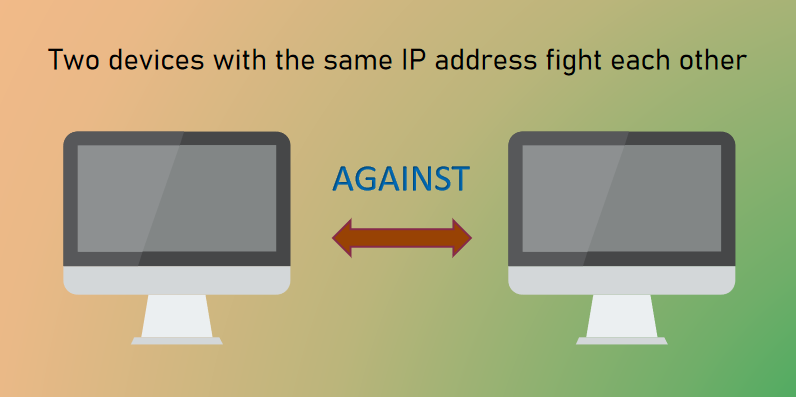
When you are working on the Internet, your computer suddenly detects an IP address conflict. There is another computer on the network with the same IP address as yours. Then your computer stops working?

In fact, the IP addresses of devices such as computers and mobile phones are automatically assigned by the router. In general, under the DHCP adjustment, the router in normal operation will select the IP addresses to be used from the IP address pool, and the IP addresses in use are not in the alternative pool. Therefore, the router will not select the used IP addresses. So unless the router is down, conflicts are rare.

However, if two or more devices are configured with the same IP address and subnet mask, IP address conflicts may occur. This kind of situation generally happens in LAN.Two devices with the same IP address fight each other


How to resolve IP address conflicts?

  • Restart: Attempts to restart the computer and wait for it to retrieve a new IP address. If it still doesn’t work, continue with the following steps.
  • Change the IP address manually: Go to the control panel ➡ Access the network and sharing center ➡Click “Change Settings‘” ➡ Right-click “WLAN” or “Internet“➡ select “Properties“➡ Double-click “Internet Protocol“➡Change the IP address you want

  • Enabling the ARP Firewall: IP address conflicts may also be caused by ARP virus attacks. ARP attacks usually prompt IP address conflicts or even break down the network. First, check and kill the virus, and then installARP a firewall to open an active defense.


Clon Browser

IP addresses can be used to track user location information, so the security of IP addresses is closely related to user privacy and Internet security. In the face of privacy exposure and malicious attacks, a proxy can effectively protect your privacy. Clon Browser works closely with many proxy agents (Such as Luminati, Oxylabs, etc.), Clon Browser’s proxy integration service provides you with strong IP protection.

For more information about IP protection, please click here.

whats make a good 4g proxy

4G Proxy | Optimize your cross-country browsing experience

Proxy server is an Internet server with its own IP address, which is between the user and the Internet. It is the intermediate program between the user’s computer and the Internet site, and also the transfer station of network information.

The proxy server can take the place of user machines to send page access requests to the Internet website, through a series of intermediate operations to provide users with network security filtering services, improve the speed and efficiency of browsing the website, and protect users’ privacy and security.

That is to say, the proxy server is the “firewall” of the users’ network security and privacy and the “accelerator” of Internet browsing.

How does Proxy work?

Proxy is the middle man

When you open an Internet link directly without using a proxy server, the Internet will get the IP address of the users’ computer from the received request signal and send the information back based on the address it has got.

The Computer’s IP address is the Internet equivalent of your address in the real world. In other words, the IP address is your address when you send the letter, and the Internet link you request is where the recipient is located.

When the Internet receives your letter (request signal), your address (IP) also leaves a trace. A proxy server is an intermediate program that is both a server and a client. When your client is connected to it and sends a request signal to the Internet, the proxy server will receive the request and collect the required information from the Internet on your behalf and send it back to your browser so that you can see the link you want to view.

When the proxy server sends your request to the Internet, it can keep the trunk demand and adjusts users’ data at the same time. It helps you to change your IP address and uses proxy addresses for network activity so that the Internet can’t exactly get your location, which can protect personal privacy data and avoid Internet filtering, etc.

At the same time, the vast majority of proxy servers have buffer or cache function, If the resource you request has the latest storage on the memory, it can retrieve data directly from memory and feed it back to your browser, which saves the step of forwarding the request signal to the Internet, so as to improve your browsing efficiency and give you a high experience.

The use of proxy

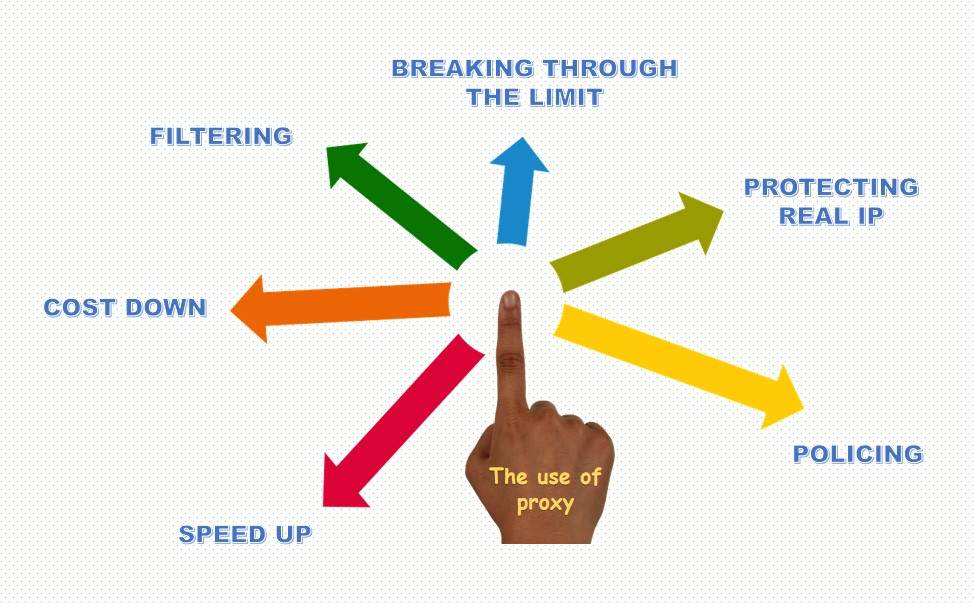
  • Speed up& cost down: The cache function saves the process of sending signals to the Internet and collecting data, improving users’ browsing efficiency and reduces communication costs.
  • Filtering& policing: It protects against offensive access. The proxy server can monitor and filter dangerous information whether it is the user’s behavior of accessing the Internet or the information feedback from the Internet.
  • Protecting real IP: Hiding IP through proxy servers to protect personal privacy and avoid marketing interference and malicious attacks.
  • Breaking through the limit: In the face of IP blocking or content filtering of foreign websites, you can access foreign websites through proxy servers.

the use of proxy

Why need 4G Proxy?

4G proxy servers, as the name suggests, are associated with mobile devices (phones, tablets, etc.). When you use mobile data to connect to the Internet, the 4G proxy server will provide you with the IP address of the destination region, which allows you to you can browse foreign websites. The IP addresses of 4G mobile proxy will remain in rotation, so you will be using dynamic mobile IP for Internet activities.

The feature of 4G proxy

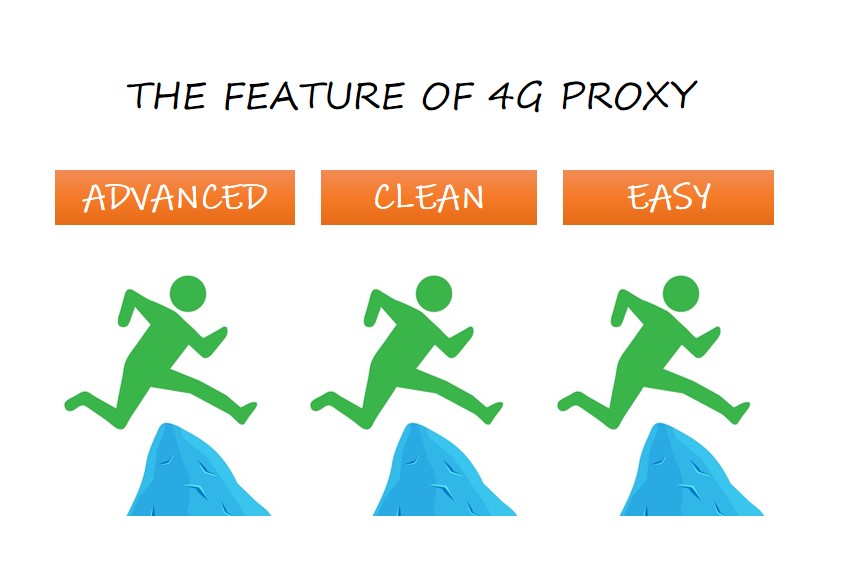
  • 4G mobile proxy is the most advanced mobile agent. It Provides users with mobile IP addresses that can be rotated by all devices, and the Internet has a high degree of trust in the IP addresses it provides (because everyone Shared IP, the Internet does not want to reject hundreds of thousands of its customers by banning one IP), Therefore, the performance of 4G proxy service to protect privacy and filtering is strong.
  • 4G mobile proxy provides you with a clean IP address. Because the mobile network uses dynamic IP, the behavior of the last user can affect your use (you may encounter situations where you need to authenticate).
  • 4G mobile proxy is easier and faster to operate. 4G proxy is applicable to all operating systems. The mobile proxy will automatically serve you, so what only you need to do is to check the country to access it, no need to install other software.

the feature of 4g proxy

The difference between 4G proxy and VPN

VPNs and 4G mobile proxies both allow you to break through blockages and hide the real IP address, but there are some differences in details. VPNs need to be served by the corresponding software, and the browsing activities operated in the software will be encrypted, making it impossible for any behavior to obtain your information. But at the same time, you need to pay for the encryption service, so VPNs are usually expensive. What’s more, because the VPN is installed on your device so the process of encryption may slow down your device. Therefore, unless encryption is required, buying a VPN is not recommended.

How to choose 4G proxy?

Whats make a good 4G proxy

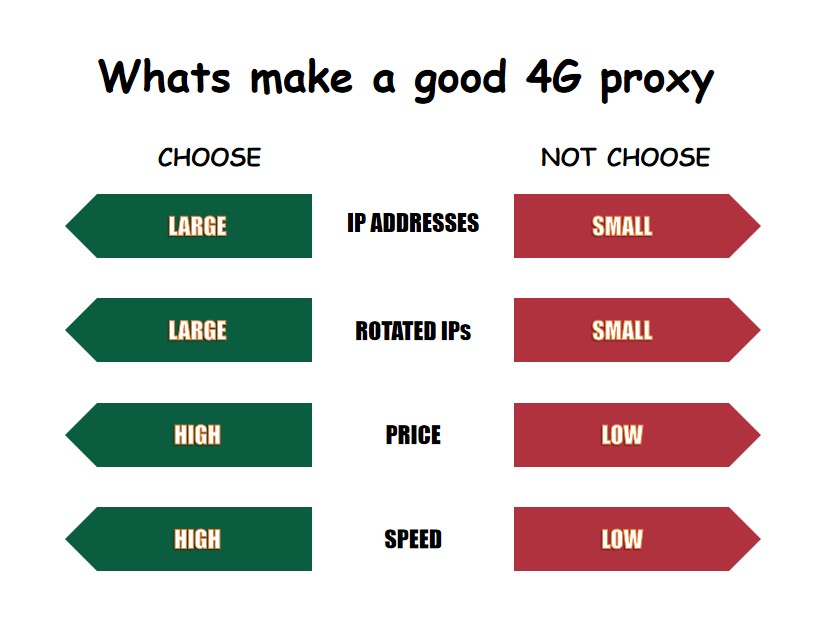
So if I want to buy agency services, what elements should be considered carefully? Here gives some factors to consider:

  • The number of IP addresses: The more the provider offers, the more you can choose, and this large number also implies the power of performance.
  • The number of rotated IPs: You can access multiple websites without any problem by rotated IP.
  • The sharing capability of a mobile proxy: The sharing capability provided by the provider may not be suitable for network scraping.
  • Price: Price also has certain references in measuring the stability of performance. Generally speaking, the more data, the higher the price. At the same time, affordability is a real factor to be considered.
  • Speed: The faster a 4G mobile proxy service runs, the better your experience will be.

whats make a good 4g proxy

Some good providers

When the demand arises, it takes a lot of energy and time to set up a mobile proxy. So in order to meet the demand, the agent service providers were born. In order to accurately find the desired supplier in a complex competitive market of suppliers, it is necessary to investigate the services they provide, and here are several options:

  • Luminati——”Provides the most advanced mobile residential proxy service offering the fastest and largest real-peer 3G/4G IPs network in the world.”: Luminati is the first and largest 4g proxy provider in the market. Luminati’s network has spread all over the world, and you can choose an IP address in any country. Free 7-day trial service is also provided. But the official use is expensive.
  • Soax—— “Cleanest, regularly updated proxy pool available exclusively to you. Over 8. 5M IPs are active worldwide. Flexible targeting by country, region, city, and provider.”: The Soax mobile Agent service is accurate in location coverage which has fully compatible with many use cases. It is affordable and has excellent run time, but maybe slow in customer support.
  • HydraProxy——”The Internet As It Should Be.Limitless.”: The number of IP addresses that HydraProxy has had reached over 200,000 and is affordable. Because only targeted all US States, it has extensive coverage across the United States and is available in all states.
  • Proxy-cheap—— “Best Value! No monthly commitment. No additional fees. “: As a proxy supplier known for its cheap, it is very safe and reliable. Its target market is the European Union and the United States. Free trial is available but there is no refund.

what is a browser fingerprint

Everything You Can Know About Browser Fingerprints

What is a Browser Fingerprint?

Browser fingerprinting is a method of tracking the web browser through the configuration and setting information that the browser can see on the website.

Browser fingerprints are like fingerprints on our hands, with individual recognition.

Formally because of the folds of the human skin, a unique human fingerprint is formed that is different for everyone.

what is a browser fingerprint

The same is true for the browser fingerprint. Obtain the recognizable information of the browser and perform some calculations to get a value. Then this value is the browser fingerprint.

Recognizable information includes language, time zone, user agent, geographic location, etc. The information you select determines the accuracy of the browser fingerprint.

Obtaining fingerprints has no real meaning for the website, and more importantly, the user information corresponding to the fingerprints.

As a website, collecting user browser fingerprints and recording user operations is a valuable behavior, especially for scenarios where there is no user identity.

For example, on a content distribution website, user A likes to browse military content, and the browser fingerprint can record this interest. Then the user can push military information to user The next time without logging in to the website.

At the moment when personal PCs are so popular, this is also a way of content distribution.

For users, establishing a connection between personal surfing behavior and browser fingerprints more or less infringes on user privacy.

Fortunately, this method has limited infringement on users’ privacy, and abusive user behavior will also overdraft the user’s favor on the site.

The development of browser fingerprinting

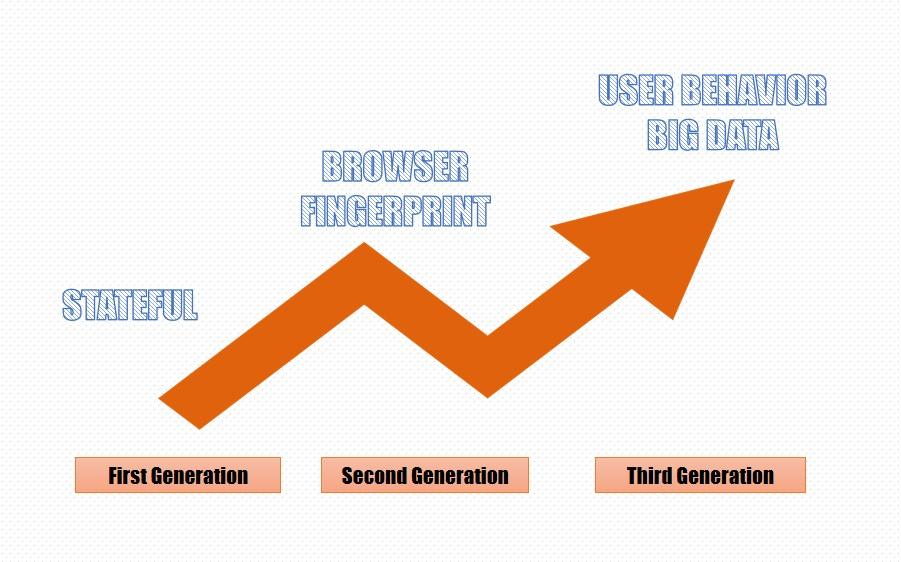
First generation: stateful

The main focus is on the user’s cookie, which requires the user to log in to obtain effective information.

Second generation: browser fingerprint

Make users more distinguishable by continuously increasing the feature value of the browser.

For example UA, a browser plug-in, Canvas, AudioContext information, etc.

Third generation: user behavior big data

By collecting user behaviors and habits to build feature values and even models for users, real tracking technology can be realized. This part of the current implementation is relatively complicated and is still being explored.

the development of browser fingerprinting

How to get the browser fingerprint

Get browser fingerprint from HTTP

Entropy is the average amount of information contained in each message received. The higher the entropy, the more information can be transmitted, and the lower the entropy, the less information is transmitted.

Browser fingerprints are synthesized from the feature information of many browsers, and the information entropy of feature values is also different.

You can check your browser fingerprint ID and basic information here.

Browser fingerprints can also be simply divided into ordinary fingerprints and advanced fingerprints.

Ordinary fingerprints can be understood as parts that are easy to find and easy to modify.

For example, HTTP header

{

“headers”: {

“Accept”: “text/html,application/xhtml+xml,application/xml;q=0.9,image/avif,image/webp,image/apng,*/*;q=0.8,application/signed-exchange;v=b3;q=0.9”,

“Accept-Encoding”: “gzip, deflate, br”,

“Accept-Language”: “zh-CN,zh;q=0.9”,

“Host”: “httpbin.org“,

“Sec-Ch-Ua”: “\” Not A;Brand\”;v=\”99\”, \”Chromium\”;v=\”90\””,

“Sec-Ch-Ua-Mobile”: “?0”,

“Sec-Fetch-Dest”: “document”,

“Sec-Fetch-Mode”: “navigate”,

“Sec-Fetch-Site”: “none”,

“Sec-Fetch-User”: “?1”,

“Upgrade-Insecure-Requests”: “1”,

“User-Agent”: “Mozilla/5.0 (Windows NT 10.0; Win64; x64) AppleWebKit/537.36 (KHTML, like Gecko) Chrome/90.0.4430.93 Safari/537.36”,

“X-Amzn-Trace-Id”: “Root=1-6103c0a2-2deb3a391be2e99a38b1f813”

}

}

Use the tool to query.

In the above, we can see the browser’s Accept-Language and User-Agent, through which the language information of the browser can be obtained.

This HTTP header entity information may be generated by your current operating system language or the language information set by the browser.

This header is not necessarily accurate. Some websites will ignore this header and use ip to determine the language of the user’s region.

User-Agent contains information about the browser and operating system.

For example, I am currently using MacOS and I am using version 77 of Chrome.

If the UA is deliberately faked in the header, the webpage can also get the real UA through navigator.userAgent.

Other basic information, such as IP, physical address, geographic location, etc. can also be obtained.

Use the tool to query.

Other ways to get browser fingerprints

In addition to fingerprints obtained from HTTP, browser characteristic information can also be obtained in other ways.

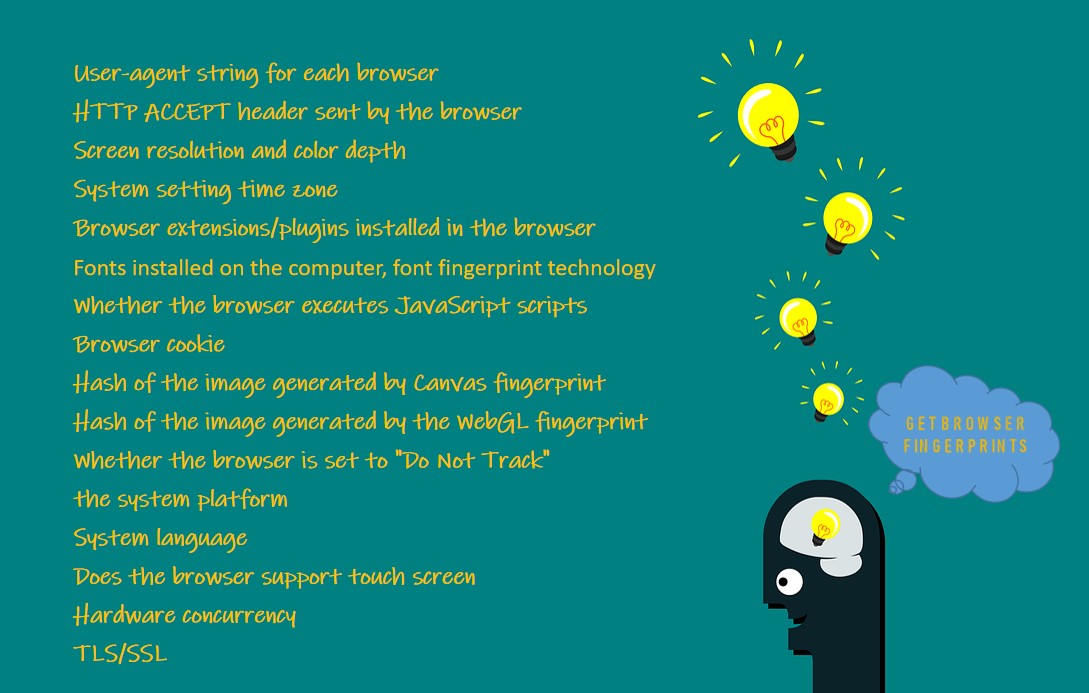
1. User-agent string for each browser

2. HTTP ACCEPT header sent by the browser

3. Screen resolution and color depth

4. System setting time zone

5. Browser extensions/plugins installed in the browser

For example, Quicktime, Flash, Java or Acrobat, and the versions of these plug-ins

6. Fonts installed on the computer, font fingerprint technology

7. Whether the browser executes JavaScript scripts

8. Browser cookie

9. Hash of the image generated by Canvas fingerprint

10. Hash of the image generated by the WebGL fingerprint

11. Whether the browser is set to “Do Not Track”

12. the system platform

For example Win32, Linux x86

13. System language

For example, cn,en-US

14. Does the browser support touch screen

15. Hardware concurrency

16. TLS/SSL

After getting these values, you can perform some calculations to get the specific information entropy of the browser fingerprint and the UUID of the browser.

The integrated fingerprint information can greatly reduce the collision rate and improve the accuracy of the client UUID.

Fingerprints also have rank. Some feature values with larger information entropy will have larger ranks.

The information described by ordinary fingerprints is still not unique enough, after all, there are still very many people using MacOS in the United States.

Advanced fingerprints can further narrow this range, and can almost directly determine a unique browser identity.

Types of browser fingerprints

Canvas fingerprint

Canvas is a dynamic drawing tag in HTML5, and it can also be used to generate pictures or process pictures.

The same HTMLCanvasElement element drawing operation, on different operating systems and different browsers, the content of the pictures produced is not exactly the same.

In terms of image format, different browsers use different graphics processing engines, different image export options, and different default compression levels.

At the pixel level, the operating systems each use different settings and algorithms for anti-aliasing and sub-pixel rendering operations.

Even with the same drawing operation, the CRC check of the generated picture data is different.

Canvas has been supported by almost all major browsers and can be accessed through most PCs, tablets, and smart phones.

Use the tool to query.

WebGL fingerprint

The WebGL object (canvas.getContext(“WebGL”)) can be obtained through the HTMLCanvasElement element, and the user’s hardware information can be obtained through this object.

Graphics card name, Graphics card model, Graphics card manufacturer, etc.

For example: ANGLE (NVIDIA GeForce GTX 1050 Ti Direct3D11 vs_5_0 ps_5_0), Google Inc.

Since the hardware is generally not replaced at will, some computers have not been replaced when they are scrapped.

There are also many types of computer hardware. Although the collision rate is very large, it can still be used as part of the user’s fingerprint.

The more information collected from a user, the more it can represent the user’s unique fingerprint, which cannot be ignored.

Use the tool to query.

AudioContex fingerprint

The Audio API provided by HTML5 for JavaScript programming allows developers to directly manipulate the original audio stream data in the code.

Be randomly generated, processing, recycling, such as raising the tone, pitch change, audio division, and even can be called Web version of Adobe Audition.

AudioContext fingerprint principle is as follows:

Method 1: Generate an audio information stream (triangular wave), perform FFT transformation on it, and calculate the SHA value as a fingerprint.

Method 2: generating an audio stream (sine wave), the dynamic compression processing, MD5 value is calculated.

Both methods are cleared before the audio output to the audio device, the user simply unaware it was acquired fingerprint.

AudioContext fingerprint basic principles:

The subtle differences in the hardware or software of the host or browser cause differences in the processing of audio signals.

The same type of the browser on the same device produces the same audio output.

Different machines or different browsers generate audio output will be different.

It can be seen from the above that AudioContext and Canvas fingerprint principles are very similar.

Both use the difference in hardware or software. The former generates audio, the latter generates pictures, and then calculates different hash values as identification.

Use the tool to query.

WebRTC fingerprint

WebRTC (Web Real-Time Communication) is the ability for the browser to have real-time audio and video communication.

It provides three main APIs to allow JS to obtain and exchange audio and video data in real-time, MediaStream, RTCPeerConnection, and RTCDataChannel.

Of course, if you want to use WebRTC to obtain communication capabilities, the user’s real IP must be exposed (NAT penetration), so RTCPeerConnection provides such an API.

You can get the user’s IP address directly by using JS.

Cross-browser fingerprint

The browser fingerprints mentioned above are all obtained from the same browser.

However, many feature values are unstable. For example, UA and canvas fingerprints will be completely different when opened in different browsers on the same device.

The same set of browser fingerprint algorithms is not available on different browsers.

Cross-browser fingerprinting is a stable browser feature that can obtain the same or similar value even on different browsers.

How to protect the browser fingerprint

If you do not have enough professional knowledge or change browser information very frequently, almost 100% of your browser fingerprints will be leaked. Of course, this is not necessarily a bad thing.

The leaked privacy is very one-sided, and it can only be said that it has leaked part of the user’s behavior when browsing the web.

Insufficient value, user behavior does not correspond to actual accounts or specific people, and the value generated is limited.

Beneficial use, use browser fingerprinting can produce user isolation part black, part to prevent brush votes or malicious behavior.

But even so, browser fingerprints have some preventive measures.

Do Not Track

In the HTTP header, you can declare such a flag “DNT” means “Do Not Track”, if the value is 1, it means not to track my webpage behavior, and 0 means it can be tracked.

Even if there is no cookie, you can tell the server that I don’t want to be tracked and don’t record my behavior through this flag.

The bad news is that most websites currently do not abide by this agreement and completely ignore the “Do Not Track” signal.

ClonBrowser

Through the above-mentioned understanding of browser fingerprints, it is not difficult to find that the more features your browser has, the easier it is to be traced.

On the contrary, if you want to deliberately hide certain browser features or make magic changes, then congratulations, your browser may have a unique browser fingerprint, and you don’t need to deliberately calculate it, you can directly communicate with other people distinguish.

Therefore, an effective method is to popularize the feature values as much as possible.

For example, the most widely available combination on the market is Window 10 + Chrome.

Then you change the UA to this combination is an effective method, and at the same time try to avoid the website from acquiring feature values with very high information entropy, such as canvas fingerprints.

ClonBrowser browsers do a lot of work on this to prevent them from being used to track ClonBrowser users.

In response to Panopticlick and other fingerprinting experiments, the ClonBrowser browser now includes some patches.

To prevent font fingerprints, by restricting the fonts that can be used by the website and Canvas fingerprints, it is prevented by detecting the reading of HTML5 Canvas objects and requiring user approval.

For example, the code for obtaining Canvas fingerprints above, in ClonBrowser, you can choose to close, noise, block and other settings to adapt to your business scenarios.

In summary, these measures make the ClonBrowser browser a powerful defense tool against fingerprints to protect your privacy.