Facebook ads | What Facebook’s AD metrics are?

When we choose Facebook advertising, it is inevitable that there will be user aesthetic fatigue. At this time, we need to know what are the indicators of Facebook’s advertising effect?

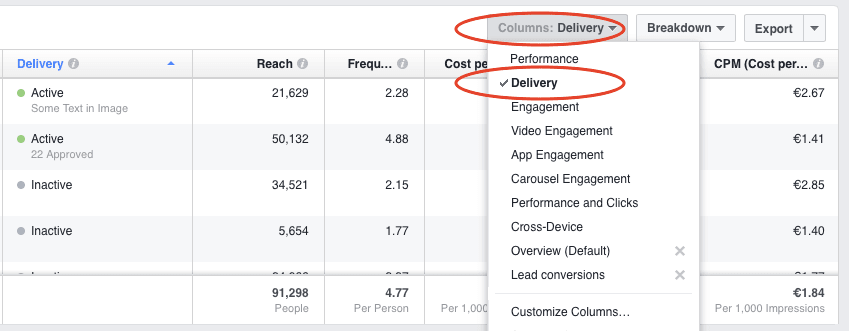
There are three important metrics in Facebook’s AD Manager that you can use to monitor the effectiveness of your ads. Here are some of them:like

Frequency of viewing ads

Frequency mainly refers to the number of ads that your selected audience can see. If the data is more than 3 through the background query, then it is necessary to consider whether the selected advertising material needs to be changed.

If you’re new to this, you can view the frequency of your ads from the AD Manager → click on the AD series → select the Ads view in the Reports section.data

If you see a drop in click-through rates and an increase in frequency, it means that a certain group of people is watching your AD repeatedly, but they’re not doing anything later.

This also means that you put the advertisement in the display, there have been some people to click, but later will not click again to view; There are also some people who did not click at the beginning, and they will certainly not click to view later, which proves that the advertising content has reached market saturation.

Operation behavior

What is involved in it?

Within 24 hours of viewing an AD, or 28 days after clicking on an AD, you can get a deal, click on a link, install an app, etc.

If you want to get a higher conversion rate, then actions can play a major role. You can use transformation tracing tools to track users.

Click-through rate

Click-through rate= the number of clicks on an AD ÷ the number of times an AD is displayed

Click-through rate is also an important indicator to know if your AD content is getting tired. At this time, we can make a comprehensive analysis of the two indicators of click rate and frequency, and find the right click-through rate and frequency through constant groping, which can be used to determine when the advertising material should be replaced.

No matter what type of AD content you’re running, fatigue eventually sets in. If Facebook ads are getting tired, how can they be adjusted and addressed appropriately? How to restore the effect of advertising?users feel bored

Simply put, advertising fatigue is that the audience sees too many ads. First, you can set some conditions in the Facebook AD manager to reduce the number of times your audience sees your ads.

Finally, you can rotate multiple types of ads to optimize their effectiveness and eliminate AD fatigue.

When users see the same advertising information for a long time, it is easy to get tired. Through continuous innovation and rotation, the problem of advertising fatigue is not only overcome but also may achieve better results.

users feel bored

Facebook ads | Why they are getting less effective?

When you’re doing Facebook ads, I don’t know if you’ve noticed, you haven’t been doing Facebook ads for a few days but the cost per click is going up and the frequency of ads is going up. This is equivalent to the advertising effect tends to decline, slowly the advertising effect will become worse and worse, do you know why?facebook

I think it might be the following:

From Facebook’s perspective

Facebook won’t be able to keep fixed ads performing consistently, and if an AD stays on a fixed spot, Facebook will make less money.

You might wonder why users’ ads work better than Facebook’s.

Here we need to pay attention to a degree, no matter how good an advertisement is, can not guarantee good performance from the beginning to the end, any product will have its own life cycle, so advertising is the same.

From the user’s perspective

Although we belong to a visual society now, the expression form of pictures and videos is easier to be loved by people, but if we see the same information every day, there will be a problem of aesthetic fatigue, which will make users feel bored.

For example, when there were fewer resources before, advertising information of similar content appeared, so that people had to accept.

But with the gradual flood of resources, I believe that no user can accept this kind of repeated advertising information several times, so that the advertising content will let people appear aesthetic fatigue, directly will lead to worse and worse advertising effects.

We can view it through the background data. When we open the background information of Facebook data, we can see the following data:data

If you have similar or identical data in your Facebook AD manager, it’s a good sign that your ads are getting tired.

What are the reasons for advertising fatigue?

What is advertising fatigue?

It is not difficult to understand from the above content that the excessive number of advertising displays causes users to watch it many times. Although this can improve the frequency of advertising displays, the click-through rate of advertising has decreased.users feel bored

Why is there advertising fatigue?

The AD was displayed so frequently that users saw the message every time they logged on to Facebook; Advertising content is competing with users’ news summaries; The audience is already familiar with the content of the advertisement and has lost the initial freshness, so the click-through rate of the advertisement will decline.

Advertising fatigue will affect the relevance score, so what problems will occur when the relevance score is low?

The decrease in relevance score results in a cost per thousand impressions and cost per search result. The result is not only a corresponding reduction in the results of the AD series but also a corresponding reduction in the return on AD spending.

facebook

Guide to Facebook for Beginners | How to post?

Facebook is a foreign social media platform with the best promotion effect. In the process of account maintenance, shop operation has become one of the necessary work. What are the Facebook strategies for posting?facebook is a social media platform

Posting techniques on Facebook Page

  1. Post to keep updated: in the post, you can design and type it in different formats such as short-draft text posts, long-text posts, and labels. Refine the main selling points and spotlights to draw users’ clicks through the title content.
  2. Post photos and videos: When Posting photos and videos, you need to carefully label your topics and set when and where your posts will be posted. There are no specific requirements for the published pictures, but try to ensure the clarity of the pictures.
  3. Post activity information: Place information should be clearly displayed when posting event information, whether online or offline.
  4. Post big events: Creating big news on the home page is not only good for enhancing brand image but also good for later brand promotion.
  5. Use post-management function: Use the post-management function flexibly to top up high-click or well-received posts. When publishing a publication post, you can use the ability to hide and restore the display.data analysis
  6. Data analysis: Performing data parsing regularly and optimizing content based on the results can improve the quality of your marketing.

Other Operating Techniques for Facebook

  1. Regular Postings: To increase the exposure of posts, you can examine the viewing time of the audience and post them according to the time they are relatively concentrated.
  2. Enrich your account: Don’t post all the product-related content when you post, but post some hot news or content that most users are interested in, which will enrich your account and attract more fans.
  3. Sharing hot postings: You can focus more on the hot messages and post them in your own format, which can attract and increase fans’ performance.

Account management requires constant innovation, identifying the preferences of the audience, and posting customized posts.innovation

Guide to Facebook for Beginners | How to Register for it?

As the largest social media platform in the world, Facebook has become the main battlefield of network marketing. For cross-border e-commerce, Facebook has also become a major battleground for attracting traffic from outside the site. So, what are the strategies to registration?

Preparations of registration information

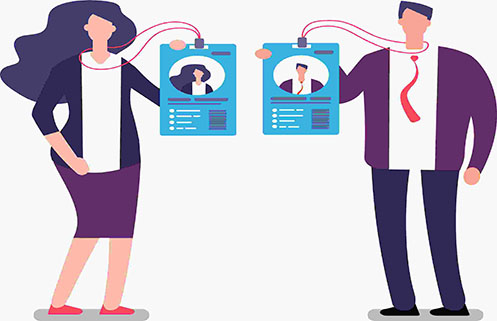
  1. An account uses a set of identity information, and there are various forms of identity information, such as student ID cards, ID cards, passports, and so on.identity information
  2. Use one email for one account. There are no specific geographical requirements for one email, but keep in mind that there is a high probability that new emails will be restricted.

When registering, no matter what information you use, you must ensure that the information you fill in is consistent with your identity information.

Account Settings

  1. Profile picture setting: In the early stage of profile picture selection, you can choose real and beautiful pictures. After all, it is difficult to increase the number of fans just after the account has been established, when the fans have a certain amount of accumulation, you can change the profile picture to a product picture or brand picture.facebook
  2. Cover setting: Special attention should be paid to the selection of pictures on the personal homepage in the early stage. Find some pictures that fans are interested in and replace them with product introduction pictures after the fans are fixed.
  3. Distribution of timeline: You can use the analysis function of the system to check the appropriate group information, and then fill in the personal account information according to the interests and hobbies of target customers, so as to be close to fans as possible.

Building up a fan basebulid up a fan base

No matter how good the product is and how attractive the released content is, without the support of fans, it is impossible to spread and achieve the marketing effect. Therefore, fans are a very important indicator.

When setting a trusted contact, ensure the security of the account. If the account is disabled, you can retrieve the account directly through the trusted contact to avoid the risk of account theft.

In the account registration process, every step needs to be careful, save the operation information of each step, in case of emergency.

facebook

Guide to Facebook for Beginners | How to run it?

Since its establishment, Facebook has been favored by e-commerce companies. However, the operation of Facebook is still unfamiliar to novice e-commerce companies. What are the operation strategies of Facebook?facebook

How to ensure the security of your Facebook account?

  1. Use a fixed network environment.
  2. Properties and personal information should match exactly.
  3. Add no more than 200 friends passively and no more than 20 friends actively every day.
  4. Normal frequency operation.
  5. Add friends to the address book first to facilitate later verification.no more than 20 friends

The operation skills of the homepage

  1. Search the home page related to your product and highly active, browse in this home page, and display it as visitors to post.
  2. You can get more exposure by pressing likes or posting comments on this homepage.
  3. Most users like popular video content and can forward some popular video information.
  4. By using the recommendation function of the platform, Facebook will push corresponding items according to the categories of users’ likes on the homepage.
  5. According to the automatic push function of Facebook, we need to be very careful when adding the first batch of friends. We need to add friends according to the country we need to operate in the later stage because after adding friends for the first time, we will recommend the information of the country.

How to fill the homepage with friends?

  1. Import from Mailbox.
  2. Search for groups you are interested in. After joining groups, you can send some self-introduction, personal photos, product information or welcome to add as friends.use the function

Group marketing

  1. Select groups related to us for joining. Remember, do not blindly select groups, because highly active groups are the most worthy of our time and energy.
  2. Add administrators or popular members of your group as friends and like, or share their posts. There is time to have an interaction, which is helpful for the post.
  3. When you see a post with a lot of comments, comment again, so that users who have commented before will receive new comments.

There will be further updates to the Facebook guide and more tips on how to operate it.

proxy

How to Change your Proxies?

About the proxy

What is a proxy?

A proxy refers to proxy software or proxy server, and can also be considered as a mode of network access.

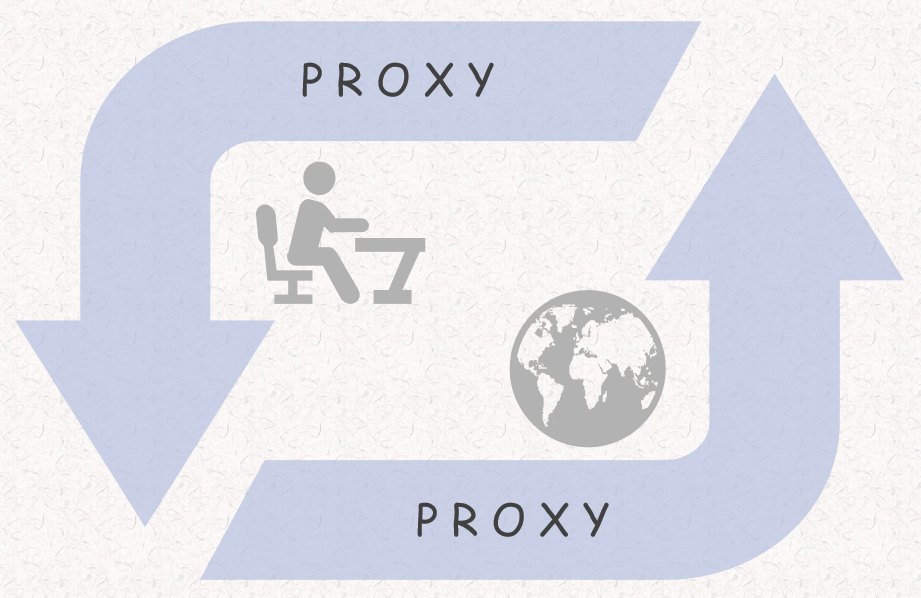
Agents, as the name suggests, are used to do other things that things do not want or cannot do. For example, when you perform operations on a database, the agent can record the operation after you perform operations on the database. The function of a proxy server is to obtain network information on behalf of network users, and its basic behavior is to receive the request sent by the client and forward it to the target server.proxy

How does proxy work?

Proxy service before the remote access, web data files, in the proxy at the bottom of a copy of the backup, if online set specified proxy, every time when in links to web pages, will check whether there are other people on the same site before, so you can back to the data directly, need not connected to the outside.

Figuratively speaking, it is the network information transfer station. Under normal circumstances, when we use a web browser to connect directly to another Internet site for network information, we contact the destination site server directly, and then the destination site server transmits the information back.

The proxy server is between the browser and the Web server to another server, with it, the browser to retrieve the Web page but not directly to the Web server to the proxy server requests, the signal will be sent to the proxy server, the proxy server and browser to retrieve the information they need to transfer to your browser.

The application of proxy

Proxy servers are like Bridges between two sides and are mostly used to connect to the INTERNET and INTRANET. But proxy servers are generally set access passwords or charge proxy fees.


What are the advantages of proxy?

1) Improve the speed of internal access

A proxy with a large bandwidth connects to the target host. Also, proxy servers usually have a large disk buffer (up to several gigabytes or more), like a large Cache, which has a lot of storage space. It constantly stores newly acquired data into its native memory.

When information with the outside world through, at the same time also save it to the buffer, if the browser on the requested data in its native storage already exists and it is the latest, when other users to access the same information, then it is not to fetch the data from the Web server, and directly by the buffer to retrieve information, to transfer the data on the memory to the user’s browser, In order to achieve the purpose of improving access speed.

2) Hide IP addresses, which can function as a firewall

The proxy server is an important security function provided by the Internet link-level gateway, and its work is mainly in the dialogue layer of the open system interconnection model.

When all Intranet users access the external network through the proxy server, the mapping is only one IP address, so the external network cannot directly access the internal network. For a LAN using a proxy server, only the proxy server is visible to the outside world, and users of other Lans are invisible to the outside world. The proxy server acts as a barrier to the security of the LAN.

In addition, two unconnected intranets can also exchange information through a proxy server of a third party. All these can play the role of the firewall so that the security of Internet access has been improved.

3) Change your locationchange your location

Using a proxy also allows you to access sites that you can’t directly access.

If you are studying or traveling abroad and find yourself blocked from accessing a local website, you are experiencing Internet access restrictions. Since the proxy provides you with a variety of IP options, you can choose the IP address of the city you want. You can select an IP address in your own country to access again or select some IP addresses allowed in your own country.

Also, since agents allow you to change locations, they can be used for social marketing. Because some Web services may behave differently in different locations, proxy IP can help consumers view social media ads or other activities from a user’s perspective.

4) Save IP overhead

The proxy server allows the use of a large number of “IP addresses”, saving online resources. Using a proxy server reduces the need for IP addresses.

For LAN access to the Internet, if you apply for an IP address for every user in the LAN, the cost is considerable. This problem is solved when you choose to use a proxy.

5) Block some access requests that affect the company’s internal traffic

For a LAN using a proxy server, only the proxy server is visible to the outside world, and users of other Lans are invisible to the outside world. The proxy server acts as a barrier to the security of the LAN.

6) Set limits on ports to prevent illegal attacks

The biggest advantage of proxy IP addresses is that IP addresses can be used to manage network resources and prevent some network resources from entering specific areas to protect the region of resources. High-quality proxy IP has great benefits for network security can make our computer from virus intrusion, especially for an enterprise, there is a lot of internal information, this proxy IP can greatly enhance security, in order to prevent the attack of hackers.


change your proxies

So, how do I set up or change the proxies? Keep reading!

1) Manually set the proxy

The address of the proxy server is similar to the address of any computer on the network, so if you already have an IP address and want to set it in your browser, you need to do the following:

  • Open your browser and find the Settings option in the menu in the upper right corner
  • Find network and Internet options and click in
  • Select the proxy option, click Manual Settings, and enter the IP address and port you know in the address bar
  • Save this information and exit.

2) Disable the proxy

Sometimes the proxy server prevents you from connecting to the network. If you want to change this, disable it.

If you can’t find the agent’s Settings TAB on your computer, you can find it in your browser. For example, go to the Settings TAB in the upper right corner of Chrome and find “Advanced” in the Settings list. Under advanced options, you will see “System” and then “Open your computer’s agent Settings”. Click on it and your computer will pop up the Agent Settings TAB. The proxy service is disabled from here.

3) Use ClonBrowserClonBrowser

Did it ever occur to you that you wouldn’t have to go to so much trouble to change your representation? Whether you’re looking for security or experience, ClonBrowser has everything you need.

First, ClonBrowser is an excellent virtual browser with strong proxy integration. Whether it’s 911, Luminati, Oxylabs, Vmess V2ray, ShadowSocks, etc., there are only proxy services you can’t think of, nothing you can’t use.

Second, ClonBrowser is an excellent privacy browser. If you want to change agents just to protect your privacy, ClonBrowser is for you! Because ClonBrowser isolates caches like cookies and uses mask fingerprints to keep the outside world from prying on you.

In addition, ClonBrowser allows you to create many configuration files and share them with your team to meet your multi-account needs. Start your free experience now!

¿Cómo escondo mi dirección IP?

¿Por qué necesito ocultar la dirección IP?

 ¿Qué es una dirección IP?

Una cadena de números que el proveedor de internet asigna automáticamente cuando usamos internet. Identifica el dispositivo en la red. A través del número, se puede saber dónde está navegando en la red. Esta es la dirección IP.

Una dirección IP es una cadena de números y puntos decimales que identifica cada dispositivo conectado a internet. La dirección IP es única para todos.

Usted proporciona su dirección IP real al sitio web cada vez que lo visita. Además, la dirección IP permite inferir fácilmente y con precisión la ubicación específica de un usuario. Incluso si simplemente navega y no hace nada, revelará su ubicación.

Para monetizar su comportamiento en línea, los sitios web y los anunciantes de terceros pueden utilizar estos big data para enviarle contenido específico, adivinar lo que le gusta, y luego enviarle más contenido y guiarlo a una compra.IP address

 ¿Para qué se utilizan las direcciones IP?

Hoy en día, los recursos de información se desarrollan muy rápidamente, una variedad de productos científicos y tecnológicos, la tecnología también está mejorando cada vez más. Los diversos entornos que nos rodean están cambiando constantemente. Sin embargo, detrás de estos cambios, también hay muchos peligros que acechan. Muchas veces, debido a la información demasiado desarrollada y desbordada, es fácil tener situaciones de fuga de información. Durante el uso de productos de internet, su propia información personal se revela a medida que se expone la dirección IP. Incluso es posible ser adquirido o incluso explotado por otros sin que uno se dé cuenta.

¿Sabes para qué se utiliza tu dirección IP? La filtración de la dirección IP es teóricamente de poca importancia, pero se puede obtener de varias maneras para obtener más información sobre usted y así poder atacarlo.

  • Obtenga su localización

La dirección IP puede ser usada para averiguar dónde está usando la red, y los rastreadores pueden usar esta información para reducir aún más su ubicación.

  • Restricciones según IP

Conocer su dirección IP le permite hacer restricciones por IP, como restringir el acceso o el uso de su plataforma web, etc.

  • Ataques de phishing

Puede recopilar información sobre sus mensajes de foro y otros mensajes basados en la IP para obtener su información de contacto y, en teoría, enviarle algunos correos electrónicos de phishing.

  • Seguimiento de su actividad

Cuando utiliza algunas redes públicas, es posible monitorear su actividad en línea. Esto se puede hacer a través de una dirección IP.

  • Ataques de denegación de servicio distribuido (DDoS)

Si un atacante conoce su IP, puede lanzar un ataque DDoS en su dispositivo. Lo hacen generando una gran cantidad de solicitudes de datos que parecen ser de su dirección IP para inundar su dispositivo y deshabilitarlo. Esto se llama IP spoofing.

La dirección IP filtrada tendrá estos riesgos. Puede ocultar la IP real local a través de IP proxy para proteger la seguridad de la privacidad personal y mejorar la garantía del uso de la red. También es una herramienta de cambio de IP que muchas personas eligen. Hay muchas maneras de proxy IP, muchas personas están usando nezha IP proxy, con múltiples líneas y velocidad rápida, no solo puede proteger la privacidad, sino también romper el problema de restricción de IP de la plataforma.


¿Cómo ocultar mi dirección IP?

¿Cómo ocultar mi dirección IP? ¿Conoces una buena manera de ocultar tu dirección IP?

La gente presta especial atención a su privacidad, especialmente cuando estamos en línea, no queremos que otros descubran nuestra dirección. En este momento, solo necesitamos instalar un software de cambio de ip en la computadora, para cambiar nuestra dirección a otra dirección, y la otra parte no lo descubrirá en absoluto.

Usar una VPN

VPN significa red privada virtual y es un servicio de software. En pocas palabras, se trata de cifrar todos los datos a través de un servidor VPN y luego conectarse a internet del país con la dirección IP virtual asociada al país que está asignando. Oculta tu ubicación real.

Trabajar con un servidor proxy

Proxy ip, la forma más recomendada de ocultar su ip.

1) ¿Qué es una IP proxy?

Las ip proxy son una forma popular de establecer conexiones de internet más seguras y privadas, así como de eludir cualquier restricción geográfica. ¿Cómo funciona proxy ip? En pocas palabras, se encuentra entre usted y el destino, permitiendo que el servidor intermedio enrute el tráfico al destino, con su IP real camuflada en el proceso y pasando de los servidores del proveedor de IP proxy a su nueva identidad.proxy

Obviamente, ip proxy es más recomendado debido a su mayor privacidad, seguridad y estabilidad debido al cifrado de datos y una base de servidor madura en comparación con las siguientes herramientas. Siempre que, por supuesto, esté utilizando una aplicación proxy ip de calidad.

Proxy ip es un confiable y está disponible para las principales plataformas, incluyendo Windows, macOS, Android, iOS y Linux. Con más de 3000 servidores configurados en ubicaciones, esta ip proxy le permite cambiar la ip a cualquier lugar fuera de su área urbana. Junto con mucho soporte de protocolo, cifrado ECC y políticas de registro, proxy ip puede ser su solución definitiva para proteger su privacidad digital.

La demanda determina el mercado, y cuanto mayor sea la demanda, mayor será el mercado. Proxy ip no es una excepción. Innumerables proveedores de proxy crecen como lluvia durante la noche, y la calidad de proxy ip también es desigual. La IP en la bolsa es una IP dinámica de alta calidad que merece la pena recomendar. Antes de elegir una IP proxy, personalmente se recomienda probar más para comparar. También se llama comprar alrededor.

2) cómo proxy ip mantiene su privacidad segura

  • Uso del protocolo proxy ip

Proxy ip con protocolo proxy ip. Diferentes protocolos ofrecen diferentes niveles de encriptación y velocidad de conexión. La mayoría de las ip proxy utilizan varios protocolos. En general, la seguridad del protocolo es inversamente proporcional a la velocidad de conexión. Cuanto mayor sea el nivel de cifrado, mayor será la latencia.

  • Evita fugas de DNS

¿Qué es DNS? DNS significa sistema de nombres de dominio. En resumen, el DNS es como un directorio telefónico. Basado en DNS, las personas pueden rastrear la dirección IP de su proveedor de servicios de Internet (ISP). Si el DNS se rompe, su privacidad en línea corre el riesgo de ser expuesta al público. Una ip proxy con un sistema DNS encriptado puede ayudarlo a evitar fugas de DNS.

  • Proteja su dirección IP

Una dirección IP es el mundo de internet, su número de identificación. La importancia de encriptar su dirección IP es obvia. Por lo general, los proveedores de servicios proxy ip implementan muchos servidores en todo el mundo. Cuando se conecta a una red a través de una ip proxy, su ISP y otros programas de terceros no pueden rastrear su verdadera dirección ip de fuerza, sino la dirección ip del servidor al que se conecta.

Es decir, una ip proxy te ayuda a ocultar tu dirección ip privada local. Entonces puede navegar por internet de forma anónima.

  • Registro encriptado

La verdad es que nadie ofrece una política de ip proxy 100% cero registros. Incluso las ips proxy más confiables registran un pequeño número de registros, incluyendo información de usuario y registros de conexión. Los registros de actividad no están incluidos. Sin embargo, las ips proxy gratuitas generalmente registran registros de actividad, por lo que tenga cuidado al usar ips proxy gratuitas. La información del usuario, que contiene el nombre de usuario, la dirección de correo electrónico y la información de pago, se registra para la creación de cuentas de ip proxy y el pago de facturas. Los registros de conexión registran las conexiones entrantes y salientes de la ip proxy, así como las horas de inicio y final de la conexión. Por lo general, proxy ip recopila estos datos para mantener su soporte técnico.


La mejor solución para ocultar direcciones IP – ClonBrowserClonBrowser

¿Desea maximizar su privacidad y la seguridad de su dirección IP?

Se ha mencionado anteriormente que un proxy de prueba es un buen plan para proteger su dirección IP. ¡ClonBrowser es un excelente compañero cuando desea usar un proxy para ocultar su verdadera dirección IP!

Esto se debe a que ClonBrowser tiene una poderosa integración de proxy que sorprende. Proxies Luminati, Oxylabs proxies, HTTP Proxy y más para ofrecerle la mejor experiencia Proxy.

¿Eso es suficiente? ¡En realidad ClonBrowser es mejor de lo que piensas!

En primer lugar, satisface todas sus necesidades de cuentas múltiples, capaz de permitirle crear un sinnúmero de perfiles y lograr la gestión de cuentas múltiples. En segundo lugar, le permite trabajar de manera eficiente con su equipo. ClonBrowser siempre ha valorado mucho su trabajo en equipo.

¡ClonBrowser también tiene una poderosa función de protección de huellas dactilares y un equipo de servicio post-venta profesional! ¡Puedes confiar en él!

manage your geolocation

Manual Geolocation | How to Manage Geolocation?

When you are walking down the street, there is someone who is following you without your knowledge and controlling your every move. What’s going through your mind? How would you feel if people in your area knew where you were and what you were doing? What if advertisers could access your location, too? They know where you want to go, they will find you wherever you go, and even you can’t get rid of some ads tailored to you. It’s a tracking phenomenon called geolocation. Do you know what this means?

If you’re curious or intimidated by geolocation, this article will give you the answer. In this article, you will have the opportunity to learn as much as you can about Geolocation. You will learn:

  • What is the Geolocation API?
  • How is Geolocation implemented?
  • Is Geolocation good or bad?
  • How do I control my geolocation?


How does geolocation work?

Geolocation APIgeolocation

It is common for websites to obtain users’ location information. A common way to obtain location information is through the Geolocation API provided by H5.

The Geolocation API provides a way to know exactly where a browser user is currently located. And for now, there’s good browser support (new versions of IE also support APIs). The API provides detailed geographic location information for users, including latitude and longitude, altitude, accuracy, and movement speed. To learn more about the Geolocation API, click here.

Geolocation technology

Location is obtained primarily by collecting information about the user, which is then sent by the browser to the default location service provider (such as Google Location Services), which calculates your location. Finally, the user’s location information is shared on the site you requested.

So what is the main way to get this information? Mainly through GPS positioning system and so on.

1) GPS

GPS (full name: Global Positioning System) refers to the Global Positioning System, which is developed and maintained by the U.S. Department of Defense’s mid-range circular orbit satellite navigation System.GPS

It can for the vast majority of earth’s surface area (98%) to provide an accurate location, speed, and high precision standard time, can meet the world anywhere on the ground or near-earth space military users continuously and accurately determine the three-dimensional position, three-dimensional motion and the demand of the time, civilian GPS position precision can reach 10 meters.

Through the use of the United States GPS satellite positioning system can achieve 24-hour global positioning.

2) Positioning based on base stations

What is a base station? The base station is a public mobile communication base station, is a form of the radio station. Is in a certain radio coverage area, through the mobile communication exchange center, and mobile phone terminals between the transmission of the information radio station.

Compared with GPS, which is easily blocked by buildings, base station positioning can be applied to indoor scenes.

3) IP address

An IP address is a logical address of a user on the network. Using an IP address requires Internet access. Therefore, the IP address is exposed when a user accesses the Internet. Therefore, the location of the user can be obtained by querying the records of the IP level organization. Of course, most of the time, the location of the ISP room is obtained.

It’s not very precise, but it still tells you where you are.

4) User specified location

This is very rare and usually occurs when the user has some means to control his geographical location.


Is Geolocation good or bad?

As we all know, with the development of Internet technology, due to the location API provided by HTML5, most browsers also provide relevant technical support, location-based applications are becoming more and more popular.

All of these have promoted the development of localization in the form of Web and related applications of map services, and also greatly reduced the threshold of geolocation development, making it possible to encounter map services. So is geolocation good or bad for us?

1) Geolocation referrals to your customized ads

Geolocation works on social platforms, especially in areas like Facebook and Twitter.

When you post a picture or tweet, the app may automatically pick up your location, which may then be included in your posts. This gives everyone an idea of where you are and what you are doing. When your location is revealed, it becomes a great way to advertise.

Companies collect information about you when you use geolocation and other services. This usually means they know where you are going and what you are buying. Then, the next time you apply and get an AD, it will be very similar to what you did recently. Gone are the days of getting very generic advertising.

This information can be used for many purposes, and a common example is a restaurant.

If your location is accurate enough, they can send unique ads directly to you based on the information you distribute. Foursquare, Yelp and other similar apps will post where you want to eat and what you like about those places.

2) Geolocation lets you avoid congestiongeolocation helps you a lot

Remember when you woke up late and wanted to take a shortcut to work, praying that there wasn’t anything blocking your commute?

Well, those days are mostly gone. Because geolocation tells you exactly where you are and provides information about what’s on your path as well as different places nearby. Geolocation helps you detect traffic jams before they happen and provides you with alternative routes instead of traffic jams.

Some common travel apps and map query software also generally provide location positioning and other functions.

3) Geolocation may be a threat to privacy

Location-based services are convenient for giving you what you want, but they can be uncomfortable when it comes to knowing your mind too much. So geolocation is great, but it comes at a price, and that price is your privacy.

With geolocation enabled, malicious users may know exactly where you are. Some users are worried that it could be used for kidnapping. Kidnappers could use the information to target themselves and their children.

In addition, some people worry that if the location indicates that someone is not at home, their home may become a target of crime, such as burglary.

In addition to theft and kidnapping, geolocation gives away too many of our secrets, such as where we move and where we are online. It must also be said that there are times when geolocation gets in the way of our online activities, such as browsing across borders.

All in all, geolocation can be very valuable and useful, but the benefits and risks should be weighed before using it.


How do I manage Geolocation?

Disable geolocation

If you think twice and decide to reduce its use, you can choose to disable geolocation.

First, you can refuse a site when it asks for your location. Generally speaking, when a website wants to use your location, it has to ask you about it according to the privacy agreement. Of course, some cartridges can be hidden and you need to look carefully at the interface to find them.

The second way to disable geolocation is to clean up your cache and cookies. Cookies and caches contain the geographic location where you were last connected to the network. When you connect to the network again, the network extracts the location. If you spend a lot of time on the Internet in one place, such as your home, it’s important to clean up these traces on a regular basis.

Set your geolocation

You can also manage geolocation in the browser. The most popular browsers are Google Chrome and Firefox.

Fake your geolocation

If anything can change the way your geolocation works, it starts with IP addresses.

Now that we know you can get your geolocation from your IP address, all we need to do is change your IP address.

IP addresses are changed through proxies and VPNs. But either way, the principles are similar. When you go through a “man in the middle”, the site cannot obtain your real IP address.

In fact, ClonBrowser is also a good choice for you. ClonBrowser is an extremely secure browser. It not only integrates with many popular agents but also keeps your private information safe at all times.

Your caches and cookies are quarantined, your fingerprints are protected, and no website can access them.

Not only that, it lets you create countless profiles! It’s definitely an excellent browser! Come for a free trial!ClonBrowser

control your geolocation

How to Manually Control your Geolocation?

Why is everyone afraid of Geolocation?

Do you know the UC browser?

UC Browser, the fourth largest browser App in the world with more than 500 million downloads on Android alone, was recently revealed to collect data and send it back to the server, even in “traceless mode”.

Data security researcher Gabi Cirlig found that the UC browser, whether on Android or iOS, keeps track of the user’s web history, detailed computer data, and even searches for content and location. UC Browser gives each user a unique ID code to help identify each user. The survey also found that by focusing on IP location, they could even infer users’ geographical location to specific neighborhoods and streets.

All this attention continues in the browser’s built-in “traceless mode,” where data is sent to UC Browser’s servers in the United States. It is impossible to know how the data is being used, but GabiCirlig points out that it is clearly a deliberate effort to collect data, regardless of privacy concerns.

UC browser is the fourth most popular browser App on mobile phones with a market share of 2.36%, following Chrome (63.03%), Safari (23.94%), and Samsung Internet (5.86%). It is popular in some Asian countries.

Where is Geolocation applied

1) Improve the user experiencelocation-based delivery service
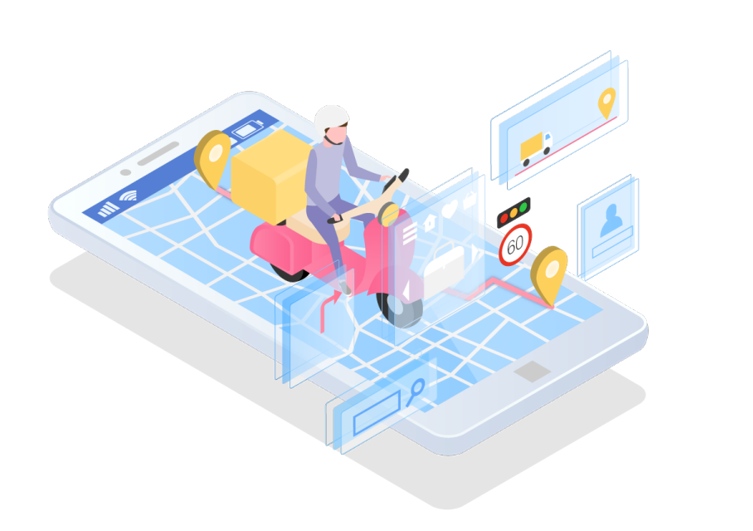
Most businesses today are taking personalization to a whole new level. In addition to monitoring customers’ purchasing behavior to make reasonable product suggestions, they will also provide customers with location-based delivery services.

2) Accurate advertising and marketing

Now there are so many online stores that it is difficult to attract customers’ attention by natural selection alone. So selling is quite a challenge. Many stores are now adapting to this change by using geolocation to increase conversion rates. At the same time, some businesses are trying to ramp up their spending on social media advertising to get an edge on their rivals.

However, location-based marketing, like location-based marketing, is impossible without the help of powerful solutions like IP geolocation APIs.

Geolocation is now becoming a part of most People’s Daily lives. Whether it’s improving your purchasing experience or making your life easier, we should not ignore that Geolocation is a way to give away your privacy. So what is the Geolocation API?


Geolocation API

What is geolocation API in HTML5?

Geolocation is one of the most important features of HTML5. It provides the ability to determine the location of the user, which can be used to develop location-based applications. Based on this feature, location-based service applications can be developed. Before obtaining the location information, the browser will first ask the user if they want to share their location information, and only after the user agrees to use it.

Html5 obtains location information through the Geolocation API, using its getCurrentPosition method, which has three parameters, namely, the callback function executed when the location information is successfully obtained, the callback function executed when the location information is failed, and the optional attribute configuration item.

How does the HTML5 Geolocation API work?

Depending on the browser you’re using, the HTML5 Geolocation API implementation depends on a number of factors, including your public IP address, cell tower ID, GPS information, a range of wireless access points, signal strength, and MAC address (Wifi/ Bluetooth).

It then passes that information to a location service provider over HTTPS and attempts to match the information with a number of relevant databases. It then returns an approximate location that is passed to the code via javascript callback functions.

  • Which methods are provided by Geolocation API?

1) access to current location: navigator.geolocation.getCurrentPosition

After the user’s permission is obtained, the user’s information can be obtained using the getCurrentPosition method under Geolocation.

Java code:navigator.geolocation.getCurrentPosition( getPositionSuccess , getPositionError )

In the above code, the first argument is the callback to successfully get location information, which is the only required argument for the method; The second parameter is used to catch errors in obtaining location information, and the third parameter is the configuration item.geolocation
When the browser successfully retrieves the user’s location, the first function type argument of getCurrentPosition is called, and a Position object containing the data returned by the browser is passed to the called function.

Java code:

function getPositionSuccess( position ){

var lat = position.coords.latitude;

var lng = position.coords.longitude;

document.write(” your location: longitude “+ lat +”, latitude “+ LNG);

}

The Position object contains information about the user’s geographical location, and the coords subobject below this object contains information about the user’s latitude and longitude. Latitude can be accessed through position.coords.latitude, and position.coords.longitude stores longitude information. The more accurate the user’s location information, the longer the decimal point after the two numbers.

In fact, in Firefox, the Position object is accompanied by another Address object that contains the name of the country, city, and even street at that latitude and longitude.

2) continue to obtain location: navigator.geolocation.watchPosition

3) remove continued access to location: navigator.geolocation.clearWatch

When does Geolocation become invalid?

Geolocation is not about watching you all the time. If your users are traveling to a rural location, Geolocation becomes less reliable.

Because the network signal in remote places is not very good, for the positioning technology that depends on IP address and signal, even if you turn on wifi, if the user is not near the WIFI access point, geolocation service will still try to use other methods to locate the user.

But it’s hard to triangulate in remote locations, and if the browser doesn’t use GPS, accuracy will suffer.

Also, geolocation isn’t as good when you’re on the move. The Geolocation API provides a more precise location in a static city area. When driving around town, precise location information can be hard to get from a browser.

Is geolocation API free?

The Google Geocoding API is completely free to the average user using Google Maps, but the number and speed of requests it provides are limited. However, if the request rate (QPS) limit is exceeded, the corresponding API returns an error message. If you repeatedly exceed the quota, you will be temporarily blocked from using the API.

So, if you don’t exceed the limit, or if you don’t use your business, the free service is basically enough.

How do I find my geolocation API key?

What is an API key? When the API is called, it is used to sign your request parameters in accordance with the specified rules. When the server receives your request, it will carry out signature verification, which can define your identity and prevent others from maliciously tampering with your request data by some means. These rules take the form of API keys.

So how do you find your Geolocation API key in Google Maps? Open your browser, type https://developers.google.com/maps/documentation/javascript/get-api-key in the address bar, you can open the Google map platform. Of course, if you don’t have a Google account, you’ll need to sign up for one.

Then go to the Google Cloud Platform Console and create a project, select the type of map you want, and click Enable. On the credentials page, click Create Credentials and select the API key. In the dialog box that displays the API key, select the Restricted key to set the browser limit for the API key.

Manually control your geolocationcontrol your geolocation

How can I manually control my geolocation in the browser?

1) Denied access to location

Today’s major browsers, such as Google Chrome and Firefox, follow privacy protocols and ask websites about your location when they want it. When you open a TAB, a pop-up box asks you if you want to accept geolocation, which you can refuse manually if you really mind. It’s worth noting that some sites try to get your information, so pop-ups can be hidden from view.

2) Close cookies

Another way to block site tracking is to clean up cookies on your computer. Because cookies may not only reveal your browsing history and preferences, they may also reveal your geographic information to others. Although cleaning cookies does not solve the root cause of geolocation threats, taking action is more proactive than leaving them alone.

3) Change location from the browser

Have trouble checking your location requests over and over again? You can set geolocation directly in the browser. Internet Explorer, Google Chrome, Firefox, Microsoft Edge, and Safari now support setting access requests directly in the browser TAB.