
track user browsing behavior

Canvas Fingerprint Knowledge, Leak, Block and Change

There are many ways to track visitor information on the Internet, such as the more traditional cookie technology. Nowadays, the most widely used technology is Canvas Fingerprint. Many websites and tracking software are using Canvas Fingerprint.

What is a canvas fingerprint?

Canvas fingerprinting is a technique for tracking visitor information. The browser will use a variety of image processing engines, export options and compression levels. Therefore, the graphics drawn by different browsers are also different.  These graphics are specific fingerprints for the user’s device, which can be used to distinguish and identify different users. Users don’t often change hardware devices in their daily lives.  Canvas fingerprints can well identify the user’s browser.  However, canvas fingerprints also have some problems.  When the user’s hardware devices and browsers are exactly the same, the canvas fingerprints are also very easy to be the same.  At this time, some auxiliary verification information is needed.

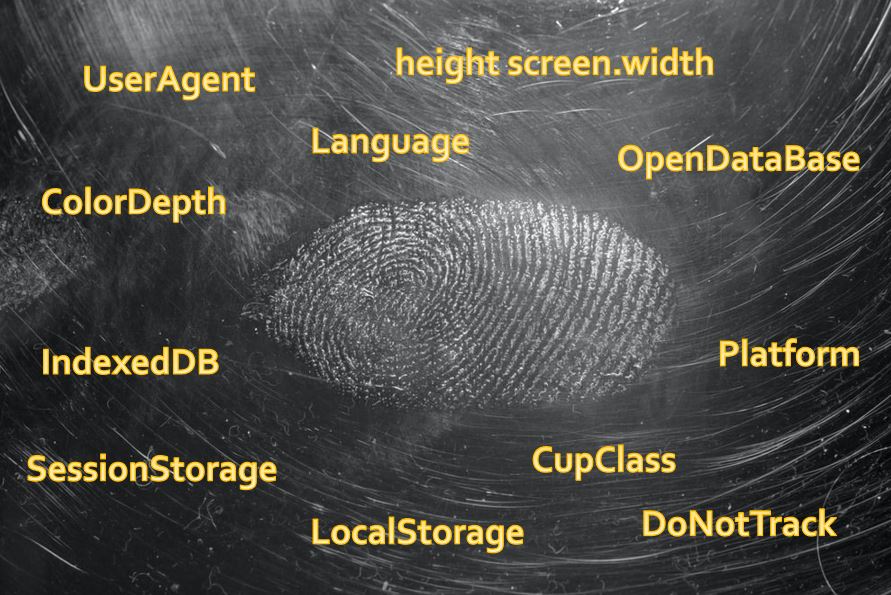
What factors can support canvas fingerprinting improvements:

  • UserAgent
  • Language
  • ColorDepth
  • height screen.width
  • SessionStorage
  • LocalStorage
  • IndexedDB
  • OpenDataBase
  • CupClass
  • Platform
  • DoNotTrack

support canvas fingerprinting improvements factors

Use of Canvas Fingerprint

Online advertising companies need to track user behavior so as to understand each user’s browsing preferences and establish user interest tags.

The all-around tracking information makes it easy for advertisers to understand the consumer preferences of users, so that they can recommend more suitable advertisements according to different users, making it easier to close the deal.

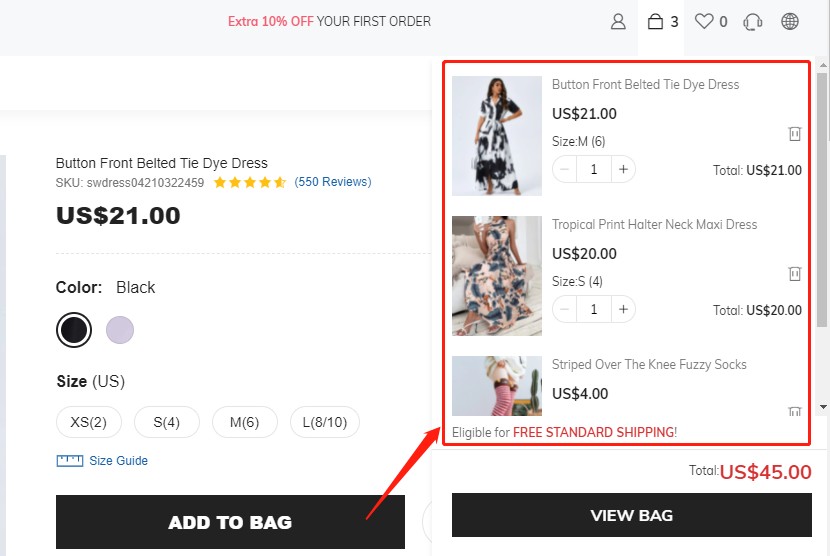
track user browsing behavior

This is a good thing as well as a bad thing.  When users enjoy more accurate recommendations, they also lose most of the right to choose freely.

The development status of canvas fingerprints

Today, canvas fingerprints have become the most important visitor tracking technology.  HTML5 canvas technology can not only process pictures but also monitor the user’s keyboard, mouse, touchpad and other input events.  The HTML5 canvas technology has been supported by most mainstream browsers, and it is difficult to stop.  As long as the Internet is accessed through the browser, all behaviors will be tracked.

How to prevent canvas fingerprints from leaking

How to change the canvas fingerprint

Canvas fingerprints can be forged and tampered with.  By intercepting the JavaScript function, the return result of the function is modified, and the returned fixed data becomes unfixed data.  Canvas fingerprints are mainly obtained through JavaScript.  If the important functions of JavaScript can be controlled, the forgery and tampering of canvas fingerprints can be realized.

Canvas fingerprint Defender

Canvas fingerprint defender is a browser plug-in, applicable to Chrome and Firefox, which can change canvas fingerprint by adding noise in the browser.  Canvas fingerprint defender will not completely block the canvas element of the browser.  Blocking the canvas completely will cause some website functionality loss.

canvas fingerprint defender

After installing Canvas fingerprint defender, it will do the following:

var inject = function (){

const toBlob = HTMLCanvasElement.prototype.toBlob;

const toDataURL = HTMLCanvasElement.prototype.toDataURL;

const getImageData = CanvasRenderingContext2D.prototype.getImageData;

// var noisify = function (canvas, context) { const shift = { ‘r’: Math.floor(Math.random() * 10) – 5, ‘g’: Math.floor(Math.random() * 10) – 5, ‘b’: Math.floor(Math.random() * 10) – 5, ‘a’: Math.floor(Math.random() * 10) – 5 };

// const width = canvas.width, height = canvas.height; const imageData = getImageData.apply(context, [0, 0, width, height]); for (let i = 0; i < height; i++) { for (let j = 0; j < width; j++) { const n = ((i * (width * 4)) + (j * 4)); imageData.data[n + 0] = imageData.data[n + 0] + shift.r; imageData.data[n + 1] = imageData.data[n + 1] + shift.g; imageData.data[n + 2] = imageData.data[n + 2] + shift.b; imageData.data[n + 3] = imageData.data[n + 3] + shift.a; } }

// window.top.postMessage(“canvas-fingerprint-defender-alert”, ‘*’); context.putImageData(imageData, 0, 0); };

// Object.defineProperty(HTMLCanvasElement.prototype, “toBlob”, { “value”: function () { noisify(this, this.getContext(“2d”)); return toBlob.apply(this, arguments); } });

// Object.defineProperty(HTMLCanvasElement.prototype, “toDataURL”, { “value”: function () { noisify(this, this.getContext(“2d”)); return toDataURL.apply(this, arguments); } });

// Object.defineProperty(CanvasRenderingContext2D.prototype, “getImageData”, { “value”: function () { noisify(this.canvas, this); return getImageData.apply(this, arguments); } });

// document.documentElement.dataset.cbscriptallow = true;};

The three functions toBlob, toDataURL, and getImageData are redefined in the code.  When the canvas drawing pattern calls these three functions through JavaScript, it will be interfered with randomly generated data, so that the canvas fingerprint is no longer unique.

How to block canvas fingerprints

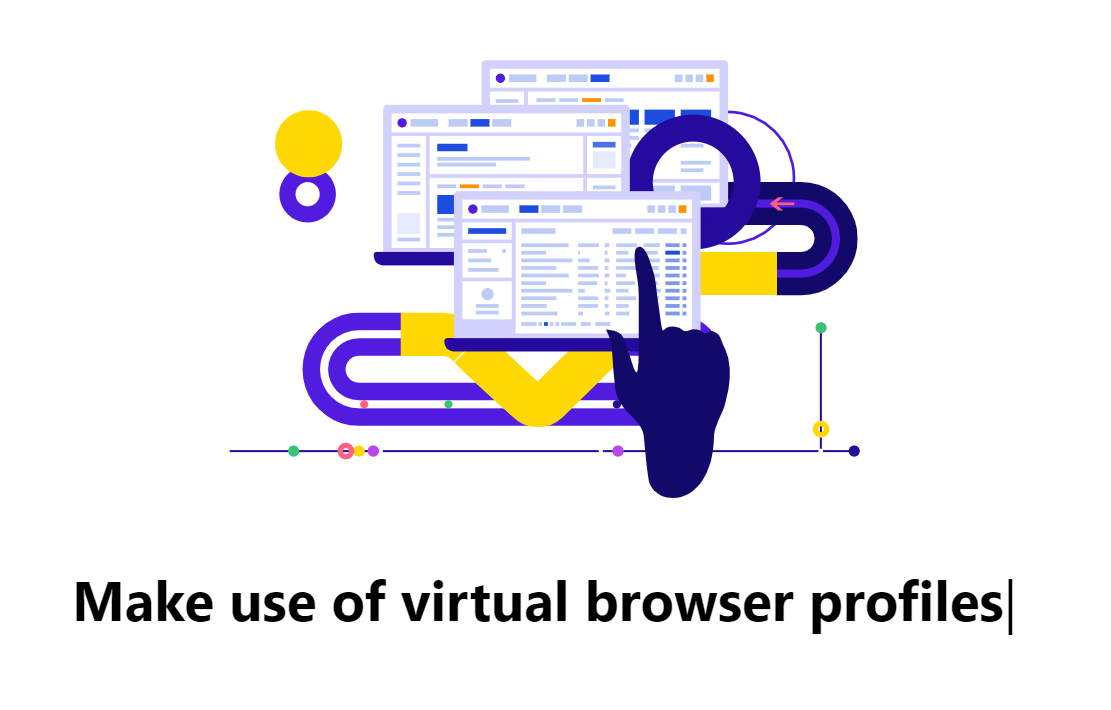
Use Clonbrowser. Clonbrowser is a virtual browser that realizes the complete independence of canvas fingerprints by setting UserAgent, HTTP headers, Plugins, MymeTypes, WebGL and Geopositio and other parameters. Although the canvas fingerprint is not completely shielded, it allows you to have one or more separate browser environments, and it is very safe.

Use Adblock Plus. Adblock Plus is a browser plug-in that can block advertisements and pop-up windows, as well as prevent the enablement of canvas fingerprint scripts.

But Adblock Plus is best used with the EasyPrivacy list.
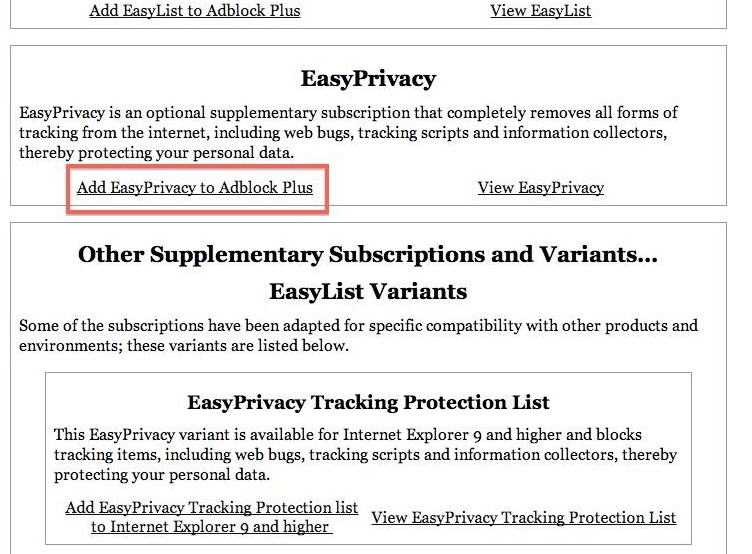
add easyprivacy to adblock plus

Disable JavaScript.  Canvas fingerprints are obtained through JavaScript, and cannot be formed without JavaScript canvas fingerprints.  However, most websites rely on JavaScript to load important content. If JavaScript is disabled, you will not be able to access the website normally.

Use Tor Browser. Tor Browser can help you effectively block canvas fingerprints through a complex proxy and encryption technology.

Summarize

The development of HTML5 is ever-changing, and canvas fingerprint technology is widely used because of its convenient and easy-to-use characteristics. For industries such as e-commerce and social media, canvas fingerprints have indeed brought a lot of convenience to users. But at the same time, the security of personal information has also become a problem. As people’s awareness of safety increases, more and more solutions are proposed. I believe there will be more balanced security solutions in the future.


Use proxy IP technology

How to protect your IP address

The part of our daily Internet that easily exposes personal privacy is the public IP of our computer.

Track location by IP

What user privacy will be leaked by IP?

IP can be used to track our location information. Identify people through location (geographical location) and equipment (mobile phone, computer, etc.) and through time correlation analysis.
To put it simply, it is possible to use IP tracking to obtain that a person accessed the Google website through a computer at an address in New York, USA at 14:30 today.

The problem is coming?

  • How to use technology to protect our IP from being tracked?
  • How to protect your online privacy from being detected by people with ulterior motives?

Here are several relatively effective solutions to protect your IP privacy.

Why is it relatively effective? Because the technologies themselves are advancing with each other, there is no absolutely safe technology.
Technology itself is a race.

1. Use VPN to protect your IP

This is the most common way and the simplest to operate.

Use VPN to protect your IP

First, let me explain what a VPN is.

VPN full name: Virtual Private Network

VPN is defined as the establishment of a temporary and secure connection through the Internet, which is a safe and stable tunnel through a chaotic public network. Using this tunnel, data can be encrypted several times to achieve the purpose of using the Internet safely, which is widely used in corporate offices.

The virtual private network can also be an extension of the corporate intranet. Virtual private networks can help remote users, company branches, business partners, and suppliers establish reliable and secure connections with the company’s intranet, and are used to cost-effectively connect to business partners and users’ secure extranet virtual private networks.

Therefore, many office workers also need to establish a VPN connection on their own computers to facilitate remote office work and so on.

Turn on the VPN on the device we want to surf the Internet and connect to the VPN network, so that our public network IP will be turned into an exit IP of the VPN network.

The export IP of VPN may be anywhere in the world.

In this way, an American user IP can use VPN to become a Japanese export IP.
The cracker will always see the export IP of the VPN, thus protecting our IP.

2. Use proxy IP technology

Use proxy IP technology

A proxy server is also called proxy IP, its function is to proxy network users to obtain network information.

To put it vividly: it is a transfer station for network information.

The proxy server is like a big Cache, which can significantly improve browsing speed and efficiency.

More importantly: Proxy Server is an important security function provided by Internet link-level gateways.

The main functions are:

  • Breaking through its own IP access restrictionsnetwork users can access the target website through the proxy IP, The proxy IP can be in any country, thus breaking through the blockade of certain target websites for specific regions.
  • To improve the access speedusually, the proxy server sets a larger hard disk buffer.  When external information passes through, it also saves it in the buffer.  When other users access the same information again, the buffer is directly used.  Take out the information from it and pass it to the user to improve the access speed.
  • Hiding the real IPInternet users can hide their IPs through this method to protect their privacy from attacks.

But what I want to remind here is that proxy IP is actually divided into the hidden proxy, anonymous proxy, and transparent proxy. Only by using high anonymity proxy IP can the real IP address be completely hidden.

  • Using a transparent proxy IP, the other party can see the proxy IP you use and your real IP.
  • Using an anonymous proxy IP, the other party knows that you have used the proxy IP and cannot directly see your real IP address, but you can still see it through some means.
  • Using high hidden proxy IP, you can completely hide the real IP address.

3. Combine the springboard network

The first two daily-used technical solutions can simply protect the IP privacy of the target website. But if the other party is a hacker with ulterior motives and has certain public rights. We need to use a more professional springboard network.

The springboard network generally implements the complexity of the entire link tracking through a huge multi-node agent network. Springboard network has features such as update and maintenance cycle change, zero logs, etc., which can further protect users.

For example, TOR (software that provides springboard network services) server does not record logs, but third-party servers cannot control it.

However, the mechanism of TOR is to update the link every ten minutes, so the real IP cannot be traced under the current human computing power.

The record of ISP depends on the laws of each country.

For example, in Romania, Ceausescu used the Typewriter Act in history, which caused serious harm to the country.

Therefore, the citizens attach great importance to privacy protection. The log records of domestic ISPs are not mandatory, but customer information is required to be protected. Therefore, most service providers do not record them. VPN service providers that claim to protect privacy will recommend users to use Romanian servers because there is no need to log logs there. But in fact, no country will track an IP across the border. This has political issues.

Regarding the springboard network, it has gone beyond the scope of our IP privacy protection. Our daily scenarios are for fair services (different services of certain target websites to regions) and fast and effective network access. Oppose some illegal privacy tracking and protect your online identity instead of sabotaging and attacking.

What are cookies on a website

The definition of cookie, what is cookie

Cookie is a plain text file saved in the client, used to record the status of the user’s access to the server. When a user uses a browser on a computer to access a web page, the server will record the user’s current state value, and generate a certificate to the browser, which is recorded in the local computer.

This certificate is a cookie. 

this is a cookie

Cookies have a validity period. During the validity period of the cookie, when the user visits the same server again, the browser will send the cookie to the server. The server will identify the cookie to determine the user’s identity, and then provide the user with the corresponding resources and content.

The birth of cookies

With the development of the Internet, people are no longer satisfied with basic web services and have greater demands for the convenience and ease of use of web services. At the same time, it is hoped that the server can record the activity status of different users, even in complex Internet interactions, Can also accurately provide users with resources and content.

As we all know, the transmission of Internet information relies on the HTTP protocol, but the HTTP protocol is stateless. The server cannot determine the user’s identity through the http protocol, nor can it record the user’s status, which causes the user to be unable to obtain the previous information each time they visit. If you want to continue the previous information, you must retransmit it, which is very troublesome and inefficient.

For example, You have carefully selected 10 items on Amazon and put them into the shopping cart. At this time, you accidentally closed Amazon. When you open Amazon again, you definitely hope that the 10 items are still in the shopping cart.

The HTTP protocol cannot help you. But cookies can.

save your access state

When the demand for dynamic interaction between the client and the server is increasing, technical means to save the state of web services have emerged. The most familiar one is the cookie, and there is another technology called session.

Cookie attributes

A cookie is composed of several attributes, and they respectively record some information, such as the effective time, which domain name is sent to, which path is stored in, and so on.      Cookie attributes include Name/Value, Expires, Path, Domain, Secure, Httponly.

The attributes are separated by semicolons and spaces. Each attribute can be set If not set, use the default value.

Detailed introduction of cookie attributes:

Name/Value attribute: Set the name of the cookie and the corresponding value, name it with letters and numbers, and cannot use special characters.

Expires attribute: Set the expiration time of the cookie.  During this time, the cookie is valid.  The browser will clear the cookie after the time expires.  The expires attribute must be a time in GMT format.  If the expires attribute is not set, the cookie will be cleared immediately after closing the browser.

Path attribute: Set the path where cookies can be accessed on the website, usually set to “/”, which means that all pages on the site can access cookies.

Domain attribute: Set which websites can access cookies, the domain attribute and path attribute are used together to set which URLs can access cookies.

Secure attribute: The cookie can only be sent under the secure protocol. By default, the cookie does not have the secure attribute. Both the HTTP protocol and the HTTPS protocol can access the cookie. After the secure attribute is set, only the HTTPS protocol can access the cookie.

Httponly attribute: Setting cookies cannot be accessed through forms other than the HTTP protocol. Under normal circumstances, the client can read, modify, and delete cookie information through JavaScript code. After setting the Httponly attribute, JavaScript can no longer access the cookie, which helps to protect the cookie. Will not be maliciously stolen and tampered with.

How cookies work

how cookie works

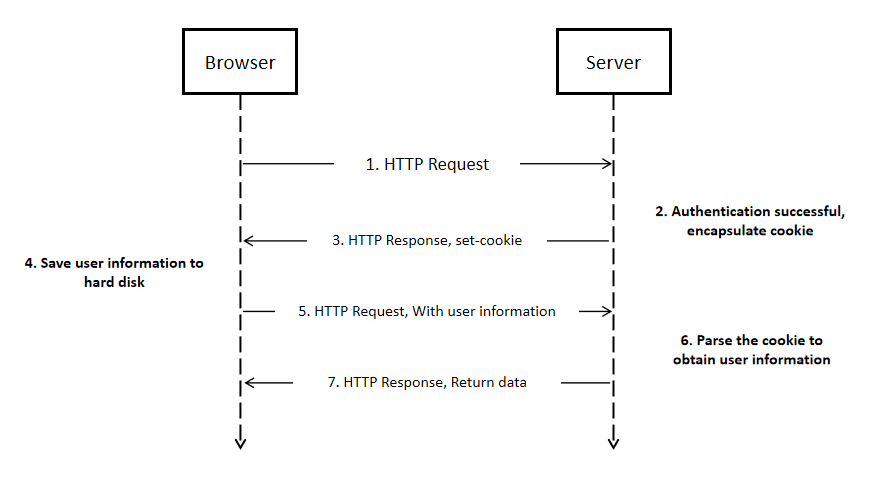
When a user visits a website, the cookie generation will go through the following steps:

Step 1: The client sends a request to the server.

Step 2: After the server receives the client’s request, it will generate a set-cookie head based on the client’s information, and send it back to the client to establish a session.

Step 3: The client receives the information and if it is determined to establish a session, it will store the cookie file on the local hard disk.

Step 4: When the client sends a request to the server again, the browser will look for the corresponding cookie file according to the website domain name, and if found, it will send the cookie content to the server.

Step 5: After the server receives the request containing the cookie, it will generate a page that meets the needs of the client and send it to the client based on the relevant user information stored in the cookie.

The basic operation of cookies

  1. Set cookies on the client

On the client-side, the cookie can be set through JavaScript, and the value of the cookie can be set by executing the code.

E.g: document.cookie=”expires=Thu, 26 Feb 2116 11:50:25 GMT; domain=www.clonbrowser.com; path=/”;

When we check the cookie panel of the browser, we can see that the expires, domain, path, and other attributes have been set successfully.

Note: The client can set attributes including expires, domain, path, secure, but cannot set Httponly attributes.

  1. Set cookies on the server

Through the above, we have learned that when the client sends a request to the server, the server will send a set-cookie, which is used by the server to set the cookie.

Note: The server can set all cookie attributes

  1. Set multiple cookies at the same time

If you want to set the attributes of multiple cookies, you can implement it by repeatedly executing JavaScript code in multiple lines.

  1. Modify cookie

If you want to modify an attribute of the cookie, you only need to modify the attribute value of the cookie, and the new attribute value will overwrite the old attribute value.

Note: When modifying the cookie, the domain and path attributes must be consistent, otherwise a new cookie will be generated.

  1. Delete cookie

If you want to delete the cookie, you need to reset the expires attribute of the cookie and set a time in the past, so that the cookie will naturally become invalid.

Security issues with cookies

Why cookies are not secure

Cookies are stored in the user’s local computer. Personal computers are often less secure and can easily be intercepted and stolen by other hackers.

What are the security risks of cookies

  1. Cookie spoofing

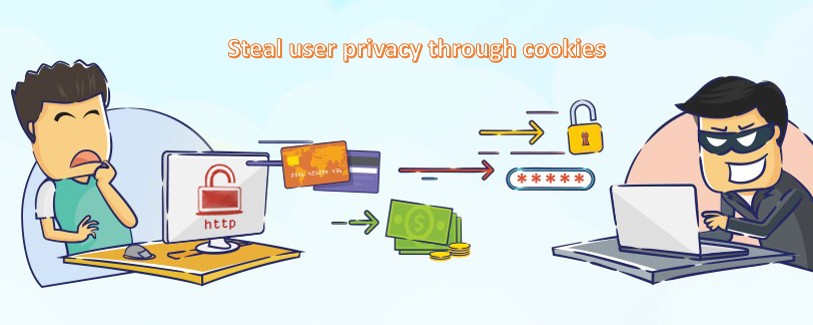
Cookie spoofing is caused by cookie leakage. Cookies are easily discovered and intercepted during network transmission, especially the transmission of HTTP protocol.   When hackers get the cookie, they can log in to the corresponding website as a fake user and obtain the user’s privacy information.

Steal user privacy through cookies
  1. cookie injection

Cookie injection is the opposite of cookie spoofing. Cookie injection allows users to log in to cookies that have been tampered with without their knowledge. Cookie injection requires high technical means. Experts can often achieve precise attacks, which are extremely concealed and difficult to be discovered.

  1. Malicious cookie code

The cookie itself is an ordinary text file. If you use a special markup language to embed executable code in the cookie, you may further steal user identity information.

How to protect cookie security

Cookies are stored as plain text files on the computer. In theory, attacking cookies will not cause great harm to the user’s computer. However, there are still many hidden dangers in the leakage of cookies. If it is leaked, the user’s web access information will no longer be safe, private Data can be easily stolen.

It is also essential to protect the safety of cookies. Introduce some methods to make your cookies more secure.

  1. Cookie expiration period becomes shorter

Setting the validity period of the cookie shorter is a simple and effective method, which makes the security of the cookie controllable.

  1. Set Httponly attribute

The Httponly attribute can prevent the cookie from being accessed by JavaScript, which can improve the security of the cookie.

  1. Set the secure attribute

The Secure attribute allows cookies to be accessed only by the HTTPS transmission protocol, which is more secure than the HTTP protocol.

  1. Set complex cookie
  • Randomly generate the key value of the cookie
  • Use complex cookie naming
  • Increase the difficulty of cookie decryption as much as possible, and protect cookie information
  1. Strengthen the security protection of the database

If the database is sufficiently secure, even if a cookie is leaked, the loss caused will be greatly reduced

  1. Use session and cookie at the same time

Session and cookie are both methods used to store user web information. The difference is that the cookie is stored on the client-side and the session is stored on the server. While using the cookie to record the information, it can be verified on the server-side through the session, which can be extra insurance.

The importance of information security

Our lives are inseparable from numbers, and people rely on information technology more than ever. Information technology is inseparable from the use of medical equipment in hospitals, security systems and smart phones. Computerized equipment plays an important role around people. Information security has become a basic requirement of human life.

Information technology is not only a basic requirement of life, but also very important to work and business. Information is one of the most important intangible assets, and managers have the responsibility to protect the confidentiality of important information, because information technology carries a lot of sensitive data and customer information. Its history can be traced back to 1980, when the use of computers was limited to computer centers, and the security of computers represented the physical computing infrastructure. Today, the openness of the Internet simplifies the process of internal information storage. The world is rapidly transforming from an industrial economy to a digital society. With the development of information technology, people’s demand for information security is increasing.

What is information security?

Information security, also known as Infosec. It is to establish technical management security protection for the data processing system, the purpose is to protect the computer hardware, software, and data from being damaged, modified and leaked by malicious factors. At the same time, it is responsible for protecting data and ensuring its confidentiality, integrity and availability. And, in the concept of information security, they are called information security principles:

1.Confidentiality: data cannot be accessed without authorization;

2.Integrity: the data will remain unchanged and remain valid;

3.Availability: Managers who have the right to access the information can obtain the information.

What are the types of information?

Information is divided into public and confidential. Anyone can access is public, while information that only individuals can access is confidential.

1.Public information

It is generally believed that there is no need to protect public information. Although the principle of confidentiality does not apply to public information, it is still necessary to ensure that public information is complete and accessible. Therefore, information security also applies to handling public information. For example: online store. Product details, blog posts, seller contact information, etc., all key information is publicly available and anyone can view it. But the online store still needs to be protected to ensure that no one will disrupt the work.

2.Confidential information

Personal information: information about a specific person (name, ID, phone number, physical characteristics, marital status and other data), anyone has an obligation to protect it and not to transfer it to others;

Trade secrets: internal information about the company’s work (technology, management methods, customer base). If the outside world knows this data, the company may lose profits. The company has the right to decide on its own trade secrets and publicly available information, but it does not mean that all information is classified as trade secrets, such as legal representative.

Professional secrets: medical, notarization, lawyers and other types of secrets related to professional activities.

Official secrets: including known information such as taxes or registered companies. Government agencies usually store this data, they have a responsibility to protect it, and only provide it on request.

State secrets: including military information, intelligence data, information about the economy, national science and technology, and foreign policy. This data is a high-level secret, and the system security for storing such information is very strict.

Of course, if the company stores personal data, business or professional secrets, that data must be specially protected, and it is also necessary to restrict unauthorized persons from accessing it. You can usually set the access level and password; install security software; configure encryption. The main task of information security is not only to protect confidential information, but to avoid illegal behaviors and adverse consequences caused by malicious behaviors.

Why pay attention to information security?

Before the advent of the digital age, people locked important documents in safes, hired security guards, and encrypted them on paper to protect data. However, with the rapid development of the Internet, data also faces a large number of different types of risks. For example, threats such as computer hackers, malicious code and denial of service DOS attacks have become more and more common. The implementation, maintenance and update of information security are also huge challenges facing the current group. With information security, information and technology can be protected by responding to, preventing, and detecting internal and external threats.

According to McAfee, losses related to information security and cybercrime currently exceed 200 billion U.S. dollars, and have grown to 250 billion U.S. dollars in recent years, indicating that more sophisticated hacking has increased significantly. Because digital information is getting more and more protected, most people will use antivirus software and use encryption methods to encrypt digital information. However, digital information needs not only virtual protection, but also physical protection. If outsiders steal important data, antivirus software will not help. Therefore, they are placed in a protected storage space.

What are the threats to information security?

Understanding potential threats and security vulnerabilities is very important for choosing appropriate information security management and control. In most cases, threats are the result of vulnerabilities in the protection of information systems. Let us introduce the common threats faced by information systems.

1.Free internet facilities

For example: Many people use laptops to run software in public areas. Since other people can also access information, there is a risk of performing operations.

2.Data security threats

Due to the existence of viruses in the programs installed on the user’s computer, security threats are increasing day by day, and the installed protection programs cannot operate normally.

3.Malware

If the user does not click, the malware cannot enter the computer. To penetrate the computer system, it is necessary to use means to trick the victim into running on the PC. Usually, malware hides itself by attaching itself to interesting content (for example: pictures, videos, GIF animations). Malware that is used to damage the system will be classified according to the user’s startup method, working method, etc. The action strategy of malicious software is different from that of viruses. It will cause abnormal system behavior and will not be noticed by the system for a long time. Will deliberately destroy the system, copy and steal information from the computer, create a computer virus or Trojan horse environment.

4.Phishing

Phishing is one of the common types of online fraud, the main purpose is to steal usage data and destroy it. Phishers usually target: personal information; login name and password; access code; personal account data; bank card or account details; service information; database; trade secrets and other information.

5.Ransomware

Ransomware is created by professional programmers. Such a program can infiltrate the victim’s device through an email attachment file, or a virus-infected browser. At the same time, it can also penetrate the user’s device from the local network.

6.Cloud vulnerabilities

Client-side attacks: This type of attack has been practiced in the Web environment, and the same is true for the cloud. Because the client usually uses a browser to connect to the cloud. Including cross-site scripting (XSS), hijacking Web sessions, stealing passwords, “man in the middle” and other attacks.

Virtualization threat: Because cloud component platforms are traditionally virtualized environments, attacks on virtualized systems also threaten the entire cloud. This threat is unique to cloud computing.

Hypervisor attack: The key element of a virtual system is the hypervisor, which can share physical computer resources between virtual machines. If you interfere with the operation of the hypervisor, a virtual machine may be able to access memory and resources, intercept network traffic, occupy physical resources, or even completely remove the virtual machine from the server.

In summary, whether it is an organization or an individual, information security is indeed very important, and every security measure requires continuous improvement and optimization. At present, the only solution is prevention. Using a built-in protection program for all types of viruses and real-time detection of security is an effective solution to prevent data leakage and reduce risks.

Method of shielding ip

Method of shielding ip

What is IP?

IP: Internet Protocol, IP address is a string of numbers and decimal points, used to identify each device connected to the Internet. There are two types: IPv4– composed of four two or three digits (for example: 123.45.67.89), separated by a period. IPv6–address is much longer, including letters and numbers separated by colons. Compared with IPv4, IPv6 has higher routing and data flow efficiency and higher security.

Everyone’s IP address is unique. Every time you visit a website, you will provide your real IP address to the website. In addition, the IP address can easily infer the user’s specific location with high accuracy. Even if you are simply browsing, and nothing is done, revealing your location will be troublesome. In order to profit from your online behavior, websites and third-party advertisers can use this data to push specific content to you, guess what you like, and then push you more and guide you to make purchases.

For example, airlines and travel companies will change product prices based on the location of your IP address. So you may see a big change in airfare prices. Another example is the big data familiarization operations commonly used in various platforms. If you like privacy and don’t like censorship, you have to learn to hide your IP address. Another reason for hiding IP addresses is to bypass restrictions on websites, service providers, government agencies, workplaces, and even schools.

Do you know any good ways to hide your IP address?

Use VPN:fast,convenient and safe

VPN (Virtual Private Network) stands for virtual private network and is a software service. Simply put, encrypt all data through the VPN server and connect to the Internet in the country you want to assign a virtual IP address related to that country. Hide your real location.

Of course, when connecting to the VPN, you need to replace the IP address with the IP address of the connected network. At the same time, the VPN needs to provide information about you in order to track your device traffic (you can also find the IP address through DNS leaks), and it is available on the market The best VPNs need to pay a fee, but they are definitely value for money and very safe. You need to choose a reputable product that has advanced encryption and security profiles to prevent your real IP address from being leaked. Although there are free VPNs, their functions are limited, the speed will not be very fast, and there may be a risk of security threats caused by malicious attacks by other software.

Web proxy-slower and insecure

The working principle of a web proxy is almost the same as that of a VPN. The proxy is usually used to access geo-blocked content: after connecting to the proxy, all traffic starts to pass through the server, and your IP address will be hidden behind the IP address of the proxy server.

The difference between web proxy and VPN:

1.The proxy server is not encrypted

Even if your IP address is hidden by the proxy server when you use it, it can still be analyzed by providers and law enforcement agencies. In addition, some sites may use Flash or JavaScript to track your real IP address.

2.The speed will be slower

Some browsers only allow the proxy to use directed network traffic. You need to go to the browser settings and specify the IP address of the server. Applications and devices outside the browser (such as Skype) will display you Real IP address. In addition, if the proxy connection drops for some reason, your real IP may be exposed.

3.Tor-hide your IP address for free

Tor (The Onion Router) is a free software.It is a decentralized global anonymous network maintained by volunteers from all over the world. When you use it, your Internet communications will be encrypted and routed through a random sequence of these volunteer “nodes”, which are a bit like proxy servers. Traffic will pass through multiple servers, and after multiple encryptions, it is almost impossible for anyone to trace back to your IP address.

The disadvantage is that the speed is slow and not suitable for torrent or streaming media playback-insist on using web browsing, and it is usually related to criminal activities, it can visit dark web and illegal websites. Some websites block connections from known Tor nodes, and your ISP may not approve of its use. To achieve maximum privacy and security, it is recommended to use Tor and VPN in combination.

Public WiFi-high risk

IP addresses are freely allocated by Internet service providers. IP addresses are constantly being recycled to keep a limited number of available IP addresses. Your IP address may change from time to time. This is a dynamic IP. The IP address of a public place is a shared connection, so others cannot trace it back to you.

In the same way, public WiFi will make you more vulnerable to security threats such as hackers and malware.


hide your identity

Ways to hide your identity online

The amount of digital information in the world doubles every two years, and the number of searches for “how to hide your identity” is also increasing. In most cases, we use smartphones, computers, tablets and other devices to collect and use information. We buy goods online and communicate with friends. The Internet space is changing at an alarming rate, and data privacy issues are becoming more and more serious.

How to hide identity?

Personal information is a valuable asset of people. Common advertisers can find available information from the browser search history. They will find the user’s needs from the search records and provide reasonable pushes. This is completely legal.

For ordinary computer users, browsing the web does not usually bring many hidden dangers, but there will always be malicious hackers who find loopholes to attack others and gain benefits. Therefore, it is essential to ensure the security of personal data. We have collected common solutions that can help people protect their identities and privacy while online.

1.Stealth access mode

A common way to protect personal data online is to use incognito mode. Almost all browsers have an incognito mode, which protects the private information of online users to a large extent. Apple first introduced this feature in the Safari browser in 2005. Since then, between 2008 and 2010, other browsers have followed suit, including Google Chrome.

Although incognito mode can help users hide information, ISP, Wi-Fi owners, website and local network administrators can still see the user’s view. And, even if the user uses the incognito mode, the provider will see all the user’s visits. They provide users with an IP address and associate it with the owner of the computer.

At work, the incognito mode is meaningless. The local system administrator can track any user’s actions on the Internet. Usually, companies will specifically track visits to specific sites (such as social networks, instant messaging programs, etc.) to prevent employees from wasting time to do other things. Moreover, the use of special software can quickly track a certain user.

2.Use anonymous email for communication

Suppose a user wants to send an email to someone, but doesn’t want the other person to know the email address. Generally speaking, there are two ways to solve it. The first is to use aliases, which are forwarding addresses. The recipient will only see the forwarding address, not the user’s real address. Alternatively, users can choose to use a one-time e-mail account and one-time e-mail service. The way these services work is to create a temporary forwarding address that will be deleted after a period of time, which is ideal for registering content on untrusted websites and preventing the inbox from being flooded by spam.

3.Tor browser

Tor is a professional technology that can hide identities on the Internet. Tor was originally a US military project and later opened to sponsors. The main purpose of this network is to provide anonymity and security in a network where most participants do not trust each other. The essence of the network is that the data passes through multiple computers, the IP address is changed, and the user obtains a secure data transmission channel. The principle of Tor: Connect to the site or service that the user needs through multiple servers in turn. Before the request or data enters the network, a special program on the user’s computer encrypts it so that each server can only decrypt part of it.

4.Virtual Private Network

VPN allows users to protect private data when using the Internet, and they must have a valid Internet to connect to the VPN. The main difference between VPN and standard connection is encryption. All data transmitted through a VPN is encrypted, which is another easy way to anonymize and hide your identity, but not 100%.

If a user is working on a computer and wants to use a browser to access blocked sites, he can choose to install a special program on the PC (VPN client), or add a browser extension. However, there are the following key problems when using this technology:

The Internet is slower and additional encryption takes time. In addition, traffic usually travels a long distance, which is related to the remoteness of the VPN server location.

The traffic is suddenly released to the public network on a regular basis, users may often not notice the disconnected connection and personal data leakage, and the VPN connection may not be automatically restored, which is very inconvenient for users.

In fact, DNS queries are usually handled by DNS servers on public networks, rather than virtual secure servers. If the statement they provide is incorrect, the user can obtain the fake address of the requested domain. In addition, using a DNS server, you can determine the user’s approximate geographic location and Internet provider.

5.Don’t blindly agree that the website is a “Terms of Service”

In many cases, users who browse the web unknowingly choose to agree to the terms of service for selling personal data to third parties. Each user will not read the above content carefully when checking and agreeing. If the user is willing to spend a small amount of time reading the terms of service before clicking “I agree”, they will usually not click agree. For example, Facebook’s application will provide smartphone users with a “synchronization” function, and users can synchronize their contact lists from their phones to Facebook. If the user chooses to “synchronize contacts”, it also means that all of the user’s own friends and Facebook’s personal data information are disclosed.

6.Create multiple identities

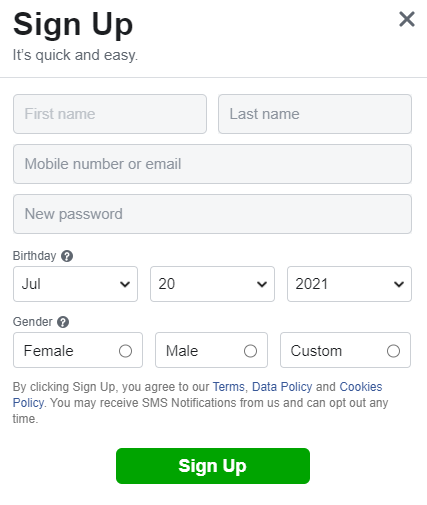
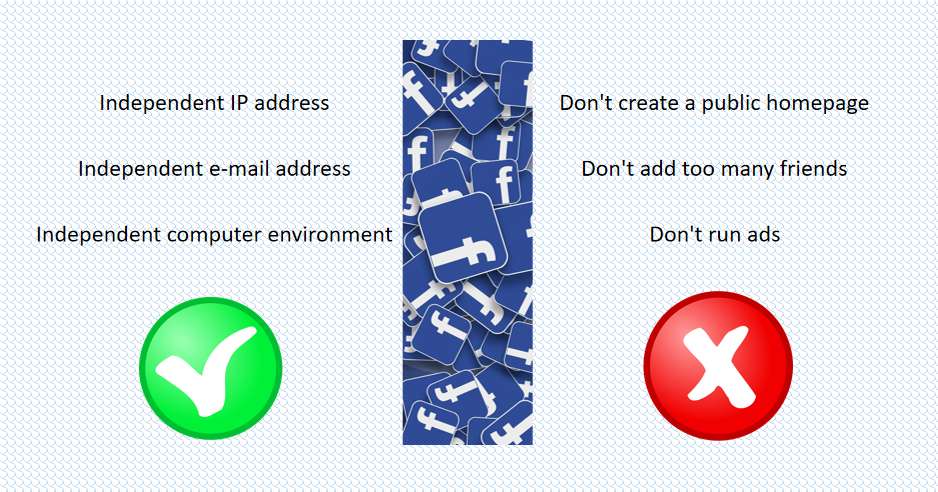
If users cannot control whether their information is leaked, identity confusion can be carried out. In other words, if users cannot delete all online information, they can choose to create multiple identities and confuse their true identity as much as possible. For example: use your own name and multiple pseudo-alias identifiers, and then choose five different addresses to create multiple Facebook accounts. At the same time, users can also revisit different sites.

browser

What is the browser fingerprint? What does it have to do with cookies

What is a browser fingerprint?

Browser fingerprint: Collect information about remote computer equipment for identification purposes. Even if cookies are turned off, fingerprints can be used to fully or partially identify a single user or device. Unlike web cookies that are stored on the client-side (ie, on the user’s device), the device fingerprint needs to be stored on the server-side (ie, stored in a database).

When you use an electronic device to connect to the Internet, your device will send the relevant content data of the website you visit to the receiving server. The website can also be collected based on your browser type and your operating habits, plug-ins, time zone, language, screen resolution, IP address and other activities.

You may think that there is nothing wrong with these data, and it does not mean that the target person under the information is a specific person, but if these data match other people, the probability of having a 100% match is very small.

Why are browser fingerprints used?

Advertising companies use it to locate specific customer groups, which indirectly means that the company’s income is higher; browser fingerprints can also be used to identify the characteristics of botnets, which may identify fraudsters and other suspicious activities that need to be investigated, and banks use this Ways to identify potential fraud cases.

Cookies have always been the main body of digital advertising. Cookies cannot provide a reliable way to track the usage of mobile devices and can be easily deleted by consumers. Cookies make advertisements and advertising activities easier to be identified by ad blockers, thus effectively eliminating advertisers. Any opportunity to establish contact with potential customers. The browser fingerprint solves this problem and provides a tracking method for tracking work that the cookie cannot complete.

What method is used to track browser fingerprints?

1.Cookie tracking

A common method for websites to obtain data is a cookie, which is a small packet of text files stored on a computer. Part of the data contained in it can provide information for the website to improve the user experience. Every time you visit a website, some websites will request to visit your cookie, and some websites directly visit your cookie, which is convenient for you to browse and use the website. Cookies also store data about browsing activities, habits, interests, etc.

2.Canvas fingerprints

There is a small piece of code inside the website written in HTML5 code that can bring your browser’s fingerprints. HTML5 is the coding language used to build the website and is the core foundation of each website. There is an element in the HTML5 coding language called the “canvas”.

3.Browser fingerprint and IP address

The IP address is a unique string of numbers. When a user interacts with a website or service, the request is sent to the receiving web server, and the receiving server needs an IP address to send a response. The IP address also points directly to your device, and some highly skilled websites can track your information.

How to prevent browser fingerprints from being attacked?

We have no way to completely prevent from being attacked, and we can use tools to enhance online privacy to minimize the possibility of identification.

1.Use the private browsing method

Use some browsers that allow users to browse in incognito mode. The incognito mode sets the “profile” to certain standard data points to make your browsing private and greatly reduce the chance of you having a unique fingerprint.

2.Use plug-ins

There are some plugins that prohibit websites from using trackers to run on the browser, but it also means that the user experience will be unsatisfactory. You can whitelist them to prohibit plugins from running on websites you trust.

3.Disable JavaScript and Flash

After disabling, the website will not be able to detect the active plug-ins and font lists you use, and it will not be able to install cookies on your browser. The disadvantage is that the website’s failure to operate normally will affect your browsing experience. Disabling flash will not affect the user experience.

We can also install anti-malware tools, use VPN, and use Tor Browser.

The digital environment is becoming more and more complex. Browser fingerprint recognition is a serious threat to online privacy. It is not only as simple as checking IP, but also beyond the scope of others. As cookies become increasingly difficult to identify online users, new technologies such as browser recognition (relying on static, unchanging information) will play an important role in powering digital advertising.